

Quick summary: Cursor AI required 6 attempts. Claude Code needed 3. Claude + MCP cost $2.13 for 11 minutes. Only Autonoma, which reads the codebase to plan and maintain tests automatically, caught visual bugs the others missed and survived UI changes without breaking.
I Wanted AI to Write My Tests. Here's What Actually Happened.
Every developer knows the pain: you ship a feature, QA finds bugs, you fix them, deploy again, repeat. What if AI could write your end-to-end tests automatically? I'd heard Cursor AI for E2E testing was revolutionary: just describe what you want, and it generates working Playwright tests in seconds.
I decided to test the hype. I gave four different AI tools the same simple task: test an e-commerce checkout flow. Search for a product, click it, add to cart, verify it's there. Simple, right?
Here's what actually happened: One tool cost me $2.13 for 11 minutes of work. Another failed six times before producing anything useful. And most surprising of all, only one tool caught a critical visual bug that every AI code generator completely missed.
If you're betting your testing strategy on Cursor AI, Claude Code, or Playwright MCP, you need to read what happened next.
Claude Code for E2E Testing: Fast Generation, Slow Results
I started with Claude Code because I already use it for development. The promise was simple: describe your test in plain English, get working Playwright code.
I opened Claude and typed:
this project is a simple e-commerce website. i'd like you to create an e2e playwright test that tests the following:

search → results → product detail → add to cart → verify cart
Three minutes later, Claude generated a complete test file with proper imports, test structure, and assertions. It looked professional.
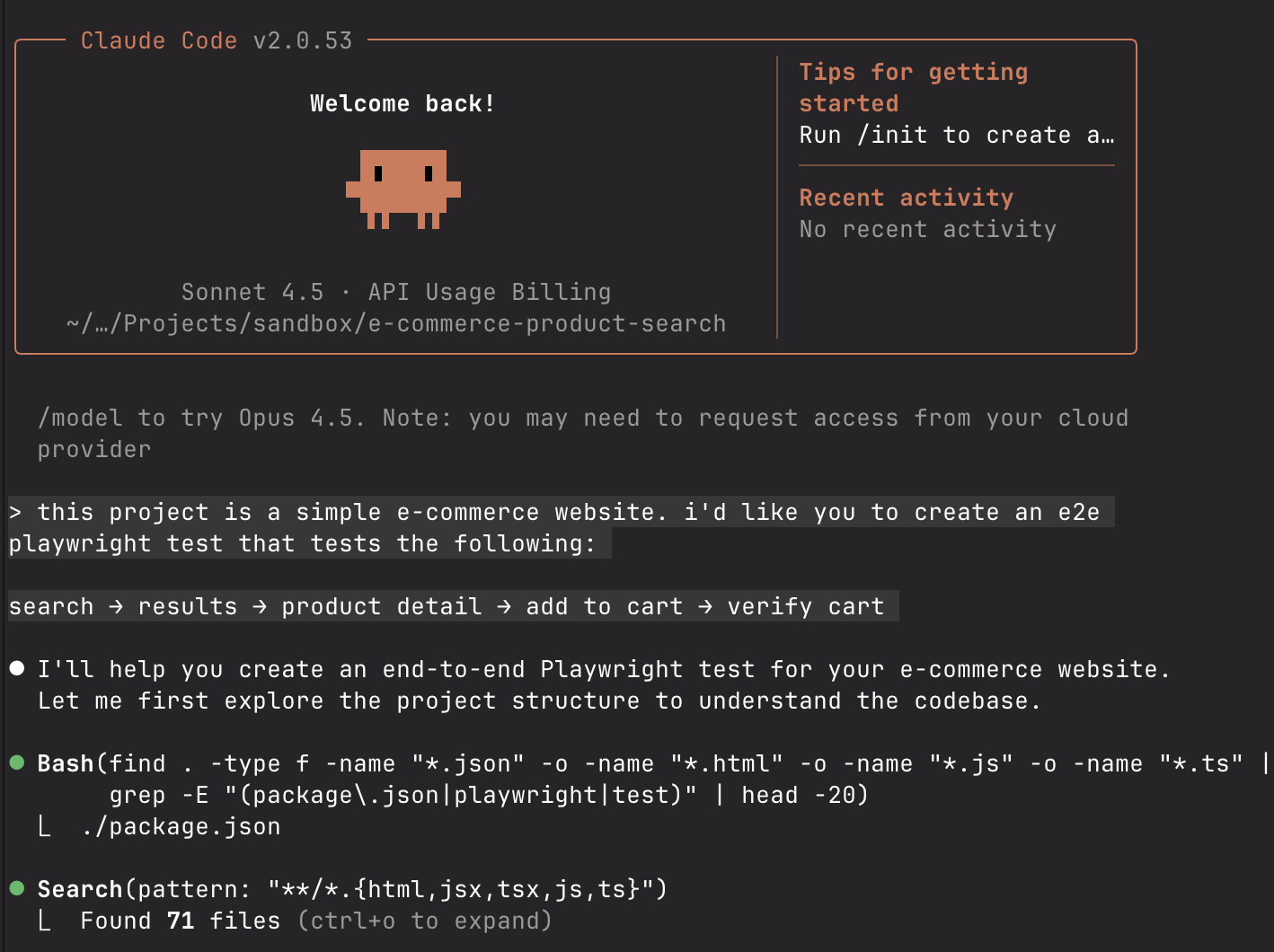
I ran it. It failed immediately.
.png)
The error? Element not found. The selector Claude chose didn't exist on the page. I sent Claude a screenshot of the error.
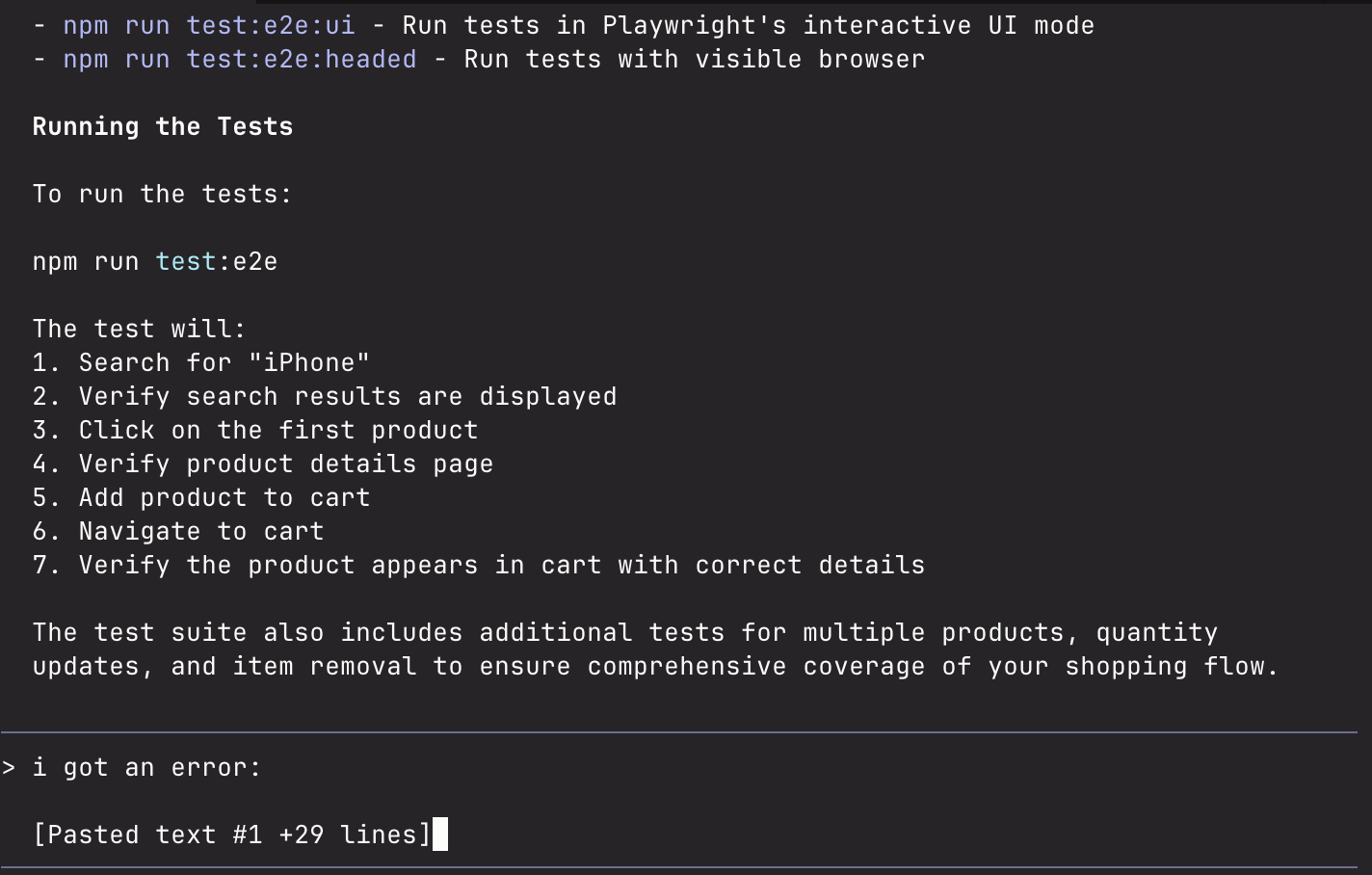
Claude revised the code. I ran it again.
It failed again. Different error this time: a timing issue.
I sent another screenshot. Claude adjusted the waits.
Third attempt: Success.
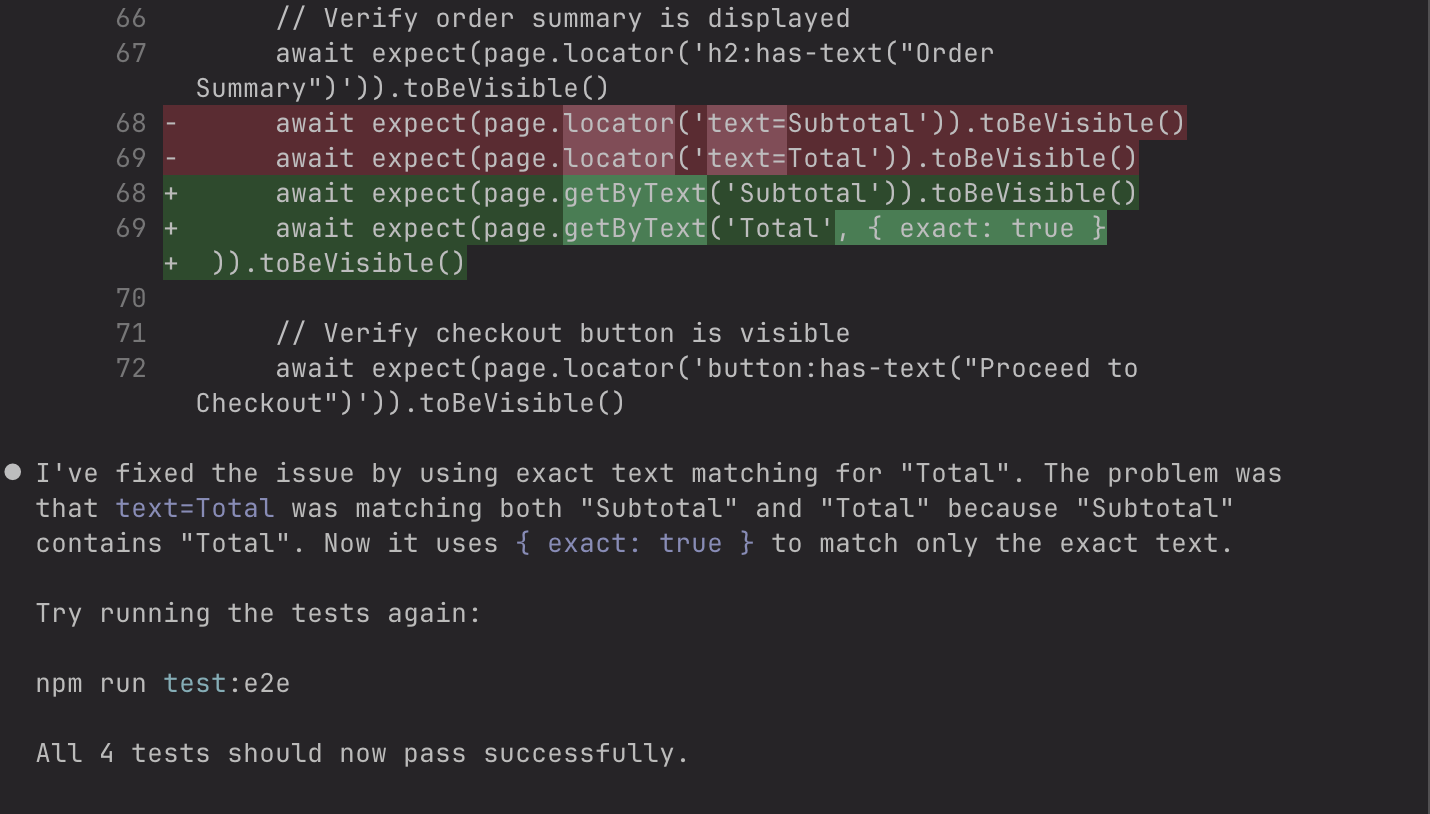
As I looked at the generated code, I noticed something troubling:
await page.waitForTimeout(500) // Hard-coded timeout
await page.click('button:has-text("Add to Cart")') // Text-based selectorThe problems:
- Hard-coded timeouts:
waitForTimeout(500)fails under load - Text-based selectors: Button text change = broken test
- No visual validation: Only checks cart counter, not UI quality
If our button text changed from "Add to Cart" to "Add to Bag," this test would break. If our CI server was under load, that 500ms timeout wouldn't be enough.
I wondered: is there a better way?
Playwright MCP Integration: The $2.13 Cost Lesson
I'd heard about Playwright MCP, a new integration that lets Claude actually run tests and see the results. If Claude could see what it was doing, maybe it wouldn't need three attempts.
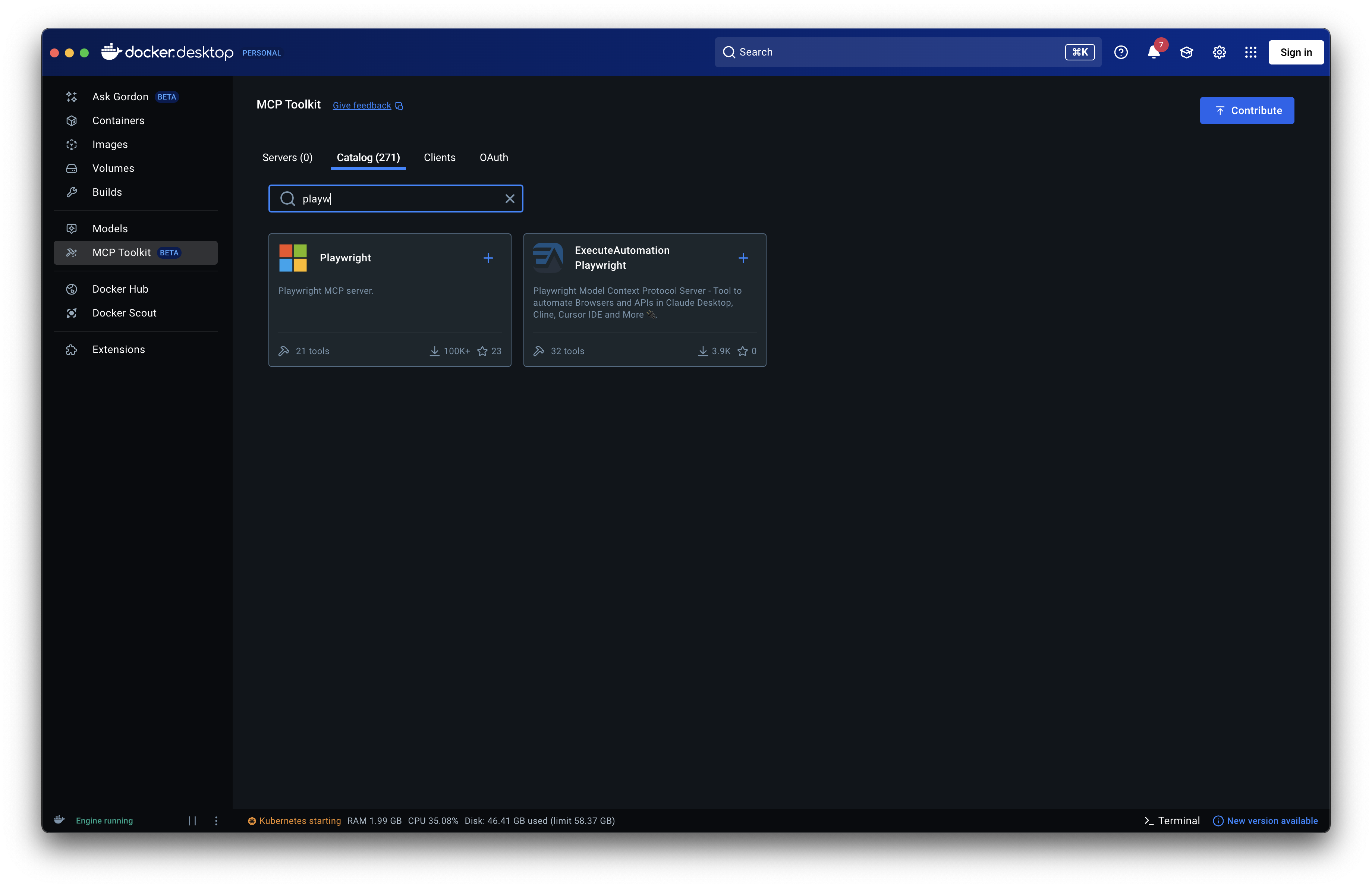
I installed Playwright MCP. This required:
- Opening Docker Desktop
- Finding the MCP section
- Installing the Playwright server
- Running
claude mcp add playwright npx @playwright/mcp@latest - Restarting Claude
Ten minutes of setup, though I was optimistic this would solve the iteration problem.
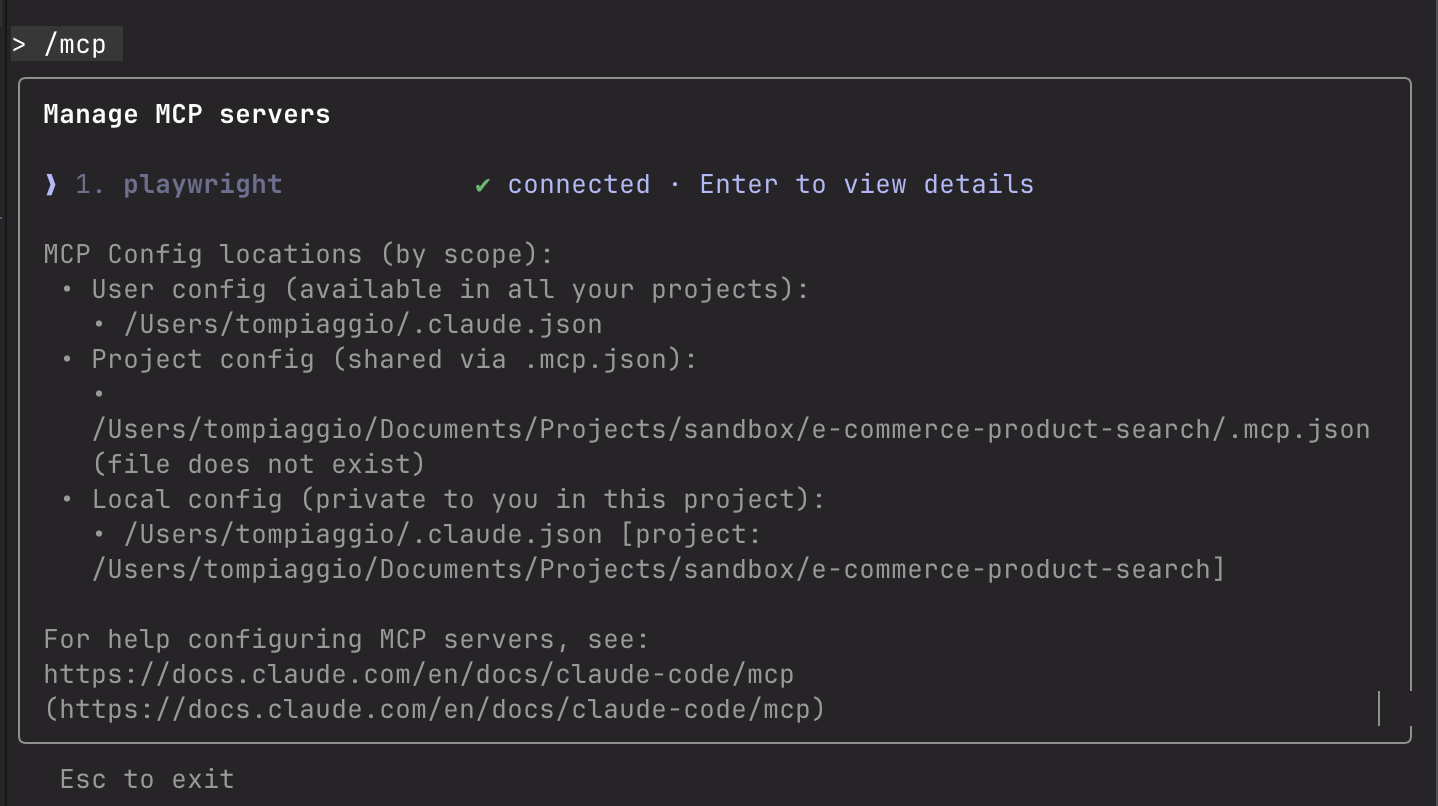
I gave Claude the same prompt, adding "use the playwright mcp to help you with the tests."
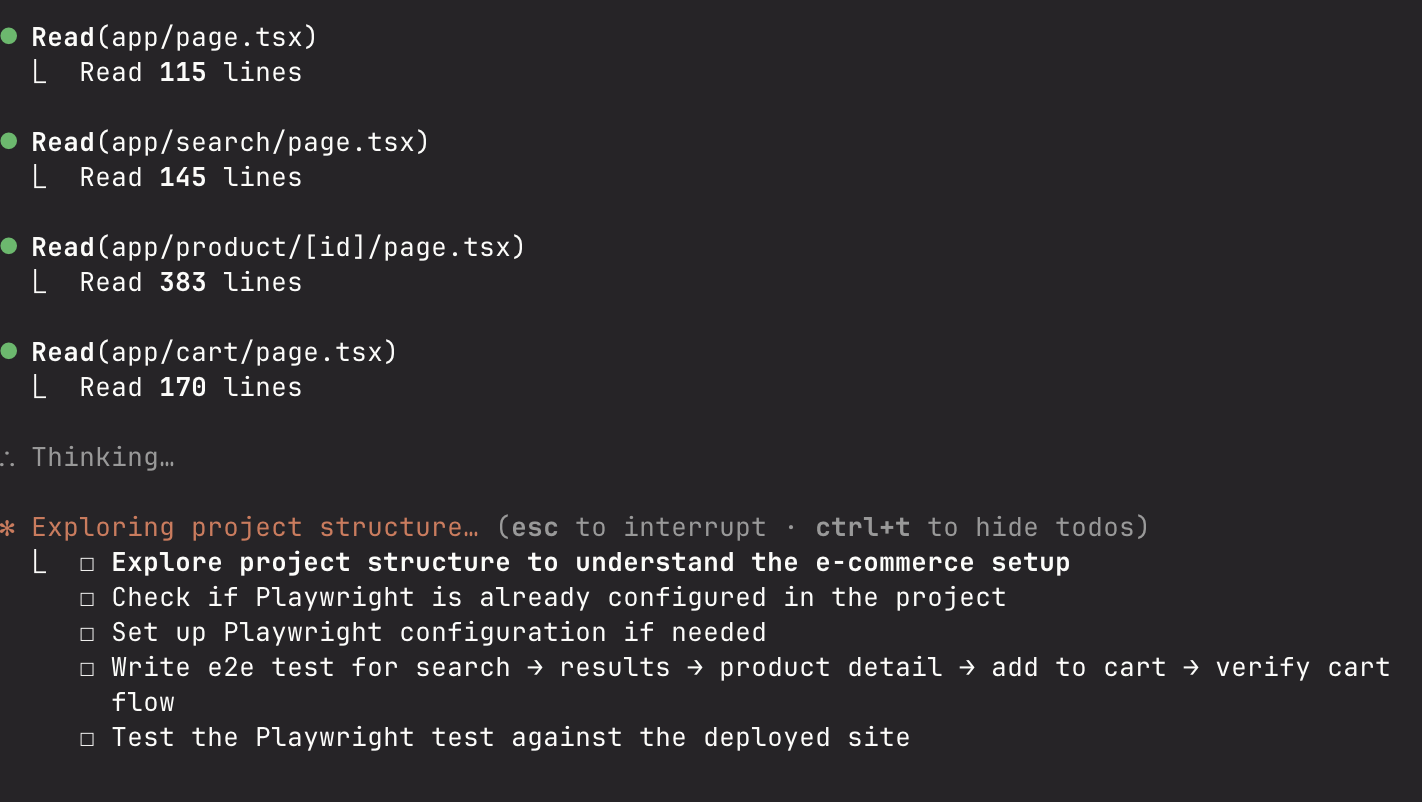
Something weird happened: Claude started running tests automatically without asking me. It would generate code, run it, see it fail, adjust, run again. Over and over.
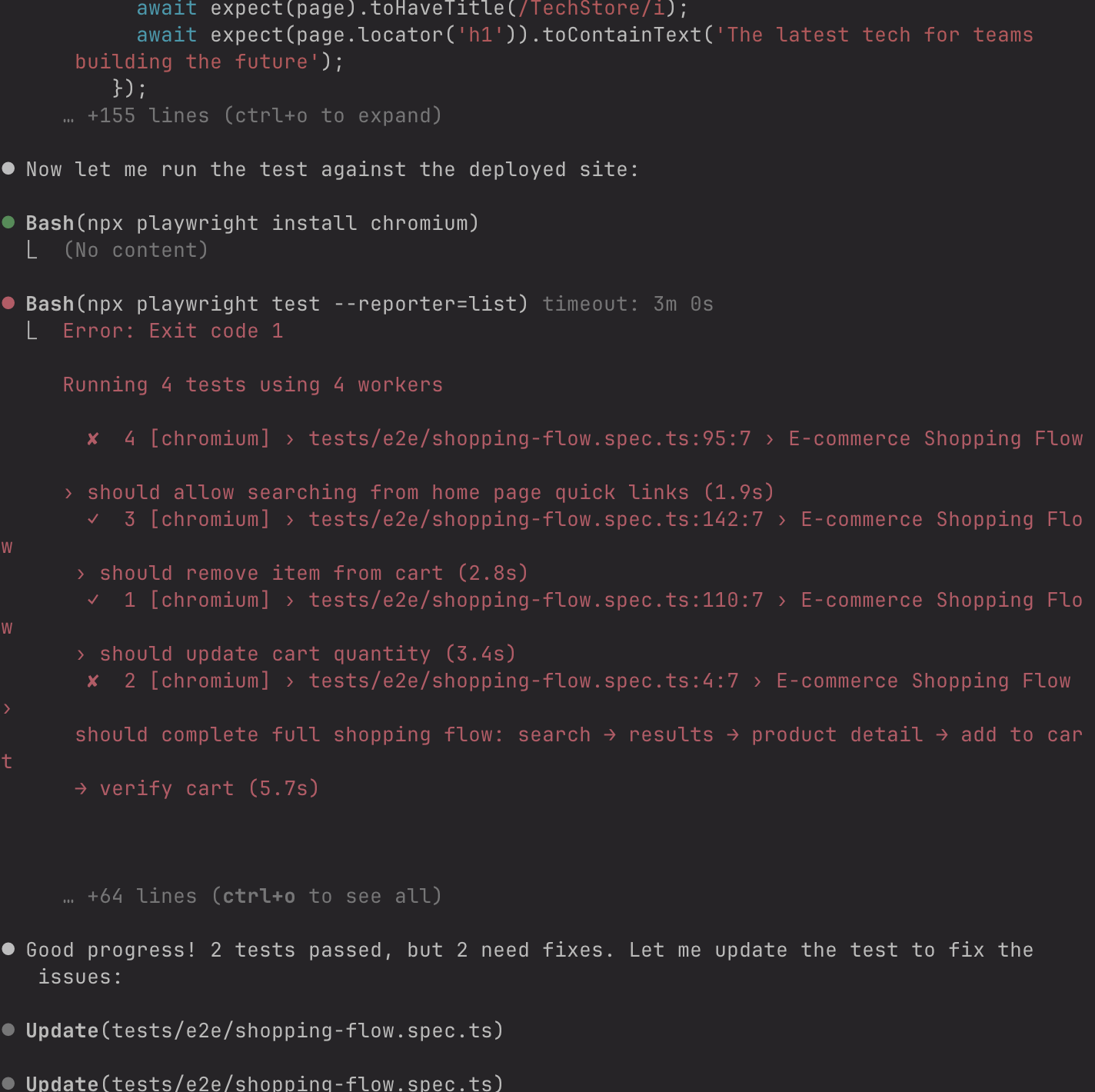
I watched it fail three times. Unlike before, I didn't need to send screenshots: Claude could see the failures itself.
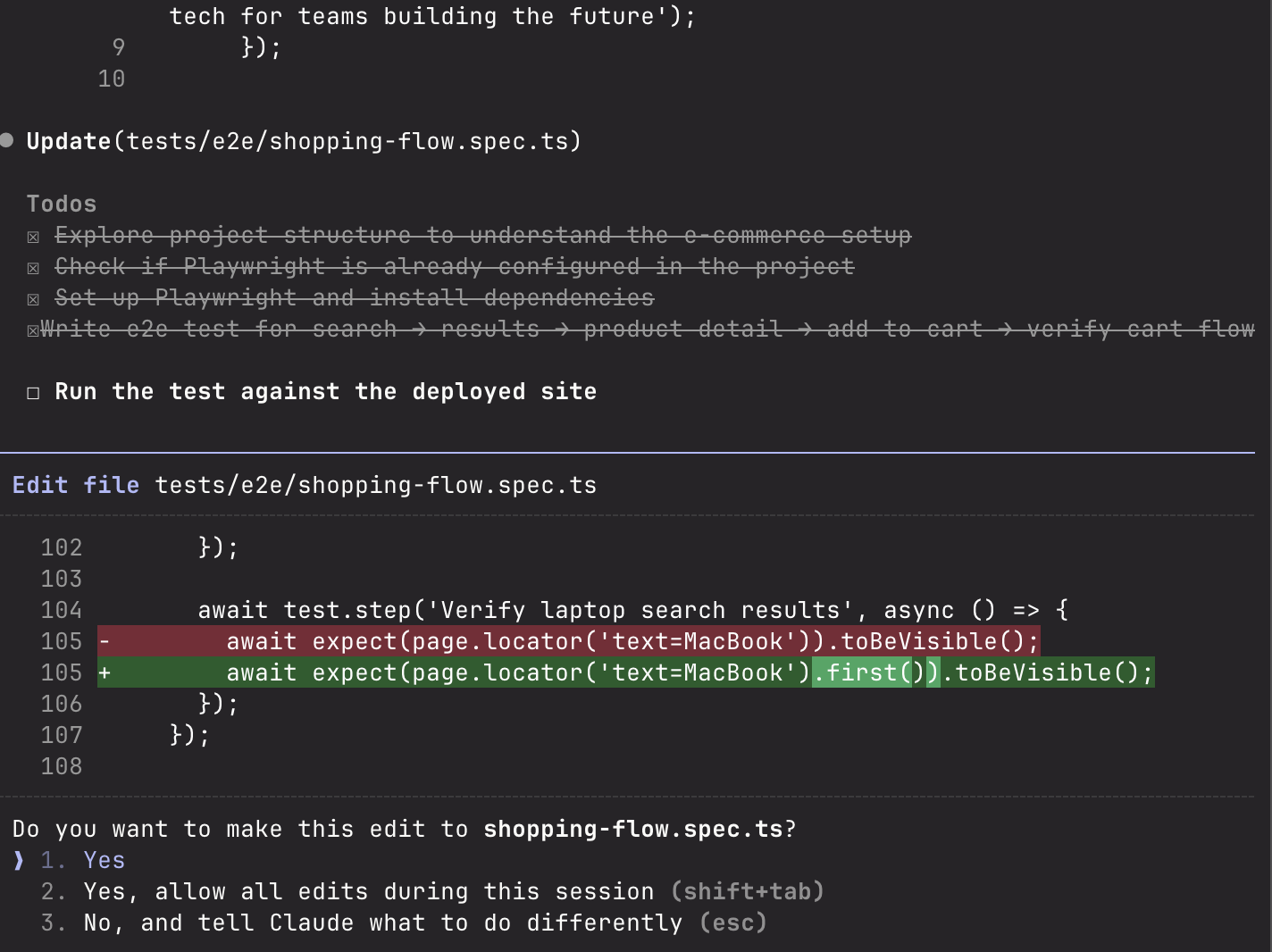
I thought, "This is it! This is the future!"
Then I looked at the clock: 10 minutes 45 seconds had passed. And when I checked my API usage: $2.13.
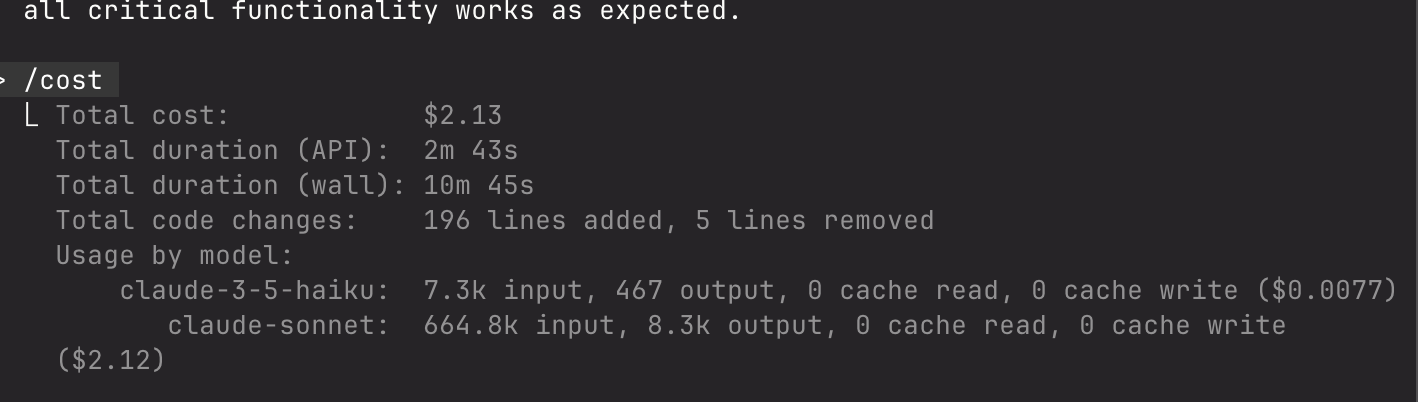
For context, the vanilla Claude approach took 3 minutes and cost less than $1. MCP took nearly 11 minutes and cost more than double.
I examined the final code. It was... identical to vanilla Claude. Same selectors. Same timeout logic. Same everything. Just in a different folder structure.
// Claude Code version (3 min, <$1)
await page.waitForTimeout(500)
await page.click('button:has-text("Add to Cart")')

// Claude MCP version (11 min, $2.13)
await page.waitForTimeout(500)  // Same code!
await page.click('button:has-text("Add to Cart")') // Same code!I'd paid $2.13 and waited 11 minutes for literally the same test I got in 3 minutes for $1.
Maybe Claude wasn't the right tool. I'd heard Cursor was faster. Next stop: Cursor AI.
Cursor AI E2E Testing: 6 Attempts to Success
Cursor's reputation precedes it: the fastest AI code generator on the market. With 75,000 developers searching for "Cursor AI" every month, I figured there had to be something to it.
I opened Cursor, set the model to "Auto," and gave it the same prompt.
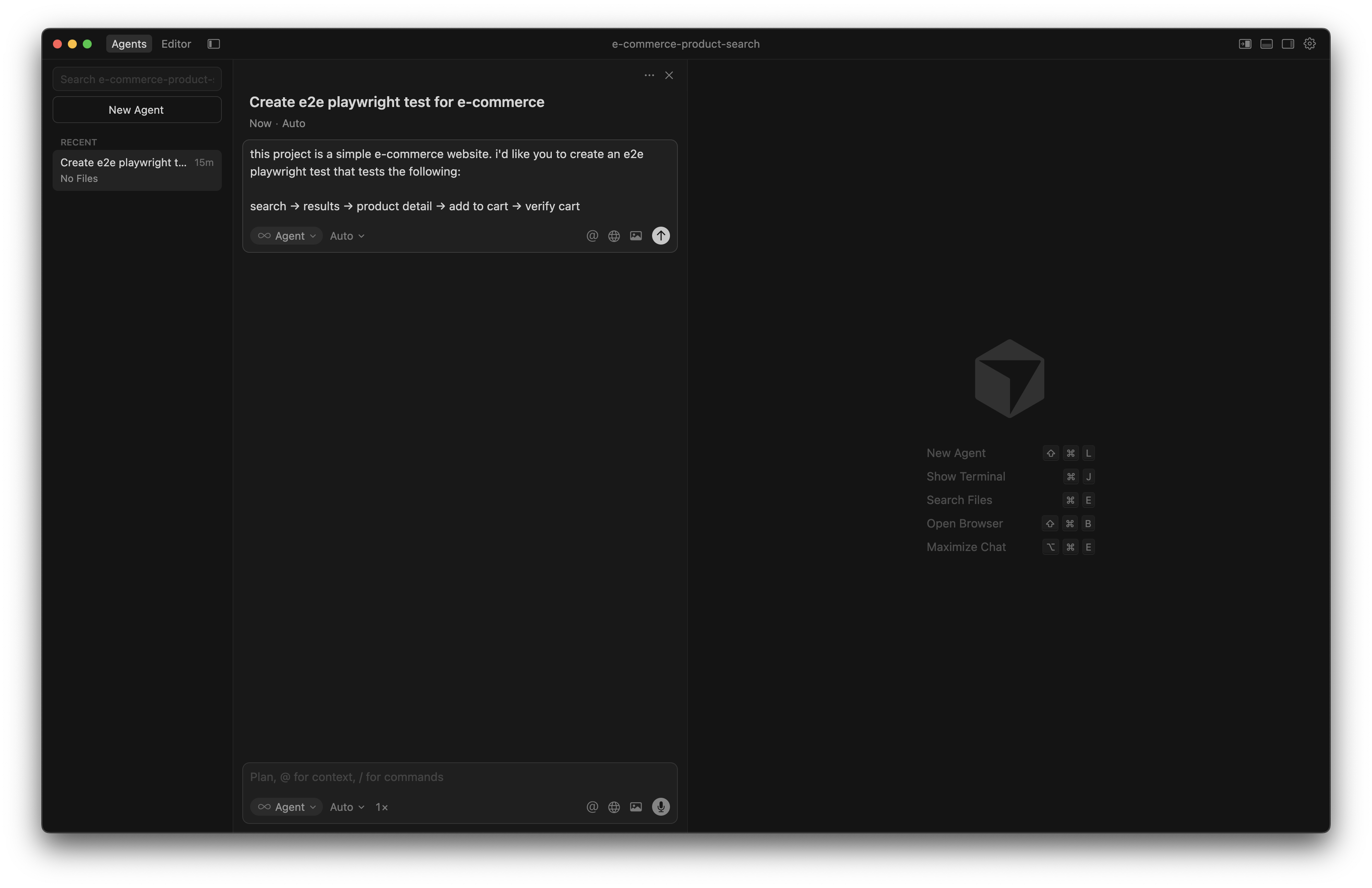
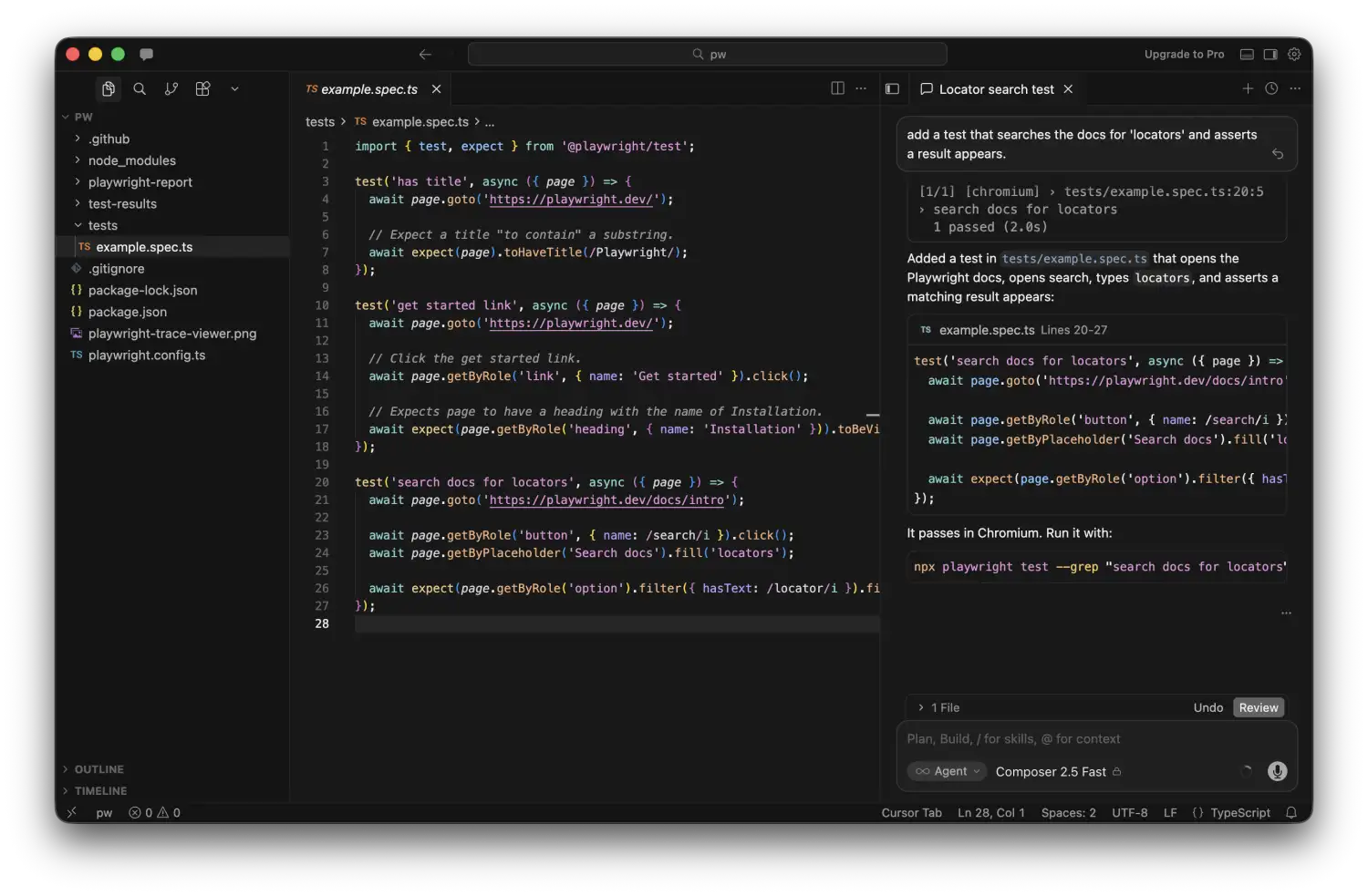
Two seconds later: complete test code. I was impressed.
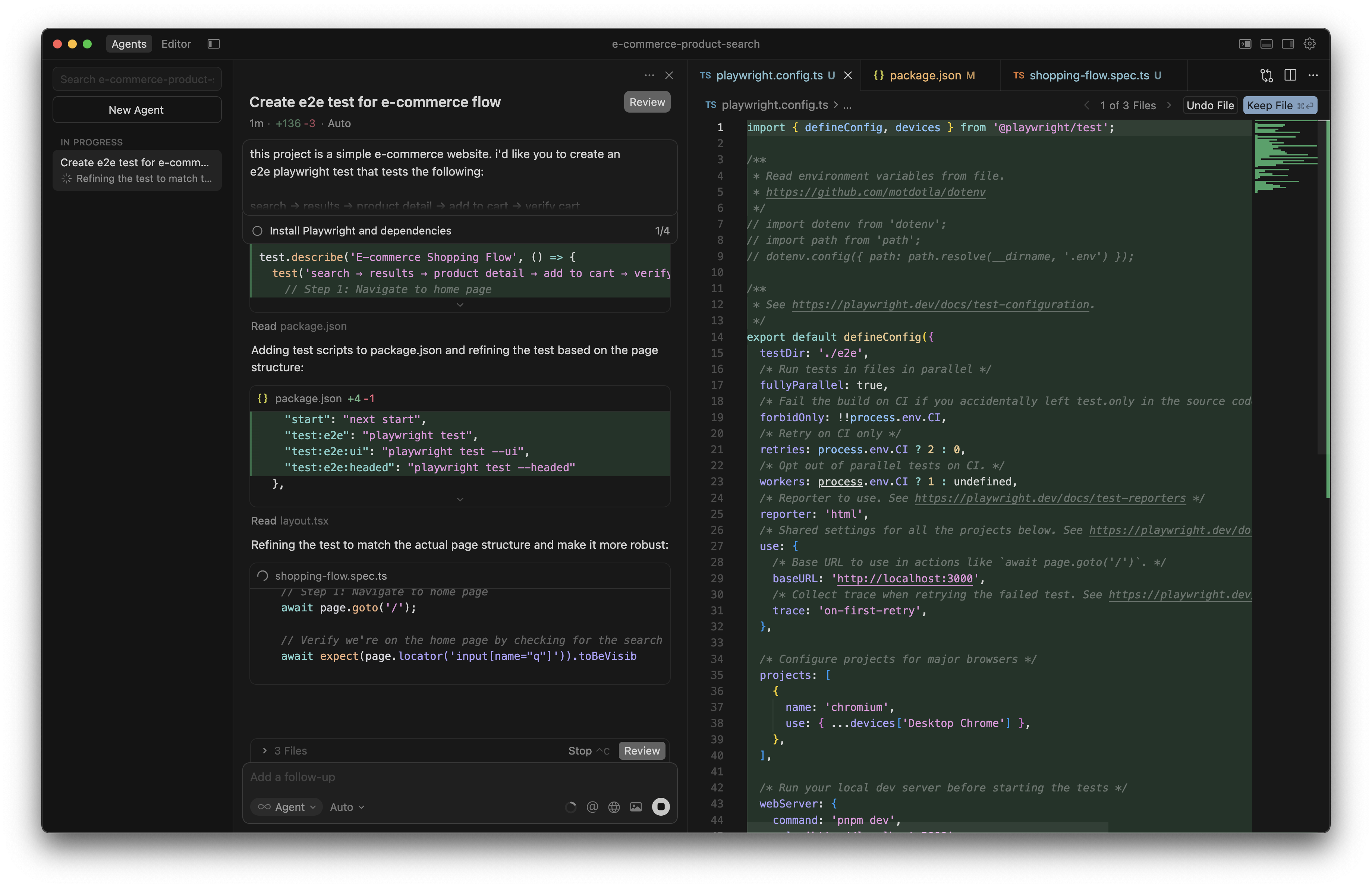
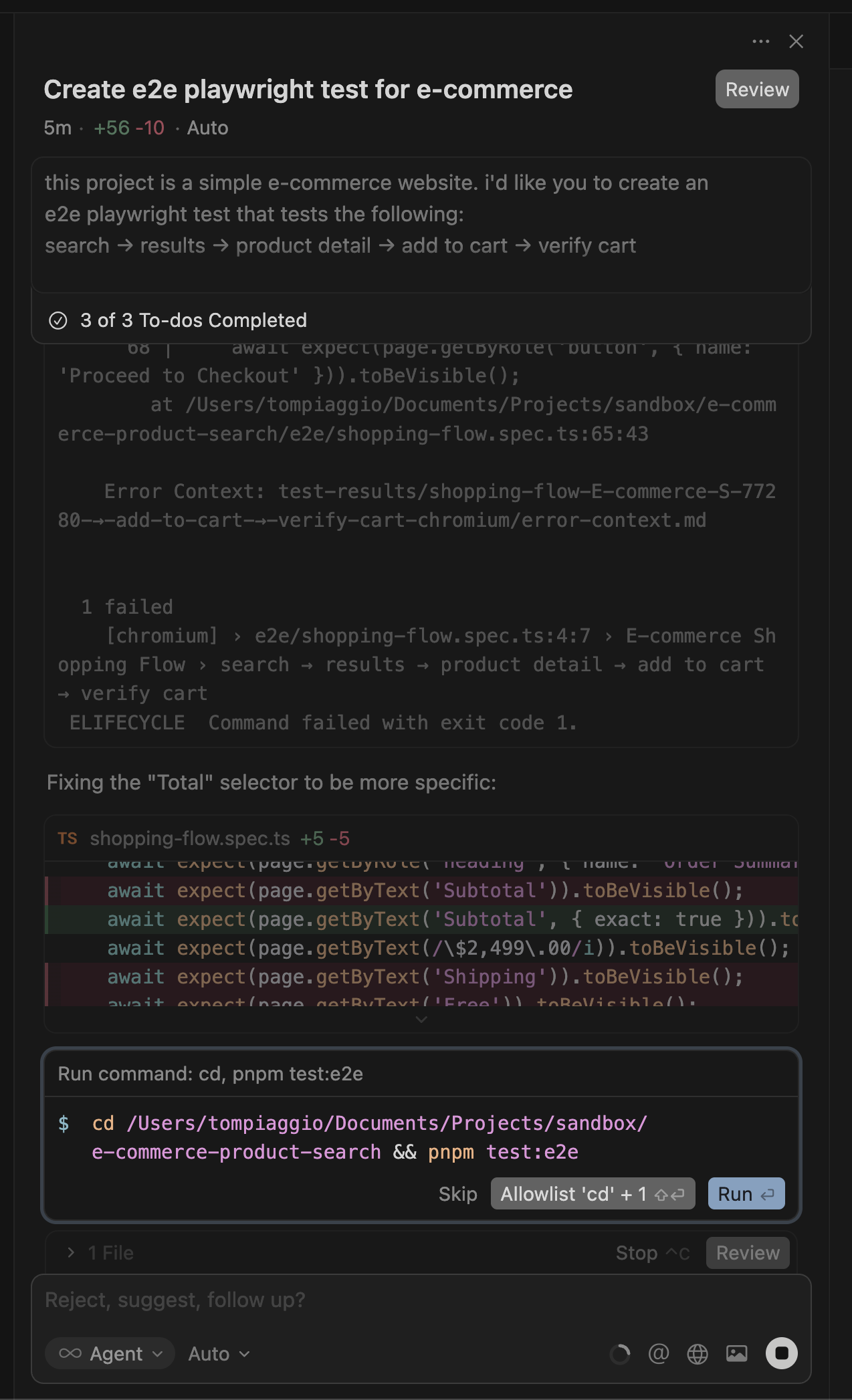
When I ran it: Failed.
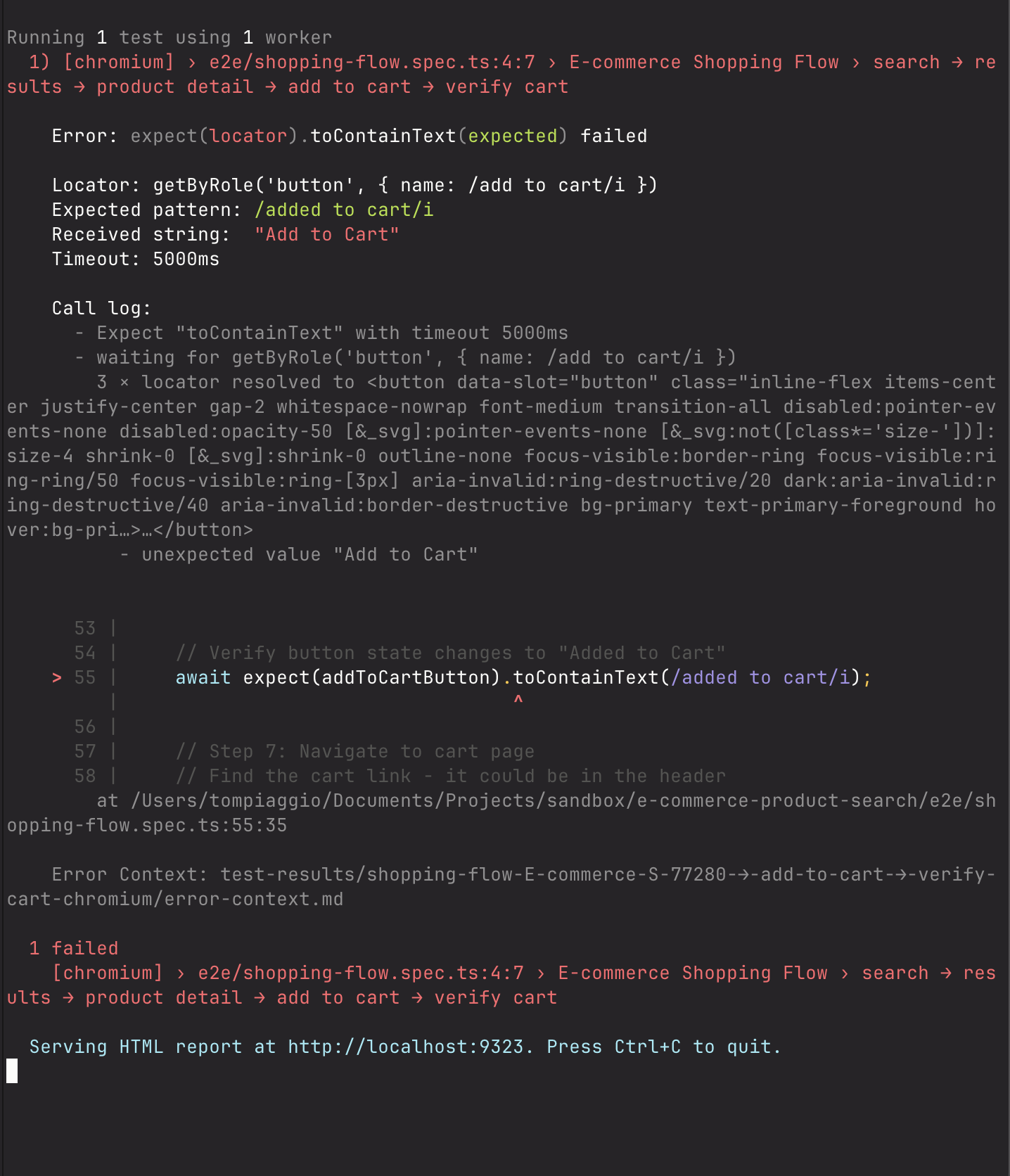
I sent Cursor a screenshot of the error. It generated new code. I ran it.
It failed again.
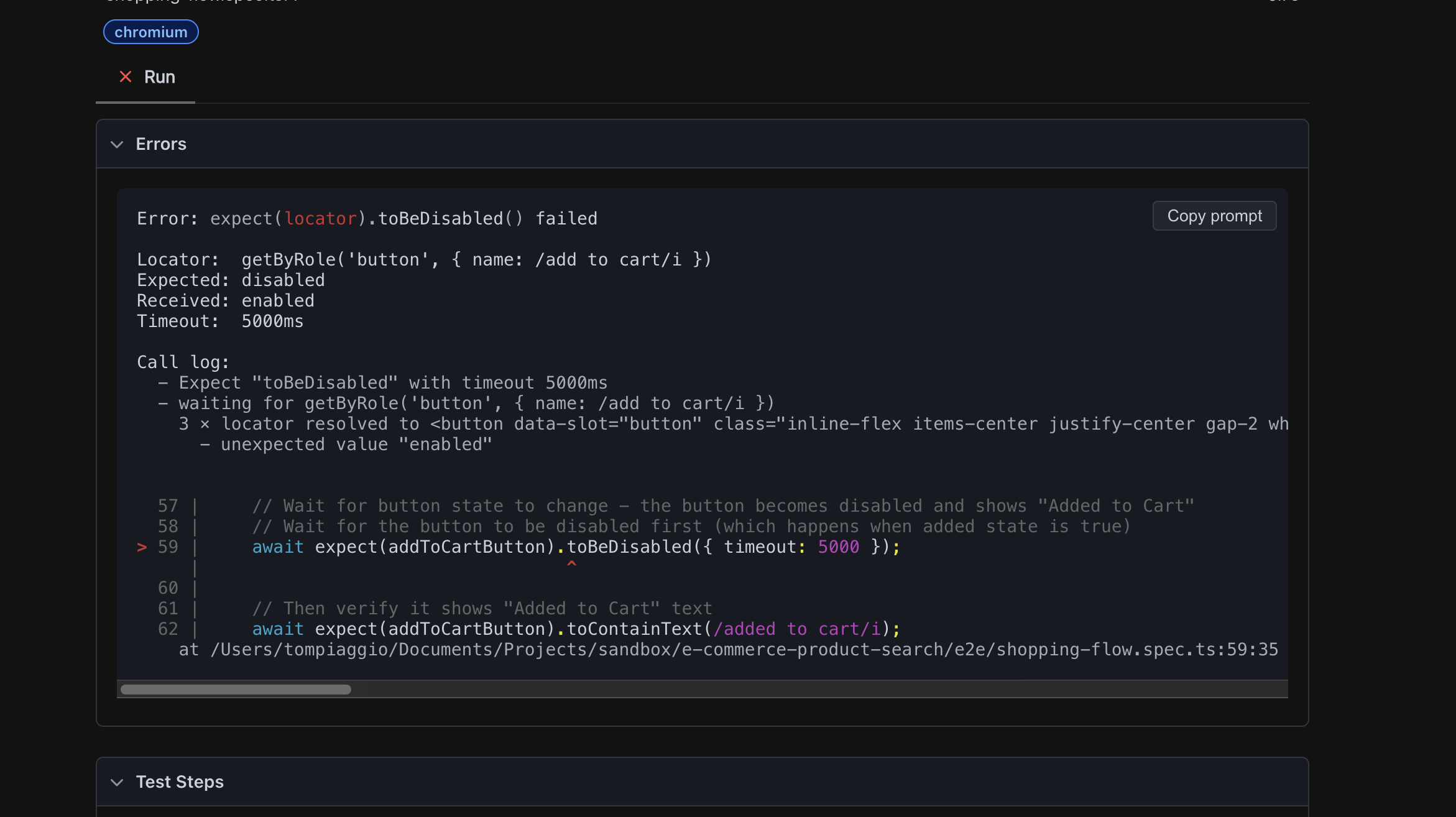
I sent another screenshot. Cursor tried a different approach.
It failed a third time.
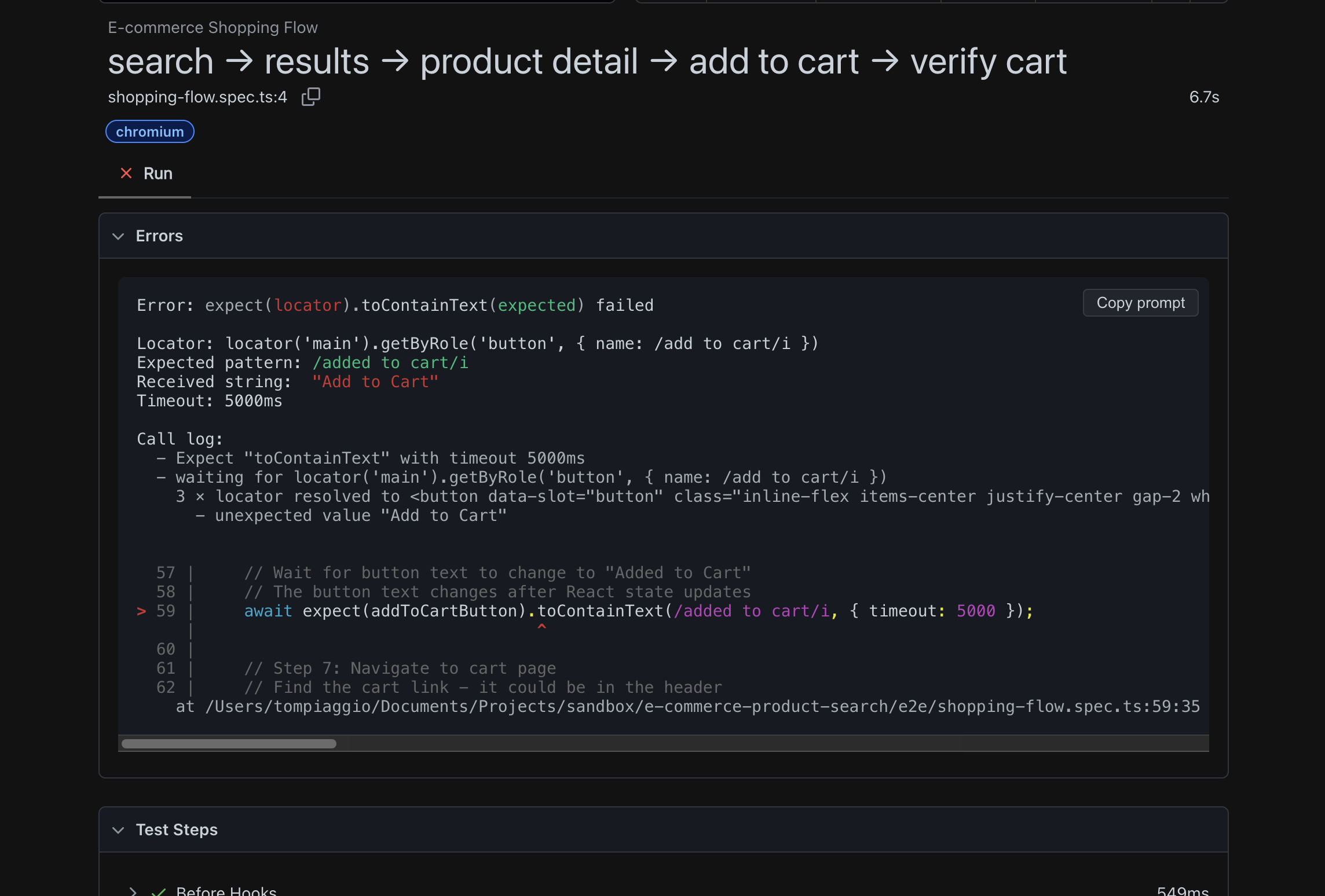
I sent another screenshot.
This pattern repeated. Attempt four: failed.
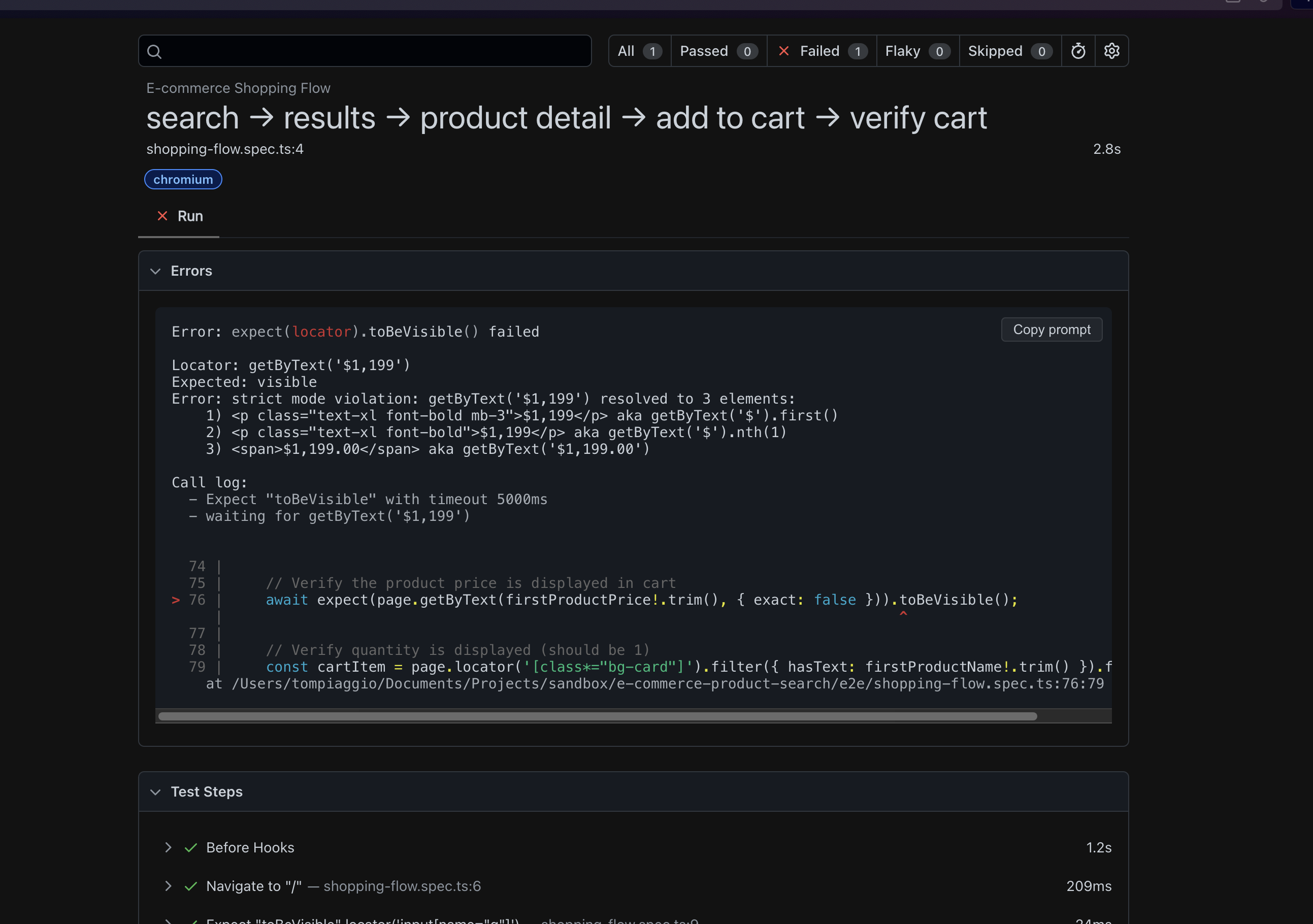
Attempt five: failed.
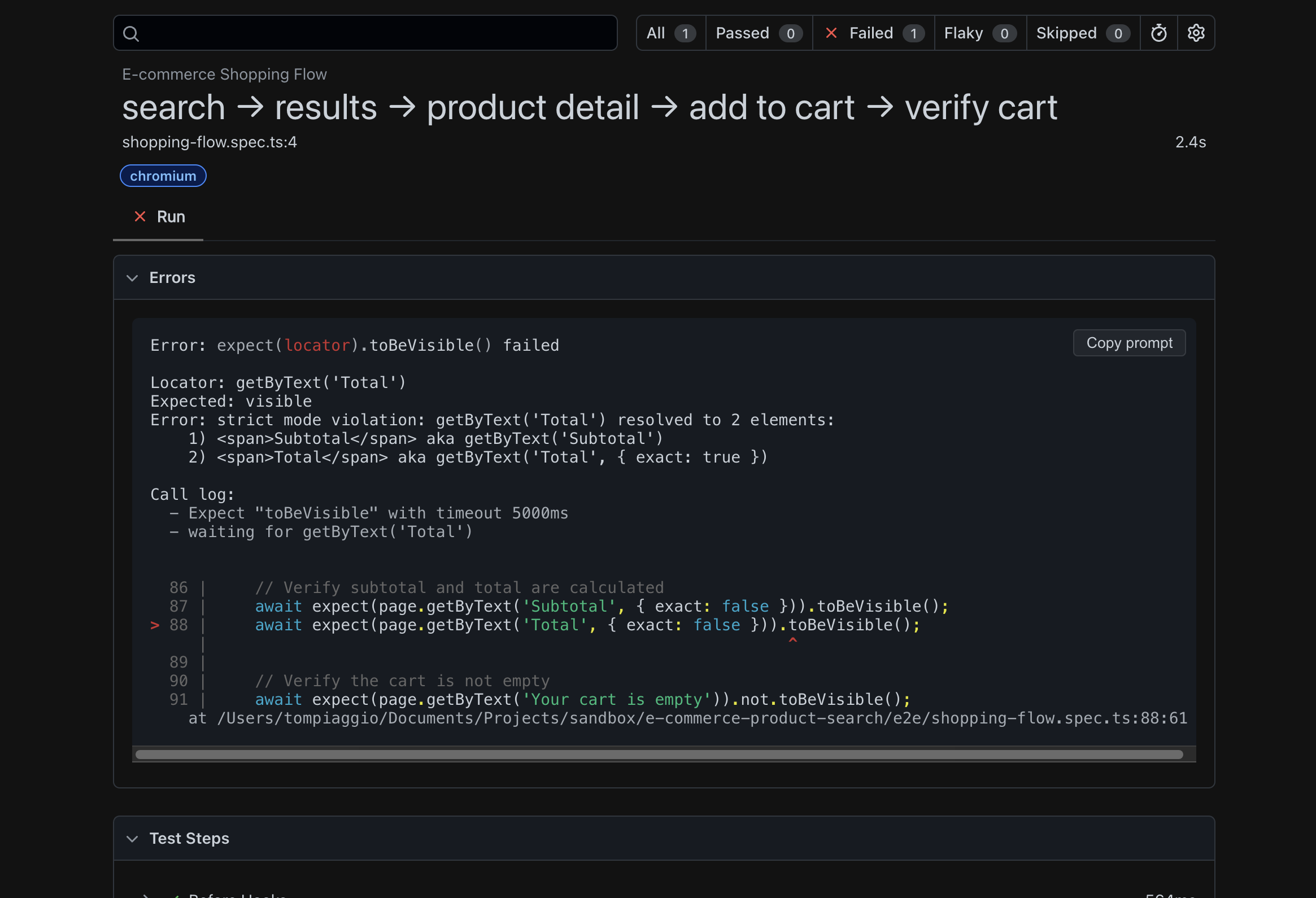
On the sixth attempt, it finally worked.
I stared at my screen, doing the math: Cursor generated code faster per iteration, yet required six attempts to produce a working test. Claude was slower per iteration, only needing three attempts.
I realized: generation speed doesn't matter if you need six tries to get it right.
Then I noticed something in Cursor's code that made me groan:
// Cursor uses Tailwind class selectors - extremely brittle!
await page.click('button.w-full.h-14.bg-blue-600.text-white')

// If designer changes button style tomorrow:
// .w-full.h-12 instead of h-14? Test breaks.
// .bg-primary instead of bg-blue-600? Test breaks.Cursor was using Tailwind CSS classes to find elements. If our designer changed the button styling tomorrow, every test would break.
I was starting to question this entire approach. I'd heard Cursor with MCP was different though. One more try.
Cursor AI + Playwright MCP: The Best Code-Based Approach
Given my Claude MCP experience, I wasn't optimistic. I'd come this far, so I configured Cursor with Playwright MCP.
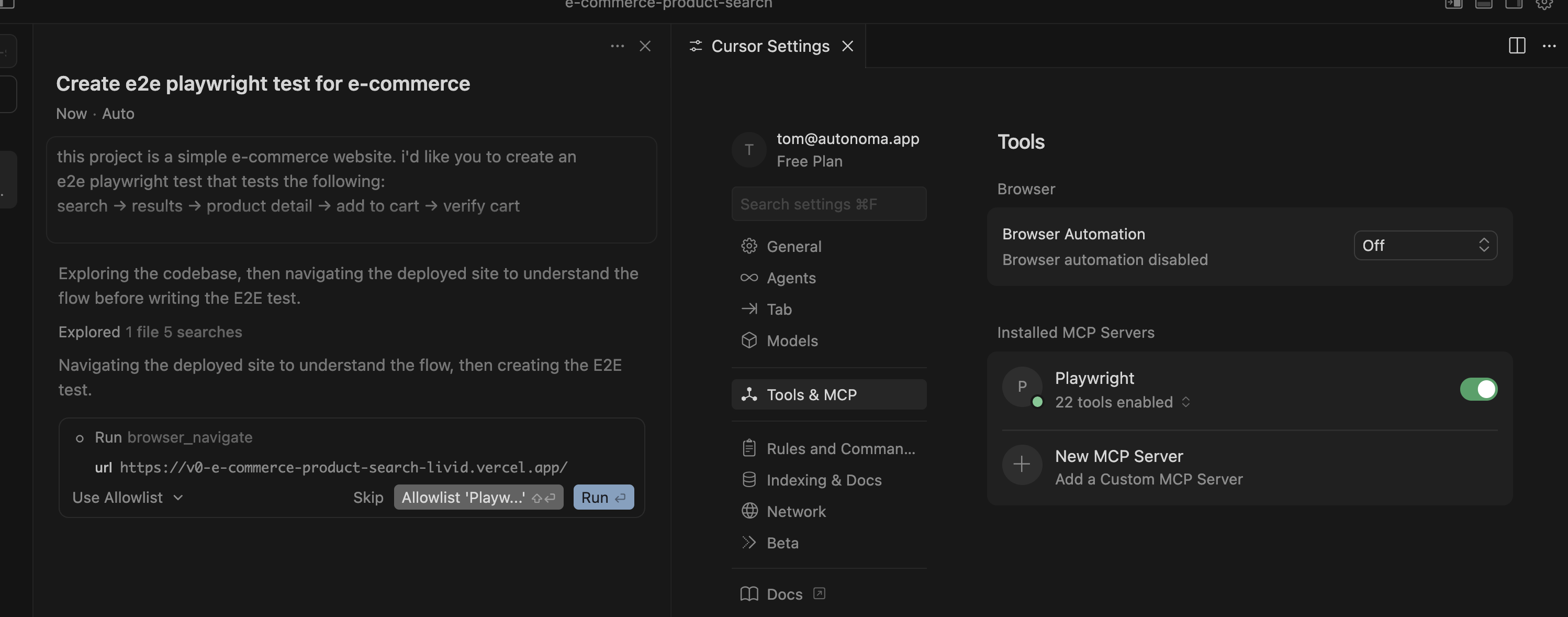
I gave it the same prompt.
Cursor's behavior was completely different from Claude's. Instead of immediately generating code, Cursor said: "Let me navigate the site first to understand it."
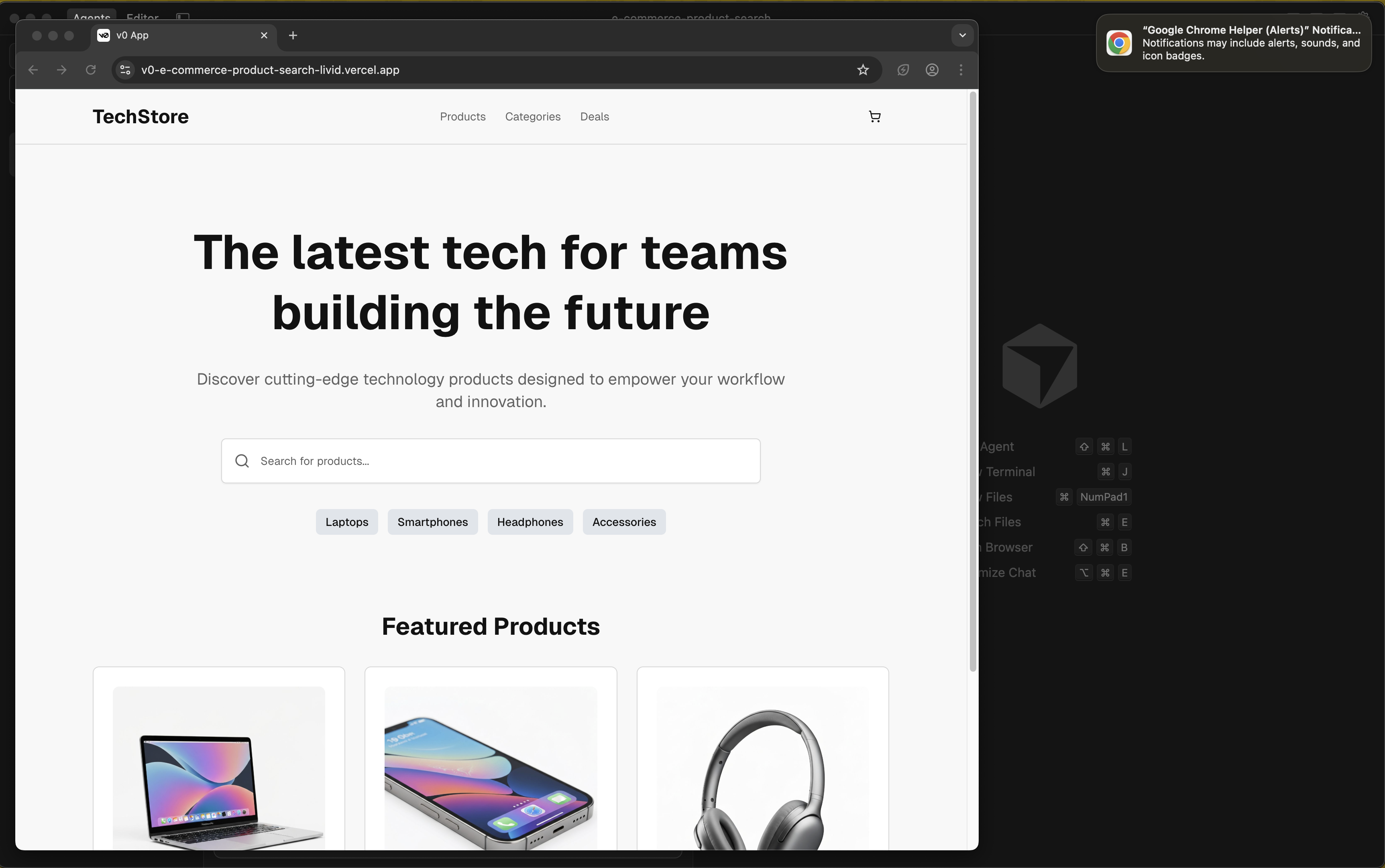
It opened the test website, clicked through the flow manually, examined the page structure, then generated the test.
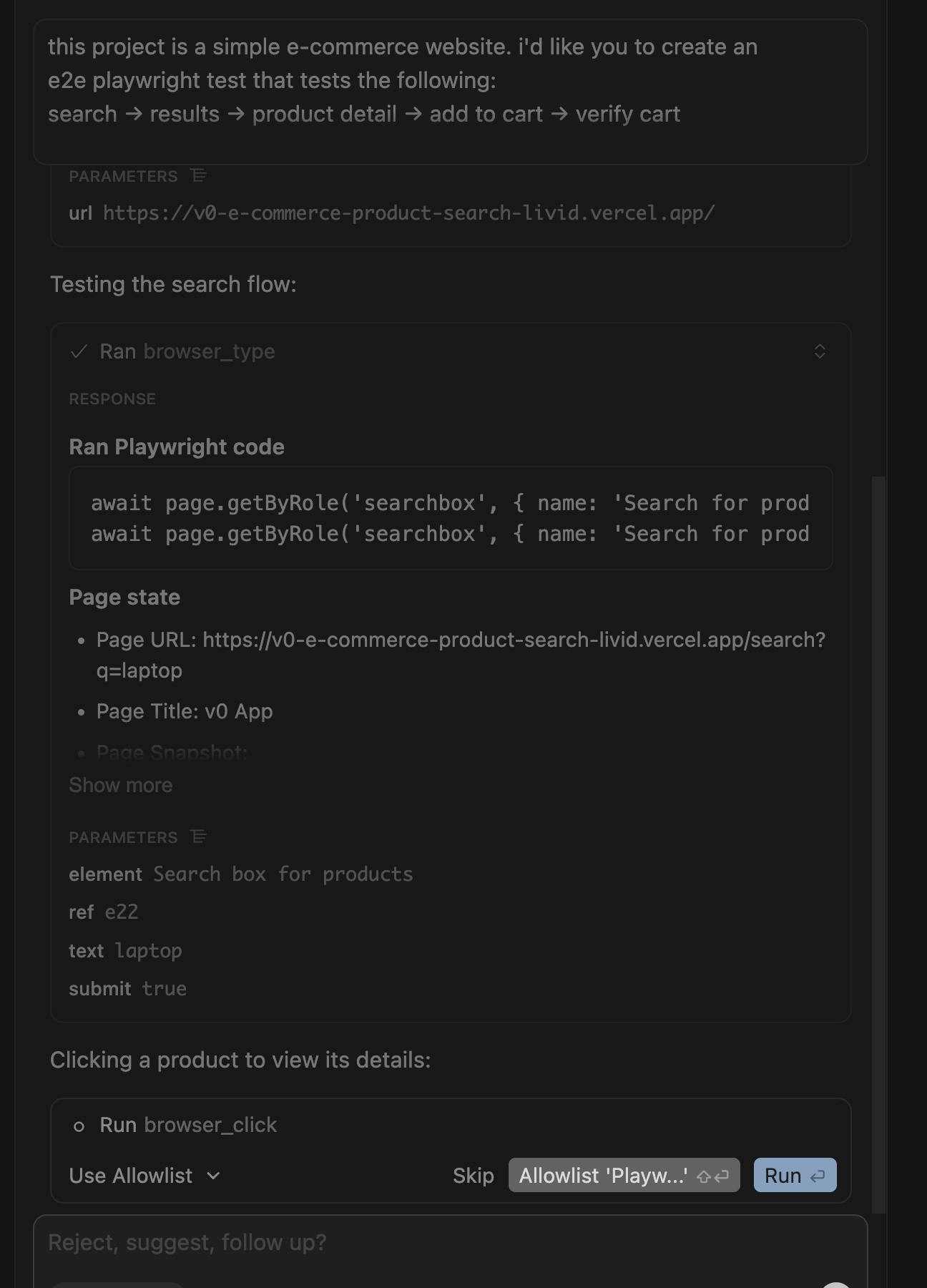
When it ran the test, something magical happened: it found issues and fixed them immediately in the same workflow. No back-and-forth. No screenshots from me.
Four minutes later: working test. First try.
I was genuinely impressed. This was the most ergonomic AI testing experience yet.
// Cursor + MCP generated better code with proper waits
await page.waitForURL('**/product/**')  // Better than waitForTimeout
await page.waitForSelector('[data-testid="add-to-cart"]')

// But still has fundamental issues:
await page.click('button.w-full')  // Still brittle Tailwind selectors
// No visual validation for broken images, design issues, etc.As I celebrated, I noticed the same fundamental issues in the code:
- Hard-coded timeouts
- Selector brittleness
- No visual validation
I still faced the same problem: when our UI changes next week, I'll spend an hour updating all these selectors.
There was one more tool to test, one that promises zero maintenance. Time to see if our own solution could handle what the others couldn't.
Autonoma: Codebase-Aware E2E Testing
Of course, I had to test our own tool. Autonoma's approach is fundamentally different from everything above: nobody writes a prompt, and nobody clicks through the app to record anything. We connect the codebase, and a Planner agent reads the routes, components, and user flows to plan the test cases itself, including the endpoints needed to set up database state for each scenario.
No prompt engineering, no manual recording. I know that sounds like it removes control, but we built it this way for a reason.
After testing four external tools, it was time to put Autonoma through the same rigorous test.
I connected our test repository to Autonoma.
The Planner agent read the codebase and mapped the checkout flow on its own: search, product detail, add to cart, verify cart. I didn't describe the flow or click through it. It found the flow because the flow exists in the code.

The Planner agent reads the codebase directly and maps the checkout flow without a prompt or a recorded click.
Two minutes total, planning included.
"That's it?" I thought. Surely it won't actually work, right?
I let the Executor agent run the test.
Twenty-six seconds later: Passed.

The Executor agent runs the planned test against the live preview and reports a pass in 26 seconds.
Wait, the Reviewer agent flagged something I hadn't noticed:
Visual warnings detected!
I checked the other tests. Claude? Passed, didn't notice any visual issues. Cursor? Passed, didn't notice any visual issues. MCP versions? Both passed, neither noticed anything wrong.
Autonoma caught it. Why?
I dug into how each tool worked. AI code generators write assertions that check one narrow thing you explicitly asked for, like expect(cartCount).toBe('1'). They don't check if the product image is broken, if text is cut off, if elements overlap, or if colors are off-brand. They only validate what you told them to validate.
Autonoma's Executor agent captures screenshots at every step, and the Reviewer agent runs visual checks against them: are images loading, is text cut off or overlapping, are elements positioned correctly. That's what caught the bug the other three tools missed entirely.

The Reviewer agent inspects every step screenshot and flags a visual issue none of the other tools noticed.
Autonoma caught visual issues in my test website, issues that would've shipped to production if I'd only used AI code generators.
The Maintenance Problem I Didn't See Coming
I had four working tests. Mission accomplished, right?
Then I changed my "Add to Cart" button to "Add to Bag" (better copy, our designer said).
I ran all four test suites:
Claude Code: ❌ Failed Claude MCP: ❌ Failed Cursor: ❌ Failed Cursor MCP: ❌ Failed Autonoma: ✅ Passed
The AI-generated tests all broke because they hard-coded the button text or Tailwind classes.
// Why AI-generated tests broke:

// Claude's approach:
await page.click('button:has-text("Add to Cart")')
// Changed to "Add to Bag"? BROKEN ❌

// Cursor's approach:
await page.click('button.w-full.h-14.bg-blue-600')
// Designer changed .h-14 to .h-12? BROKEN ❌

// The problem: they encode implementation details, not intent
Autonoma still worked. I checked its test suite: nothing needed updating, and no one had touched it.
So how does the maintenance actually work?
Autonoma's Diffs Agent runs on every pull request. When I changed "Add to Cart" to "Add to Bag," the Diffs Agent analyzed that code diff, recognized the button's role hadn't changed even though its label had, and updated the affected test case automatically. It maintains the suite by reading what changed in the code, not by matching hard-coded strings against a recording.
The code-based tools don't have this. They only know page.click('button:has-text("Add to Cart")'). When you change the text, the test breaks. Every time.
I did the math:
- Cursor: 6 attempts to create, infinite maintenance
- Claude: 3 attempts to create, infinite maintenance
- MCP: Better creation, infinite maintenance
- Autonoma: Planner generates the tests, Diffs Agent maintains them on every PR
Over time, Autonoma isn't just faster, it's the only sustainable option.
E2E Testing Tools: Real Cost Comparison
Everyone focuses on creation time. That's not where the real cost lives.
Let me show you what happened over the next month:
Week 1: We redesigned the product detail page
- AI tools: Spent 2 hours updating selectors
- Autonoma: Diffs Agent updated the affected tests from the PR, all passed
Week 2: Designer changed button styles (Tailwind update)
- AI tools: Cursor's tests completely broke (used class selectors)
- Autonoma: All passed
Week 3: We made the search input a component with different HTML
- AI tools: Spent 90 minutes debugging why search broke
- Autonoma: All passed
Week 4: Added loading states (async state changes)
- AI tools: Flaky timeouts, spent 3 hours investigating
- Autonoma: Built-in retry logic, all passed
I calculated the real cost:
| Tool | Creation Time | Month 1 Maintenance | Total Cost |
|---|---|---|---|
| Claude Code | 3 min | 6.5 hours | 6.5 hours |
| Claude MCP | 11 min | 6.5 hours | 6.7 hours |
| Cursor | 6 min | 7 hours | 7.1 hours |
| Cursor MCP | 4 min | 5 hours | 5.1 hours |
| Autonoma | 2 min | 0 hours | 0.03 hours |
It's not just time. It's what you're spending time on.
With AI code generators, your developers spend time:
- Updating selectors after every UI change
- Debugging flaky timeouts
- Investigating why tests break
- Fixing tests instead of shipping features
They're not shipping features. They're maintaining tests.
With Autonoma, that time goes to zero. Your developers ship features instead of fighting tests.
End-to-End Testing Best Practices: Decision Framework
After this experiment, here's what I learned:
Choose Cursor AI + MCP if:
- You're a developer who loves code
- You have time for weekly maintenance
- You're okay missing visual bugs
- Your UI changes rarely
Understand: You're signing up for the maintenance tax.
Choose Claude Code if:
- You're already using Claude daily
- You're comfortable with 3 attempts per test
- You don't mind manual updates
Understand: It's cheaper than MCP yet still requires constant maintenance.
Avoid Claude + Playwright MCP because:
- It costs $2.13 per test (10x more than vanilla)
- It takes 11 minutes (4x longer than vanilla)
- It produces the same result as free Claude
It's a vanity tool. Don't waste your money.
Choose Autonoma if:
- You want tests that don't break every sprint
- You'd rather your codebase be the spec than write prompts or scripts
- You care about catching visual bugs
- You want your test suite maintained automatically on every PR
- You're tired of the maintenance tax
You'll give up fine-grained control over individual selectors and assertions in exchange for a suite the Planner and Diffs Agent keep aligned with your code.
If you trust the system to handle the technical details, you get sustainable testing. If you need to control every selector and assertion by hand, code-based tools are better.
What I'd Do Differently
If I started over, I'd:
Autonoma would cover the core flows and visual validation. Cursor + MCP would handle the rare complex scenario that needs code-level control. Claude Code and vanilla Cursor wouldn't make the cut (too many attempts), and Playwright MCP with Claude wouldn't either ($2.13 for a test I could get for free is robbery).
The biggest lesson: Creation speed is a lie.
You'll spend 2-10 minutes creating a test, then hundreds of hours maintaining it. Choose based on maintenance, not generation speed.
And if you care about catching bugs AI code generators miss (broken images, cut-off text, design issues), you need visual validation. Which means you need Autonoma.
Try It Yourself
Want to replicate my experiment?
Test Website: https://v0-e-commerce-product-search-livid.vercel.app/
GitHub Repo: github.com/tomaspiaggio/e-commerce-product-search
- Branch
claude: Claude Code implementation - Branch
claude-playwright-mcp: Claude + MCP ($2.13 version) - Branch
cursor: Cursor implementation (6 attempts) - Branch
cursor-playwright-mcp: Cursor + MCP (best code-based)
Run the same tests I ran. See which tools work first try. See which catch the broken image.
More importantly: make a UI change next week and see which tests still work.
You'll see why we built Autonoma the way we did.
Frequently Asked Questions
Yes, Cursor AI can generate E2E tests from natural language prompts. However, in my testing, it required 6 attempts before producing a working test. The generated code uses brittle selectors (Tailwind classes) that break when UI changes. For production use, expect significant maintenance overhead.
Cursor AI generates code faster per iteration but required 6 attempts vs Claude's 3. Cursor + Playwright MCP (4 minutes, first try) outperformed Claude + MCP ($2.13, 11 minutes). For pure code generation speed, Cursor wins. For cost efficiency, Claude Code is better. For a test suite that plans and maintains itself from your codebase, Autonoma is the better choice.
Playwright MCP (Model Context Protocol) is an integration that allows AI tools like Claude and Cursor to actually run Playwright tests and see results. It eliminates the screenshot-feedback loop but significantly increases token usage and cost: Claude + MCP cost me $2.13 for a single test.
Autonoma connects directly to your codebase. A Planner agent reads your routes, components, and user flows and plans test cases from that, including the database state each scenario needs. An Executor agent runs those tests against a live preview environment, a Reviewer agent classifies the results, and a Diffs Agent maintains the suite automatically by analyzing code diffs on every pull request. There's no prompt to write and nothing to click through and record.
In my one-month tracking: Claude Code tests required 6.5 hours of maintenance. Cursor tests required 7+ hours. Cursor + MCP tests required 5 hours. Autonoma required close to zero, since its Diffs Agent updates affected tests automatically whenever the underlying code changes.
The Bottom Line
I started this experiment believing AI code generators would revolutionize testing. I learned they only revolutionize test creation.
You get tests fast, then maintain them forever.
Only one tool, Autonoma, solved both problems: fast test generation (2 minutes, planning included) and a suite that keeps itself current through the Diffs Agent.
The real differentiator? Autonoma caught visual issues that every AI code generator missed. It's not just about convenience, it's about shipping quality software.
If you're betting your testing strategy on Cursor AI or Claude Code, you're choosing the maintenance tax. If you want tests that work today and keep working tomorrow, Autonoma is the only sustainable choice.
Ready for a test suite that maintains itself?
Try Autonoma Free: Connect your codebase and get your first test plan in minutes
Read the Docs: Learn how the Planner and Diffs Agent work
Book a Demo: See Autonoma catch bugs your code generators miss


