

Quick summary: Build a regression testing pipeline for Vercel preview deployments using Playwright and GitHub Actions. Test against actual Vercel infrastructure instead of localhost to catch bugs before production. This guide covers three workflow approaches (deployment_status events, push with polling, repository_dispatch), parallel execution with sharding, selective testing, and cost optimization. Includes complete code examples for Playwright configuration, GitHub Actions workflows, and deployment protection bypass.
Autonoma integrates with Vercel preview deployments to run AI-driven E2E tests on every PR — validating your full application on the preview URL before merging.
Table of Contents
- Introduction
- Understanding Vercel's Deployment Architecture
- Setting Up Playwright for Vercel Preview Deployments
- GitHub Actions Workflows: From Trigger to Results
- Advanced Patterns for Robust Pipelines
- Best Practices and Common Pitfalls
- When Traditional Automation Isn't Enough
- Conclusion
- FAQ
Introduction
You pushed your code. All tests passed locally. You merged to main. Vercel deployed to production. Three hours later, your phone buzzed. Production was down. A critical bug slipped through because... your tests never ran against a real Vercel deployment.
This happens more than you think. Teams ship with confidence, only to discover their local testing environment doesn't match Vercel's infrastructure. Different build artifacts, different edge function behavior, different environment variables, lots of things break that your local tests never catch.
Vercel's preview deployments change the game. Every push to a branch generates a live, production-like URL you can test against. Combine that with automated regression testing, and suddenly you're catching bugs before they ever reach production.
This guide shows you how to build a robust regression testing pipeline for Vercel preview deployments using Playwright and GitHub Actions. You'll get complete, production-ready code examples, architectural patterns, and battle-tested strategies that intermediate-to-advanced developers need.
Understanding Vercel's Deployment Architecture
Before building your testing pipeline, understand how Vercel preview deployments work. Every push to a non-main branch triggers Vercel to build your code, deploy artifacts to the Edge Network, and generate a unique preview URL.
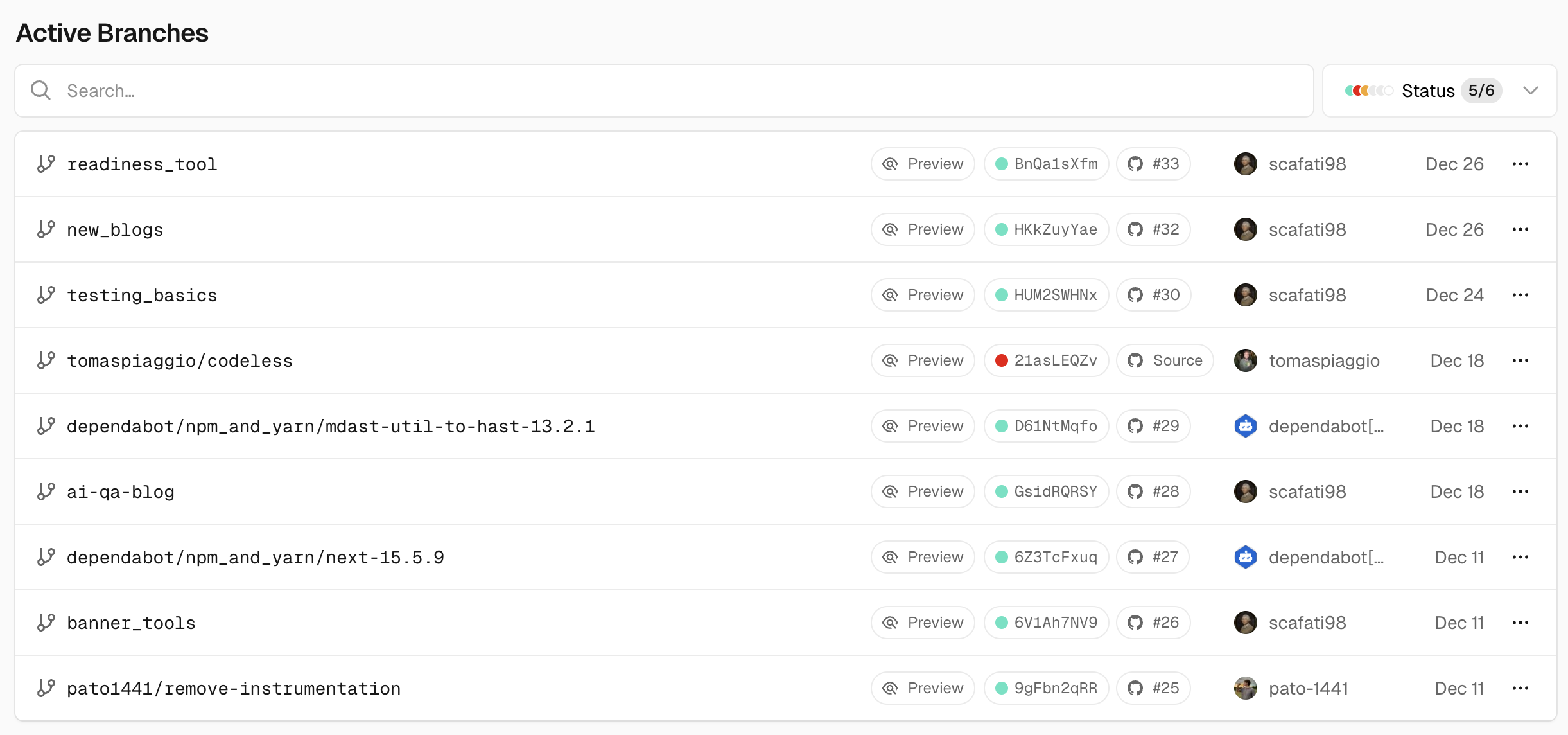
Preview URLs follow this pattern: https://your-project-branch-hash.vercel.app. Each deployment has isolated cache, environment variables, and edge function instances. This isolation is perfect for regression testing, each test run targets a fresh, production-like environment.
Testing against Vercel deployments differs fundamentally from local testing. Your local dev server runs with different Node versions, different build outputs, different network latency. Edge functions behave differently locally than on Vercel's infrastructure. Environment variables might not match. Database connections might use different endpoints. If you're unsure whether you need full regression testing or simpler integration tests, our integration vs E2E testing guide explains when to use each approach.
Preview URLs follow this pattern: https://your-project-branch-hash.vercel.app. Each deployment has isolated cache, environment variables, and edge function instances. This isolation is perfect for regression testing, each test run targets a fresh, production-like environment. For more details on Vercel's deployment architecture, see the official Vercel documentation.
Preview deployments give you a testing paradise: production-like infrastructure, zero configuration, per-branch isolation, and instant feedback loops. The challenge becomes triggering tests at the right moment and targeting the correct preview URL.
Setting Up Playwright for Vercel Preview Deployments
Playwright excels at Vercel integration. It handles parallel execution natively, runs 35-45% faster than alternatives, and includes built-in deployment protection bypass support. While this guide focuses on Playwright, teams considering other frameworks should review our comprehensive framework comparison covering Selenium, Playwright, and Cypress. Here's a complete configuration optimized for Vercel preview deployments.
import { defineConfig, devices } from '@playwright/test';
import dotenv from 'dotenv';

dotenv.config();

export default defineConfig({
  testDir: './tests/e2e',
  timeout: 30000,
  expect: {
    timeout: 5000,
  },
  fullyParallel: true,
  forbidOnly: !!process.env.CI,
  retries: process.env.CI ? 2 : 0,
  workers: process.env.CI ? 1 : undefined,

  reporter: [
    ['html', { outputFolder: 'playwright-report' }],
    ['blob', { outputFolder: 'blob-report' }],
    ['junit', { outputFile: 'test-results/junit.xml' }],
  ],

  use: {
    baseURL: process.env.BASE_URL || 'http://localhost:3000',
    headless: true,
    viewport: { width: 1280, height: 720 },
    ignoreHTTPSErrors: true,

    extraHTTPHeaders: {
      ...(process.env.VERCEL_AUTOMATION_BYPASS_SECRET ? {
        'x-vercel-protection-bypass': process.env.VERCEL_AUTOMATION_BYPASS_SECRET,
      } : {}),
    },

    trace: 'on-first-retry',
    screenshot: 'only-on-failure',
    video: 'retain-on-failure',
  },

  projects: [
    {
      name: 'chromium',
      use: { ...devices['Desktop Chrome'] },
    },
    {
      name: 'firefox',
      use: { ...devices['Desktop Firefox'] },
    },
    {
      name: 'webkit',
      use: { ...devices['Desktop Safari'] },
    },
  ],

  webServer: process.env.CI ? undefined : {
    command: 'npm run dev',
    url: 'http://localhost:3000',
    reuseExistingServer: !process.env.CI,
    timeout: 120000,
    stdout: 'pipe',
    stderr: 'pipe',
  },
});
This configuration handles several Vercel-specific requirements. The BASE_URL environment variable lets you switch between localhost during development and your preview deployment during CI. The VERCEL_AUTOMATION_BYPASS_SECRET header bypasses Vercel's deployment protection for automated tests, if your preview deployments are protected by password or authentication, your CI tests need this header to access them.
Notice the webServer configuration. When running locally (!process.env.CI), Playwright starts your dev server. When running in CI, it expects the server to already be running your Vercel preview deployment, in this case.
For test isolation, you'll want to reset your test database before each test suite. Vercel makes this straightforward with environment-specific database URLs:
// tests/setup.ts
import { test as base } from '@playwright/test';

const databaseUrl = process.env.VERCEL_ENV === 'preview'
  ? process.env.DATABASE_URL_PREVIEW
  : process.env.DATABASE_URL_PRODUCTION;

export const test = base.extend<{}>({
  // Reset database before each test file
  async setup({}, use) {
    await resetDatabase(databaseUrl);
    await use({});
  },
});
GitHub Actions Workflows: From Trigger to Results
You have three primary approaches for triggering tests against Vercel preview deployments, each with trade-offs worth understanding.
Approach 1: deployment_status Event Trigger (Recommended)
The deployment_status event fires when Vercel completes a deployment. GitHub reads this event, checks if the deployment succeeded, and triggers your workflow. This approach is reliable because tests only run when Vercel reports the deployment is actually ready.
name: E2E Tests on Vercel Preview

on:
  deployment_status:
    types: [success]

jobs:
  e2e-tests:
    if: github.event.deployment_status.state == 'success' && github.event.deployment_status.environment == 'Preview'
    runs-on: ubuntu-latest
    timeout-minutes: 30

    steps:
      - name: Checkout code
        uses: actions/checkout@v4

      - name: Setup Node.js
        uses: actions/setup-node@v4
        with:
          node-version: '20'
          cache: 'npm'

      - name: Install dependencies
        run: npm ci

      - name: Install Playwright browsers
        run: npx playwright install --with-deps

      - name: Run Playwright tests
        run: npx playwright test
        env:
          BASE_URL: ${{ github.event.deployment_status.target_url }}
          VERCEL_AUTOMATION_BYPASS_SECRET: ${{ secrets.VERCEL_AUTOMATION_BYPASS_SECRET }}

      - name: Upload Playwright report
        uses: actions/upload-artifact@v4
        if: always()
        with:
          name: playwright-report
          path: playwright-report/
          retention-days: 30
This workflow extracts the preview URL directly from the deployment_status event payload using ${{ github.event.deployment_status.target_url }}. The conditional if statement ensures tests only run for successful preview deployments, not production or failed builds.
Approach 2: Push Events with URL Polling
Sometimes the deployment_status event isn't available or you need more control. Push events trigger immediately after code changes, but you must wait for Vercel to deploy before running tests. This is where polling comes in.
name: E2E Tests on Vercel Preview (Polling)

on:
  push:
    branches-ignore:
      - main

jobs:
  test_setup:
    name: Get Vercel Preview URL
    runs-on: ubuntu-latest
    outputs:
      preview_url: ${{ steps.waitForVercelPreviewDeployment.outputs.url }}
    steps:
      - name: Wait for Vercel preview deployment
        uses: patrickedqvist/wait-for-vercel-preview@v1.2.0
        id: waitForVercelPreviewDeployment
        env:
          VERCEL_TOKEN: ${{ secrets.VERCEL_TOKEN }}
        with:
          max_timeout: 600
          check_interval: 15

  test:
    name: Playwright Tests
    needs: test_setup
    runs-on: ubuntu-latest
    timeout-minutes: 60

    steps:
      - uses: actions/checkout@v4

      - name: Setup Node.js
        uses: actions/setup-node@v4
        with:
          node-version: '20'
          cache: 'npm'

      - name: Install dependencies
        run: npm ci

      - name: Install Playwright browsers
        run: npx playwright install --with-deps

      - name: Run Playwright tests
        run: npx playwright test
        env:
          BASE_URL: ${{ needs.test_setup.outputs.preview_url }}
          VERCEL_AUTOMATION_BYPASS_SECRET: ${{ secrets.VERCEL_AUTOMATION_BYPASS_SECRET }}

      - name: Upload Playwright report
        uses: actions/upload-artifact@v4
        if: always()
        with:
          name: playwright-report
          path: playwright-report/
          retention-days: 30
The polling approach uses community actions that repeatedly query the Vercel API until the preview deployment reports status 'ready'. This adds reliability but increases workflow duration, you're waiting for deployment before tests even start. However, it eliminates false negatives caused by tests running against an incomplete deployment.
Approach 3: repository_dispatch with Vercel Webhooks
Vercel supports webhooks that fire on deployment events. You can configure Vercel to send a repository_dispatch event to GitHub with deployment details including the URL.
name: E2E Tests (repository_dispatch)

on:
  repository_dispatch:
    types: ['vercel-deployment-success']

jobs:
  test:
    if: github.event_name == 'repository_dispatch'
    runs-on: ubuntu-latest
    timeout-minutes: 60

    steps:
      - uses: actions/checkout@v4
        with:
          ref: ${{ github.event.client_payload.git.sha }}

      - name: Setup Node.js
        uses: actions/setup-node@v4
        with:
          node-version: '20'
          cache: 'npm'

      - name: Install dependencies
        run: npm ci

      - name: Install Playwright browsers
        run: npx playwright install --with-deps

      - name: Run Playwright tests
        run: npx playwright test
        env:
          BASE_URL: ${{ github.event.client_payload.url }}
          VERCEL_AUTOMATION_BYPASS_SECRET: ${{ secrets.VERCEL_AUTOMATION_BYPASS_SECRET }}
          PUBLIC_ENV: production

      - name: Upload Playwright report
        uses: actions/upload-artifact@v4
        if: always()
        with:
          name: playwright-report
          path: playwright-report/
          retention-days: 30
This approach requires configuring Vercel webhooks, which adds setup complexity but gives you granular control over when tests trigger. It's particularly useful when you need to pass additional context from Vercel to your workflow.
Which Approach to Choose?
The deployment_status trigger is simplest and most reliable for most teams. It requires no additional configuration, provides the deployment URL directly, and only runs when deployments actually succeed. Use push events with polling when you need tests to start immediately after code changes or when deployment_status events aren't available. Use repository_dispatch when you need fine-grained webhook control or want to pass custom data from Vercel.
Advanced Patterns for Robust Pipelines
Once you have basic workflows running, you'll want patterns that scale. Large test suites need parallelization. Frequent PRs need selective testing. CI budgets need optimization.
Parallel Execution with Sharding
Playwright supports test sharding, splitting your test suite across multiple runners for faster execution. This is critical when your regression suite exceeds 10 minutes.
name: Sharded Playwright Tests

on:
  deployment_status:
    types: [success]

jobs:
  playwright-tests:
    if: github.event.deployment_status.state == 'success'
    runs-on: ubuntu-latest
    timeout-minutes: 60

    strategy:
      fail-fast: false
      matrix:
        shardIndex: [1, 2, 3, 4]
        shardTotal: [4]

    steps:
      - uses: actions/checkout@v4

      - name: Setup Node.js
        uses: actions/setup-node@v4
        with:
          node-version: '20'
          cache: 'npm'

      - name: Install dependencies
        run: npm ci

      - name: Install Playwright browsers
        run: npx playwright install --with-deps

      - name: Run Playwright tests (sharded)
        run: npx playwright test --shard=${{ matrix.shardIndex }}/${{ matrix.shardTotal }}
        env:
          BASE_URL: ${{ github.event.deployment_status.target_url }}
          VERCEL_AUTOMATION_BYPASS_SECRET: ${{ secrets.VERCEL_AUTOMATION_BYPASS_SECRET }}

      - name: Upload blob report
        uses: actions/upload-artifact@v4
        if: always()
        with:
          name: blob-report-${{ matrix.shardIndex }}
          path: blob-report
          retention-days: 1

  merge-reports:
    needs: playwright-tests
    runs-on: ubuntu-latest
    if: always()

    steps:
      - uses: actions/checkout@v4

      - name: Setup Node.js
        uses: actions/setup-node@v4
        with:
          node-version: '20'
          cache: 'npm'

      - name: Install Playwright
        run: npx playwright install --with-deps

      - name: Download blob reports
        uses: actions/download-artifact@v4
        with:
          pattern: blob-report-*
          path: blob-report

      - name: Merge reports
        run: npx playwright merge-reports

      - name: Upload HTML report
        uses: actions/upload-artifact@v4
        with:
          name: playwright-report
          path: playwright-report/
Sharding reduces a 20-minute test suite to 5 minutes across four runners. The blob reporter collects results from each shard, and the merge job combines them into a single HTML report for viewing.
Selective Testing Based on Changed Files
Running your full regression suite on every PR change wastes CI minutes. A better approach: run only tests related to changed files.
name: Selective E2E Tests

on:
  deployment_status:
    types: [success]

jobs:
  detect-changes:
    runs-on: ubuntu-latest
    outputs:
      changed_files: ${{ steps.changed-files.outputs.all_changed_files }}

    steps:
      - uses: actions/checkout@v4

      - name: Detect changed files
        id: changed-files
        uses: tj-actions/changed-files@v45
        with:
          base_ref: ${{ github.base_ref }}

  e2e-tests:
    if: github.event.deployment_status.state == 'success'
    runs-on: ubuntu-latest
    timeout-minutes: 30

    steps:
      - uses: actions/checkout@v4

      - name: Setup Node.js
        uses: actions/setup-node@v4
        with:
          node-version: '20'
          cache: 'npm'

      - name: Install dependencies
        run: npm ci

      - name: Install Playwright browsers
        run: npx playwright install --with-deps

      - name: Run tests based on changed files
        run: |
          if echo "${{ needs.detect-changes.outputs.changed_files }}" | grep -q "pages/auth"; then
            npx playwright test --grep "@auth"
          elif echo "${{ needs.detect-changes.outputs.changed_files }}" | grep -q "pages/checkout"; then
            npx playwright test --grep "@checkout"
          else
            npx playwright test
          fi
        env:
          BASE_URL: ${{ github.event.deployment_status.target_url }}
          VERCEL_AUTOMATION_BYPASS_SECRET: ${{ secrets.VERCEL_AUTOMATION_BYPASS_SECRET }}
Tag your tests by feature area: @auth, @checkout, @billing, and run only relevant tags based on changed file paths. This reduces CI usage by 60-80% on most PRs while maintaining full coverage.
Flakiness Mitigation
Flaky tests waste engineering time. The most common cause in Vercel testing? Tests running before deployments are fully ready. For deeper strategies on eliminating test instability, check out our guide to reducing test flakiness. Implement explicit waits and retry logic:
- name: Wait for deployment readiness
  uses: UnlyEd/github-action-await-vercel@v1
  env:
    VERCEL_TOKEN: ${{ secrets.VERCEL_TOKEN }}
  with:
    deployment-url: ${{ github.event.deployment_status.target_url }}
    timeout: 600
    poll-interval: 15
Combine this with Playwright's retry configuration: 2 retries in CI, 0 locally, and trace recording on first retry. When tests fail, the trace file shows you exactly what happened, making debugging faster.
Cost Optimization Strategies
GitHub Actions charges by minute. Here's how to reduce costs:
- Cache dependencies and browsers: Use
actions/cache@v4fornode_modulesand Playwright's browser cache. This cuts 2-3 minutes per workflow. - Shard intelligently: Don't just divide tests evenly. Group fast tests on fewer shards, slow tests on more shards.
- Selective testing by default: Run full suite only on main branch. PRs get selective testing.
- Limit browser diversity: Test on Chromium by default. Firefox and WebKit weekly, not on every PR.
Best Practices and Common Pitfalls
Building a robust pipeline requires avoiding common mistakes. Teams learn these the hard way: you don't have to.
Critical Practices
Always test against actual Vercel deployments. Local testing is for development speed. Regression testing must validate the exact environment that will serve production traffic. The edge function you deployed behaves differently from your local Next.js dev server.
Wait for deployment readiness explicitly. Never use sleep 60 or fixed timeouts. Deployments complete in 30 seconds sometimes, 5 minutes other times. Use the Vercel API or polling actions that check status before proceeding.
Configure protection bypass for automated tests. If your preview deployments are password-protected, your CI tests fail without the x-vercel-protection-bypass header. Generate this secret in Vercel Dashboard → Deployments → Protection, add it to GitHub Secrets, and use it in your Playwright configuration.
Implement retry logic in CI. Two retries in CI reduces false negatives by 40%. When tests fail on retry 1 but pass on retry 2, it's usually a transient network issue, not a real bug.
Upload artifacts for debugging. Screenshots, videos, and trace files from failed tests save hours. Store them for 30 days, enough time to investigate flaky tests.
Common Pitfalls to Avoid
Assuming deployment is ready immediately after push. Vercel needs time to build, deploy artifacts to edge locations, and warm up edge functions. Tests running against an incomplete deployment fail for reasons unrelated to your code.
Forgetting to configure bypass headers. Your tests fail with 401 or 403 errors. You spend hours debugging test code only to discover deployment protection blocked the requests.
Running full suite on every PR change. This kills CI budgets and slows down development. Use selective testing or run full suite only on main branch merges.
Not handling deployment_status events correctly. Your workflow triggers on all deployments, including production. Use conditional logic to filter for preview environments only.
| Practice | Why It Matters | How to Implement |
|---|---|---|
| Test against Vercel deployments | Validates actual production environment | Use deployment_status.target_url as BASE_URL |
| Wait for deployment readiness | Prevents false negatives from incomplete deployments | Use polling actions or await-vercel |
| Configure bypass headers | Enables tests on protected deployments | Add VERCEL_AUTOMATION_BYPASS_SECRET to headers |
| Implement retry logic | Reduces false negatives from transient issues | Set retries: 2 in Playwright config for CI |
| Upload artifacts | Enables debugging failed tests | Always upload screenshots, videos, and traces |
When Traditional Automation Isn't Enough
Traditional regression testing catches bugs before production. But it comes with costs: maintenance burden when UI changes, brittle selectors that break every sprint, false positives that waste engineering time. If you're calculating the true cost of test automation versus alternatives, our QA automation services cost breakdown shows the financial impact of different approaches.
Teams reach a point where maintaining test suites costs more than the bugs they catch. Tests become slow to run, expensive to maintain, and unreliable in results. You're spending 20 hours a week fixing tests instead of shipping features.
At this scale, traditional automation breaks down. Self-healing tests adapt automatically when your UI changes. AI-powered test generation writes tests from user stories, not manual scripting. Zero-maintenance testing lets teams focus on building, not babysitting test suites.
Autonoma handles this differently, it's a completely no-code platform that requires no technical expertise or infrastructure management. You don't need to set up parallel testing infrastructure or manage test runners; Autonoma handles parallelism automatically. Plus, it offers native Vercel integration via the Vercel Marketplace, so setup takes minutes, not days.
Zero-maintenance testing lets teams focus on building, not babysitting test suites. Your team ships faster because tests maintain themselves instead of you maintaining them.
Conclusion
Building a robust regression testing pipeline for Vercel preview deployments transforms how you ship code. Bugs get caught before production. PR reviews become faster. Confidence in deployments increases.
Start with the deployment_status trigger workflow. Configure Playwright with deployment protection bypass. Add selective testing for PRs. Implement sharding when your suite grows. Optimize costs with caching and intelligent test selection.
The competitive advantage isn't catching bugs, it's catching them in the same environment where they'd break production. Your competitors might have tests. You'll have tests that actually work.
FAQ
deployment_status event trigger. The preview URL is available at ${{ github.event.deployment_status.target_url }}. Alternatively, use polling actions that query the Vercel API for the latest deployment URL.VERCEL_AUTOMATION_BYPASS_SECRET. Configure Playwright to send the x-vercel-protection-bypass header with this secret in all requests.Use active polling instead of fixed timeouts. Deployments typically complete in 1-3 minutes, but can take up to 10 minutes for complex builds. Set a maximum timeout of 600 seconds and poll every 15 seconds to check deployment status.
Test on Chromium by default, it's the fastest and covers the majority of users. Run Firefox and WebKit tests weekly or before major releases. For mobile testing, use Playwright's device emulation with Chrome mobile viewport.
Implement three strategies: retry logic (2 retries in CI), deployment readiness checks (polling instead of fixed delays), and trace recording on first retry. When tests fail consistently across retries, it's a real bug. When they fail randomly, investigate timing issues or network latency.
CYPRESS_BASE_URL as your preview URL and use cy.intercept to add bypass headers for deployment protection. However, Playwright offers better CI/CD integration, native parallel execution, and faster execution times.Selenium has limited native support for Vercel and requires additional infrastructure setup compared to Playwright or Cypress. While possible, Selenium is not recommended for Vercel deployments due to higher maintenance overhead and lack of built-in deployment protection bypass support. Consider using Playwright or Cypress for better Vercel integration.
For a 10-minute test suite: ~10 minutes per PR = $0.008 per PR (GitHub Actions standard plan). With caching and selective testing, most teams spend $10-50/month on CI. Sharding adds parallel runners, multiply by your shard count.
Run tests on every push to non-main branches. This catches issues early in the development cycle. Run full regression suite on main branch merges. For teams with high PR volume, implement selective testing on pushes and full suite on PR merges only.
GitHub Actions marks the workflow as failed. If you've configured the workflow as a required status check in your repository settings, the PR cannot be merged until tests pass. The workflow uploads test reports and artifacts for debugging, review these in the Actions tab to investigate failures.
VERCEL_TOKEN values and project IDs. Each job waits for its respective deployment to complete before running tests.


