CloudFormation vs Terraform: Which Should You Pick in 2026?

CloudFormation vs Terraform is one of the first infrastructure as code (IaC) decisions a startup CTO makes. CloudFormation is AWS's native infrastructure as code service: free, deeply integrated, no state file to manage, but AWS-only. Terraform is a cloud-agnostic IaC tool from HashiCorp that manages AWS alongside Cloudflare, Datadog, GitHub, and hundreds of other providers using a concise HCL syntax. If your infrastructure lives entirely inside AWS, CloudFormation is a reasonable default. If anything touches a non-AWS service (which it almost always does), Terraform gives you a single tool to manage all of it.
We picked Terraform. I want to be upfront about that, because this post is a genuine comparison, not a marketing piece. We had a specific set of constraints when we made the call, and those constraints may or may not match yours. The goal here is to give you the reasoning, not the conclusion.
What surprised me most was how often this infrastructure as code comparison gets reduced to "just use Terraform" or "CloudFormation is fine for AWS shops" without actually working through what the decision costs you in either direction. Both are solid tools. Both answers can be right. The point is to know why you are making the choice, because it will shape how your infrastructure scales for the next two to three years.
CloudFormation vs Terraform: What Each Tool Actually Is
Before comparing these two infrastructure as code tools, it is worth being precise about what you are actually choosing between.
CloudFormation is a managed service inside AWS. You write a template (JSON or YAML), describe the AWS resources you want, and submit it to the CloudFormation API. AWS handles creating, updating, and deleting those resources in the right order. The state of your infrastructure lives in AWS, not in a file you manage. CloudFormation is free: you pay only for the AWS resources it provisions, not for using CloudFormation itself.
Terraform is an open-source tool that you run locally or in CI. You write configuration in HCL (HashiCorp Configuration Language), run terraform plan to preview changes, and terraform apply to execute them. Terraform maintains a state file that tracks every resource it manages. That state file can live locally (bad for teams) or in a remote backend like S3, Terraform Cloud, or similar. Terraform's provider ecosystem covers hundreds of services beyond AWS.
The fundamental difference is scope. CloudFormation is a deployment mechanism for AWS resources. Terraform is a general-purpose infrastructure management tool that happens to support AWS very well.
CloudFormation vs Terraform: The AWS-Only Question
The most important question to answer before anything else: will your infrastructure ever touch a service outside AWS?
If the answer is a confident no, CloudFormation becomes a much more compelling option. You get native console integration, automatic drift detection, no external tooling to manage, and AWS support covers your IaC layer the same way it covers EC2 or RDS.
The problem is that "AWS-only" is rarer than it sounds. Most startups reach for at least one of these before their first year is out:
- Cloudflare for DNS, CDN, and DDoS protection
- Datadog or Grafana Cloud for observability
- MongoDB Atlas, Neon, or PlanetScale for managed databases
- GitHub for repository and Actions runner configuration
- PagerDuty or OpsGenie for alerting
- Vercel or Netlify for frontend deployments
None of these are in CloudFormation. All of them have Terraform providers. Once you manage even one of these alongside your AWS resources, you either accept maintaining two separate IaC systems or switch to Terraform to manage everything from one place.
If you are genuinely AWS-only (a rare but real situation, especially for teams building entirely on Lambda, DynamoDB, and API Gateway without external services), CloudFormation keeps your toolchain simple. If you are not, Terraform is usually the right call before you accumulate the debt of managing multiple systems.
Syntax and Developer Experience: HCL vs YAML
CloudFormation templates are verbose. A single RDS instance with a subnet group and security group takes well over 100 lines of YAML. You end up with deeply nested Properties blocks, !Ref and !Sub intrinsic functions scattered throughout, and parameter sections that balloon as your stack grows.
Here is a minimal EC2 instance in CloudFormation:
Resources:
  WebServer:
    Type: AWS::EC2::Instance
    Properties:
      ImageId: ami-0c55b159cbfafe1f0
      InstanceType: t3.micro
      SubnetId: !Ref PublicSubnet
      SecurityGroupIds:
        - !Ref WebServerSG
      Tags:
        - Key: Name
          Value: !Sub "${AWS::StackName}-web"
The equivalent in Terraform HCL:
resource "aws_instance" "web_server" {
  ami           = "ami-0c55b159cbfafe1f0"
  instance_type = "t3.micro"
  subnet_id     = aws_subnet.public.id
  vpc_security_group_ids = [aws_security_group.web.id]

  tags = {
    Name = "${var.stack_name}-web"
  }
}
The HCL version is more concise and reads more like code. References between resources use dot notation (aws_subnet.public.id) rather than intrinsic functions (!Ref PublicSubnet). For most engineers, this makes Terraform configurations easier to scan and reason about, especially as templates grow past a few hundred lines.
CloudFormation's feedback loop is also slower. When a stack update fails, you get a stream of CloudFormation events with status codes like UPDATE_ROLLBACK_IN_PROGRESS. Terraform's terraform plan output shows you a diff of exactly what will change before you apply anything, which makes the review process tighter.
That said, CloudFormation has something Terraform does not: it is always current. HashiCorp (now IBM) occasionally lags on new AWS services. There have been periods where a new AWS feature was available through the AWS console or SDK months before a Terraform provider update landed. If you are building on cutting-edge AWS services, CloudFormation will have day-one support.
State Management: The Hidden Complexity
This is where Terraform teams regularly step on landmines.
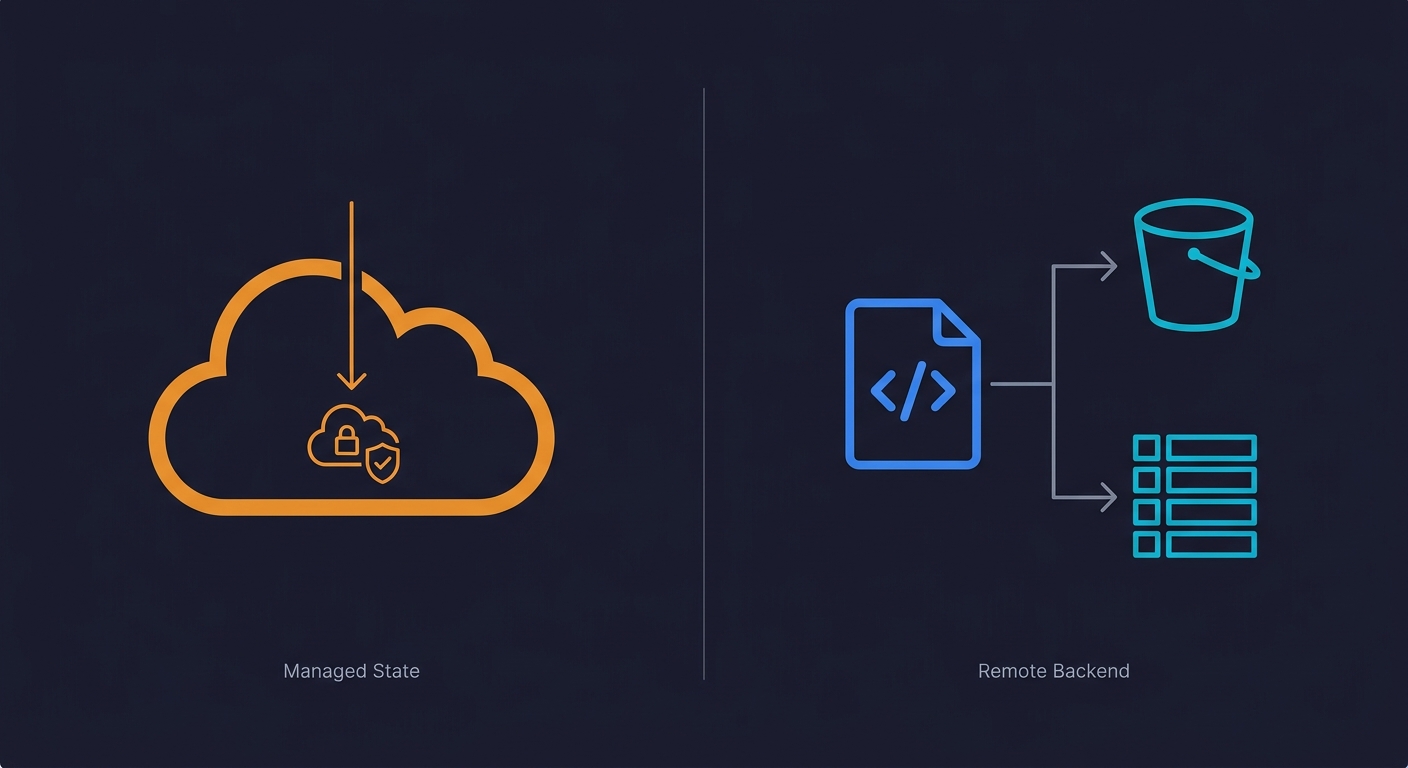
Terraform's state file is a JSON document that maps your HCL configuration to real cloud resources. It is what allows Terraform to know that aws_instance.web_server corresponds to i-0a1b2c3d4e5f6 in AWS. Without it, Terraform cannot reason about what exists and what needs to change.
The problem is that state must be shared across everyone who runs terraform apply. The right setup is a remote backend:
terraform {
  backend "s3" {
    bucket         = "my-terraform-state"
    key            = "production/terraform.tfstate"
    region         = "us-east-1"
    dynamodb_table = "terraform-locks"
    encrypt        = true
  }
}
This stores state in S3 and uses DynamoDB for locking (preventing two people from running apply simultaneously). Getting this right on day one is important. Getting it wrong means corrupted state, phantom resources, and infrastructure that Terraform thinks it owns but has actually drifted from what it created.
CloudFormation has no equivalent concern. AWS owns the state. You never deal with backend configuration, state locking, or the question of what happens if someone manually changes a resource in the console. (CloudFormation will detect drift through its built-in drift detection feature, but it does not rely on a local state file.)
Rollback behavior is another key difference. When a CloudFormation stack update fails, AWS automatically rolls back to the previous known-good state. Terraform does not do this. A failed terraform apply can leave your infrastructure in a partially-applied state where some resources were created and others were not. You recover by fixing the issue and running apply again, or by using terraform state commands to reconcile manually. This is manageable, but it requires comfort with how Terraform's state model works under pressure.
For solo CTOs or small teams, Terraform's state management is manageable once you set it up correctly. For teams that cycle through engineers quickly or hand off infrastructure to non-specialists, the operational simplicity of CloudFormation (including automatic rollback) is a real advantage.
The Module and Ecosystem Question
Terraform's Terraform Registry is extensive. There are mature, community-maintained modules for almost every common pattern: EKS clusters, VPC configurations, RDS with read replicas, ALB with HTTPS certificates. Using a module can reduce a complex resource graph to a dozen lines:
module "eks" {
  source          = "terraform-aws-modules/eks/aws"
  version         = "~> 20.0"
  cluster_name    = "my-cluster"
  cluster_version = "1.29"
  vpc_id          = module.vpc.vpc_id
  subnet_ids      = module.vpc.private_subnets
}
CloudFormation has its own answer to this: nested stacks and the CloudFormation registry. The registry has grown significantly, and AWS-maintained modules cover most common patterns. But the community ecosystem around CloudFormation modules is smaller and less active than Terraform's registry. For uncommon patterns, you are more likely to find a well-maintained Terraform module than a CloudFormation equivalent.
AWS CDK deserves a mention here. CDK lets you write infrastructure in TypeScript, Python, or Go, then compiles it to CloudFormation. If your team is more comfortable with general-purpose programming languages than with YAML or HCL, CDK can be a significant improvement over raw CloudFormation. The tradeoff is that you still compile to CloudFormation, so you inherit CloudFormation's limitations: AWS-only, no Cloudflare provider, no Datadog resources. We are planning a dedicated AWS CDK vs CloudFormation deep-dive (coming soon) for teams weighing this option.
Pulumi is another alternative worth knowing about. Like CDK, it lets you write infrastructure in general-purpose languages (TypeScript, Python, Go, C#), but it is cloud-agnostic like Terraform rather than compiling to CloudFormation. Pulumi is a strong option for teams that want multi-provider support without learning HCL. The tradeoff is a smaller ecosystem and community compared to Terraform.
CI/CD and Pipeline Integration
Both tools integrate with CI/CD pipelines, but the workflows feel different in practice.
Terraform's most common pattern is running terraform plan inside a pull request and posting the output as a PR comment. Tools like Atlantis and the official GitHub Actions for Terraform make this straightforward. Engineers review the plan diff alongside the code diff, approve, and the pipeline runs terraform apply on merge. The feedback loop is tight: you see exactly what will change before it changes.
CloudFormation integrates natively with AWS CodePipeline and supports StackSets for multi-account deployments. If your CI/CD already lives inside AWS (CodeBuild, CodePipeline, CodeDeploy), the integration is seamless. CloudFormation also supports Change Sets, which are conceptually similar to terraform plan but require an extra step to review through the AWS console or CLI before executing.
Policy-as-code is worth mentioning. Terraform supports Sentinel (HashiCorp's policy engine) and Open Policy Agent (OPA) for enforcing guardrails like "no public S3 buckets" or "all instances must be tagged." CloudFormation has CloudFormation Guard and cfn-lint for template validation before deployment. Both approaches work. Terraform's ecosystem has more third-party policy tooling; CloudFormation Guard is simpler to adopt if you are already in the AWS ecosystem.
For teams practicing continuous testing and shipping multiple times per day, the Terraform plan-in-PR pattern tends to feel more natural because the feedback lives where engineers already work: in the pull request.
CloudFormation vs Terraform: Cost Comparison
CloudFormation is free. You pay for the resources it creates, nothing more.
Terraform open-source is also free. The state backend (S3 + DynamoDB) costs a few dollars per month at startup scale. Terraform Cloud (HashiCorp's hosted offering) has a free tier and paid plans starting at around $20 per user per month. For most startups, the open-source version with an S3 backend is the practical choice, keeping costs near zero.
OpenTofu, the open-source fork of Terraform maintained by the Linux Foundation, is worth knowing about. After HashiCorp changed Terraform's license to the Business Source License (BSL) in 2023, OpenTofu was created as a fully open-source alternative with HCL compatibility. For teams that care about license risk, OpenTofu is now a production-ready option.
For context on where the market stands: Terraform holds roughly 62% of the IaC market share, according to Firefly's "State of IaC 2025" report. OpenTofu is at about 12% adoption and climbing, with 27% of practitioners planning to adopt it. CloudFormation remains the default for AWS-native shops, but the trend is clearly toward multi-provider tooling.
Terraform Multi-Cloud: How Much Does It Actually Matter?
The multi-cloud argument for Terraform often gets overstated. Most startups are not running active workloads across AWS and GCP simultaneously. True multi-cloud architecture at the application layer is rare, expensive to operate, and usually more of an enterprise sales slide than a real design constraint.
What does matter in practice is the hybrid scenario: AWS for your core workloads, plus a handful of third-party services managed alongside them. Cloudflare for routing. Datadog for metrics. GitHub for source control and Actions. These are not "multi-cloud" in the traditional sense, but they are outside AWS, and Terraform handles them cleanly.
The practical question is not "will I run on GCP?" but "do I want a single tool that manages my entire infrastructure surface, including the services that live outside AWS?" For most teams, the answer is yes, and that tilts the decision toward Terraform.
Side-by-Side Comparison
| Dimension | CloudFormation | Terraform |
|---|---|---|
| Cloud scope | AWS only | AWS + 300+ providers |
| Syntax | YAML / JSON (verbose) | HCL (concise) |
| State management | Managed by AWS | You manage (S3 + DynamoDB recommended) |
| New AWS service support | Day one | Typically weeks to months lag |
| Module ecosystem | Smaller, AWS-maintained | Large, community-maintained Registry |
| Plan/preview step | Change sets (manual review) | terraform plan (automatic diff) |
| Drift detection | Built-in (CloudFormation console) | terraform plan shows drift |
| Cost | Free | Free (open-source) to ~$20/user/mo (Cloud) |
| Learning curve | Moderate (AWS knowledge) | Moderate (HCL + state concepts) |
| License | AWS managed | BSL (Terraform) / MPL 2.0 (OpenTofu) |
| Rollback on failure | Automatic (AWS-managed) | Manual (partial state possible) |
| CI/CD integration | CodePipeline, StackSets | GitHub Actions, Atlantis, GitLab CI |
| Conditional logic | Limited (~15 intrinsic functions) | count, for_each, dynamic blocks, 50+ functions |
| Validation & linting | cfn-lint, CloudFormation Guard | terraform validate, fmt, Sentinel, OPA |
| Import existing resources | CloudFormation import + template generation | terraform import + HCL import blocks |
| Security / policy as code | CloudFormation Guard, cfn-lint, AWS Config Rules, SCPs | Sentinel, OPA, Checkov, tfsec |
| Testing tools | cfn-lint, TaskCat, rain | terraform validate, Terratest, tftest (built-in) |
| Secret management | AWS Secrets Manager / SSM Parameter Store (native) | Vault provider, SOPS, external data sources |
Migrating Between CloudFormation and Terraform
If you already have infrastructure running on one tool and want to switch, the migration is doable but not trivial.
The most common direction is CloudFormation to Terraform. The process has three steps: write equivalent Terraform configuration for your existing resources, use terraform import to bring those resources into Terraform's state without recreating them, and then delete the CloudFormation stack with DeletionPolicy: Retain so AWS does not destroy the underlying resources when the stack is removed.
Tools like cf2tf can auto-convert CloudFormation YAML to HCL, and Former2 can export your existing AWS resources directly to Terraform configuration. Neither produces production-ready code, but they save significant boilerplate.
The practical advice: start with non-critical resources to build confidence. Run terraform plan obsessively during migration to catch drift. Keep the old CloudFormation stack as a fallback until you have verified Terraform is managing everything correctly. For most startup-scale infrastructure (a VPC, a few services, a database or two), the migration takes a few days of focused work, not weeks.
How to Apply This to Ephemeral Environments
Whichever tool you pick, one of the highest-leverage things you can do with it is power ephemeral environments: short-lived, per-PR infrastructure stacks that give each pull request its own isolated environment.
The pattern looks like this: your CI pipeline receives a pull request event, triggers a Terraform or CloudFormation run with the PR number as a variable, and spins up a complete, isolated stack (application, database, caches) that is destroyed when the PR closes. Reviewers and QA get a real URL to test against. Nothing shares state with other open PRs or with staging.
Terraform is particularly practical for this use case. Workspaces let you manage multiple isolated copies of the same configuration:
# Create a workspace per PR
terraform workspace new pr-142
terraform apply -var="pr_id=142"

# Tear it down when the PR closes
terraform workspace select pr-142
terraform destroy -var="pr_id=142"
terraform workspace delete pr-142
CloudFormation handles it too, through parameterized stacks where the PR number becomes a stack parameter. The mechanism is slightly more cumbersome (you manage stack names rather than workspace contexts), but it works.
The database layer is the part that takes real thought regardless of which IaC tool you pick. Each ephemeral environment needs its own database in a state that reflects your current schema. You can solve this with migration-on-create (run all migrations during environment spin-up), snapshot restore (clone from a reference snapshot), or a database branching service like Neon. For a comparison of serverless database options that pair with ephemeral environments, see our Supabase vs Neon guide. The infrastructure as code guide we are working on goes deeper on this pattern across both Terraform and CloudFormation setups.
Once ephemeral environments are live, the next natural step is running automated tests against each one. That is where Autonoma fits: connect your codebase, and the Planner agent generates tests from your routes and components automatically. The Automator runs them against your ephemeral environment URL on every PR. No test scripts to write or maintain.
Should You Use Terraform or CloudFormation in 2026?
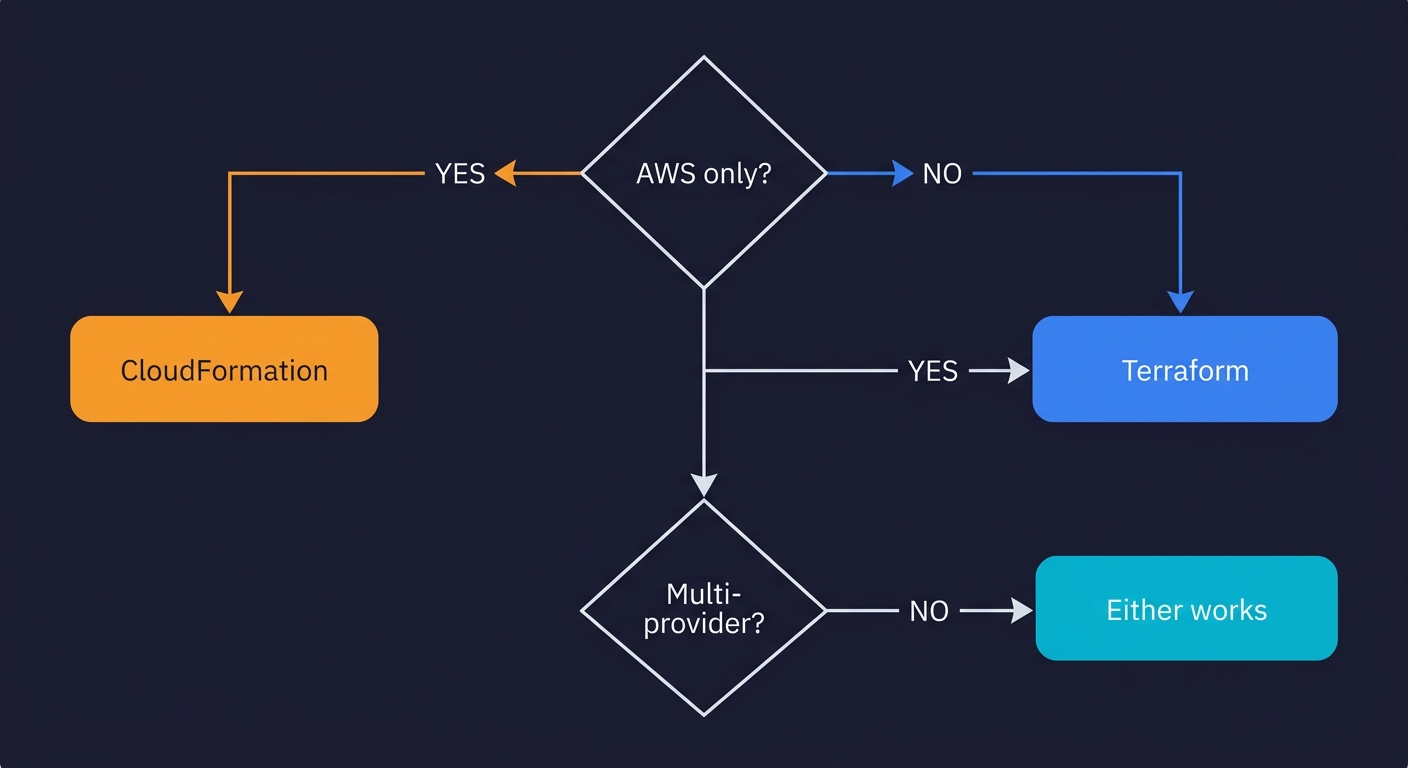
The decision comes down to two variables: your cloud surface area and your team's background.
Choose CloudFormation if:
- Your infrastructure is 100% AWS with no external services
- You have a small team with no dedicated DevOps or platform engineer
- You want zero state management overhead
- You need day-one support for the latest AWS services
- Your CI/CD already runs on CodePipeline and CodeBuild
Choose Terraform (or OpenTofu) if:
- Any non-AWS service is in your stack (Cloudflare, Datadog, GitHub, Vercel)
- You want a single infrastructure as code tool for your entire surface area
- Your team is growing past 3-5 engineers and module reuse matters
- You want the plan-in-PR workflow with GitHub Actions or Atlantis
- License flexibility matters to you (OpenTofu is MPL 2.0)
If you are genuinely AWS-only today and do not anticipate needing external services, CloudFormation is a clean, low-overhead choice. AWS manages the state, support covers the tool, and you have day-one access to every new AWS feature. The verbosity is real, and the ecosystem is smaller, but for a focused AWS-native stack it works well.
If you are already using Cloudflare, Datadog, or any other non-AWS service, or if you want a single IaC tool that covers your full infrastructure surface, Terraform (or OpenTofu if license matters to you) is the right call. The state management overhead is real but manageable. The module ecosystem is significantly better. The developer experience is cleaner at scale.
CloudFormation is AWS's native infrastructure-as-code service, tightly integrated with every AWS service and free to use. Terraform is a cloud-agnostic IaC tool from HashiCorp that uses HCL (HashiCorp Configuration Language) and can manage resources across AWS, GCP, Azure, and hundreds of other providers. CloudFormation has deeper AWS integration and no state file to manage; Terraform has better modularity, multi-cloud support, and a larger open-source ecosystem.
If you are 100% AWS and plan to stay there, CloudFormation is a solid default: zero cost, native AWS console integration, and no state backend to maintain. If you use any non-AWS services (Cloudflare, Datadog, MongoDB Atlas, GitHub Actions runners), Terraform is almost always worth it because you can manage all of them from one tool. Most infrastructure-savvy startups default to Terraform for the ecosystem breadth and better module sharing.
Both have a learning curve, but they are different in character. CloudFormation YAML/JSON is verbose and requires deep AWS documentation knowledge, but there is nothing new to install or configure. Terraform HCL is more concise and readable, but you need to learn state management, the backend configuration, workspace concepts, and the plan/apply workflow. For engineers already comfortable with AWS, CloudFormation is slightly faster to start. For engineers who want readable, maintainable code at scale, Terraform pays off quickly.
CloudFormation's biggest disadvantages are its verbosity (YAML templates get very long, very fast), slow deployment feedback (stack events stream in slowly compared to Terraform's plan output), and AWS-only scope. You cannot use CloudFormation to manage a Cloudflare DNS record, a GitHub repository, or a PagerDuty schedule. Anything outside the AWS ecosystem requires a separate tool.
Yes. Some teams use Terraform to manage their overall AWS account structure and cross-provider resources, while using CloudFormation (or AWS CDK, which compiles to CloudFormation) for specific AWS workloads. This is more common in large engineering organizations. For startups, managing two IaC systems is usually not worth the cognitive overhead. Pick one and go deep.
The migration involves three steps: write equivalent Terraform HCL for your CloudFormation resources, use terraform import to bring existing resources into Terraform state without recreating them, and delete the CloudFormation stack with DeletionPolicy set to Retain so the underlying resources are preserved. Tools like cf2tf and Former2 can auto-generate starter HCL from your existing templates. Start with non-critical resources and run terraform plan frequently to catch drift during the transition.
Both Terraform and CloudFormation can power ephemeral environments, but Terraform is generally more practical for this use case. Terraform workspaces make it straightforward to parameterize a stack per PR, and the plan/apply output gives you clear visibility into what is being created and destroyed. CloudFormation can do it too with parameterized stacks, but the slower feedback loop makes the PR cycle feel heavier. Tools like Autonoma integrate with both to automatically provision and test ephemeral environments on every pull request.