

Introduction
You run 500 test cases manually every sprint. Each takes 8 minutes. That's 66 hours of clicking buttons, filling forms, and checking outputs. Your team decides to adopt test automation frameworks. Now they run in 20 minutes.
Except a significant portion of tests fail randomly. You spend considerable time debugging why a test that passed yesterday fails today. The button selector changed. The API response is 50ms slower. A modal animation interferes with a click. You're maintaining tests instead of writing them.
This is the automation paradox. Tests save time, when they work. According to our State of QA 2025 report, most teams cite "flaky tests and maintenance burden" as their biggest automation challenge. The promise was less work. The reality is different work.
The question isn't whether to automate. It's what to automate, which framework to use, and how to avoid the maintenance trap.
The real challenge isn't picking a framework. It's writing tests that don't break every sprint. This guide shows you how.
You can also follow this guide with code with this GitHub repository.
When to Automate vs When to Test Manually
You can't automate everything. Trying to automate everything guarantees failure.
Manual testing excels at exploration. When you don't know what you're looking for, edge cases, usability issues, visual inconsistencies, human intuition outperforms scripts. Manual testing is fast for one-off scenarios: testing a hotfix, exploring a prototype, or validating something that happens once.
Automation excels at repetition. Run the same 100 scenarios every deployment? Automate them. Regression tests that verify existing functionality? Automate. Tests that run in CI/CD pipelines? Must automate. Tests that require precise timing or complex data setups? Automation handles this better than humans.
The mistake is automating tests that change frequently. If your UI redesigns every quarter, automating pixel-perfect visual tests creates maintenance hell. If your API contracts shift weekly, brittle integration tests break constantly. Automate the stable parts first. Leave the volatile parts manual until they stabilize.
For teams where writing and maintaining scripts is the bottleneck, Autonoma removes the scripting requirement entirely: AI agents read your codebase, decide what needs testing, and generate the tests automatically, adapting as your product evolves.
Web Testing Frameworks: Playwright, Selenium, and Cypress
Three frameworks dominate web testing. They take different approaches to the same problem: controlling a browser programmatically.
Selenium emerged in 2004. It's mature, supports every major language (Python, Java, JavaScript, C#, Ruby), and works with Chrome, Firefox, Safari, and Edge. Its architecture uses the WebDriver protocol, a W3C standard for browser automation. This means broad compatibility. It also means overhead. Every action requires JSON serialization, HTTP requests, and browser-side deserialization. Selenium tests are slower and more prone to timing issues.
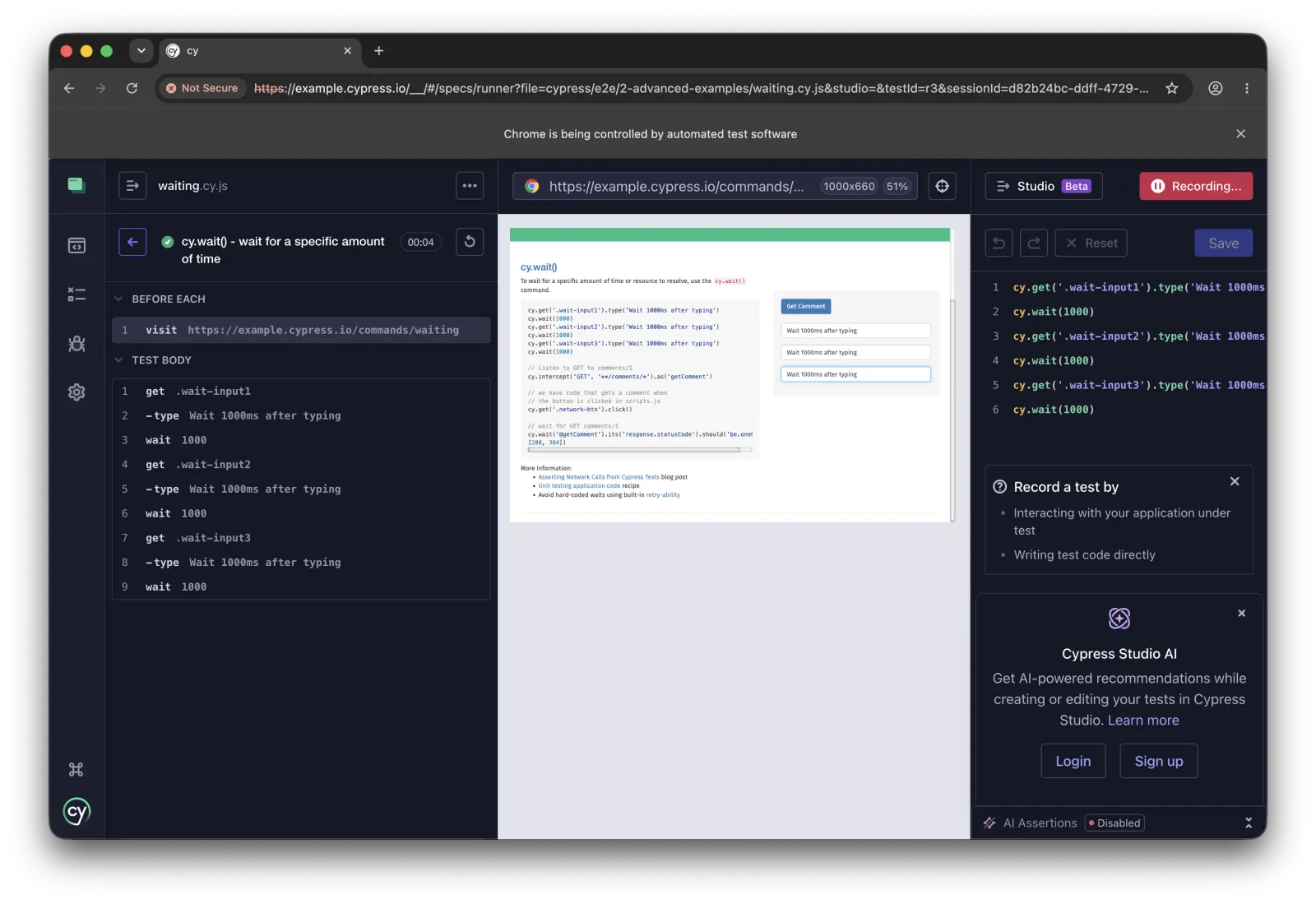
Cypress arrived in 2017 with a different architecture. Instead of external control via WebDriver, Cypress runs inside the browser alongside your application. This makes tests faster and more reliable, no network latency between test and app. The developer experience is exceptional: automatic waiting, time-travel debugging, and intuitive APIs. The limitation? Cypress only works for web apps. No mobile testing. No multi-tab testing. No cross-domain testing (mostly). If your testing stays within web boundaries, Cypress is compelling.
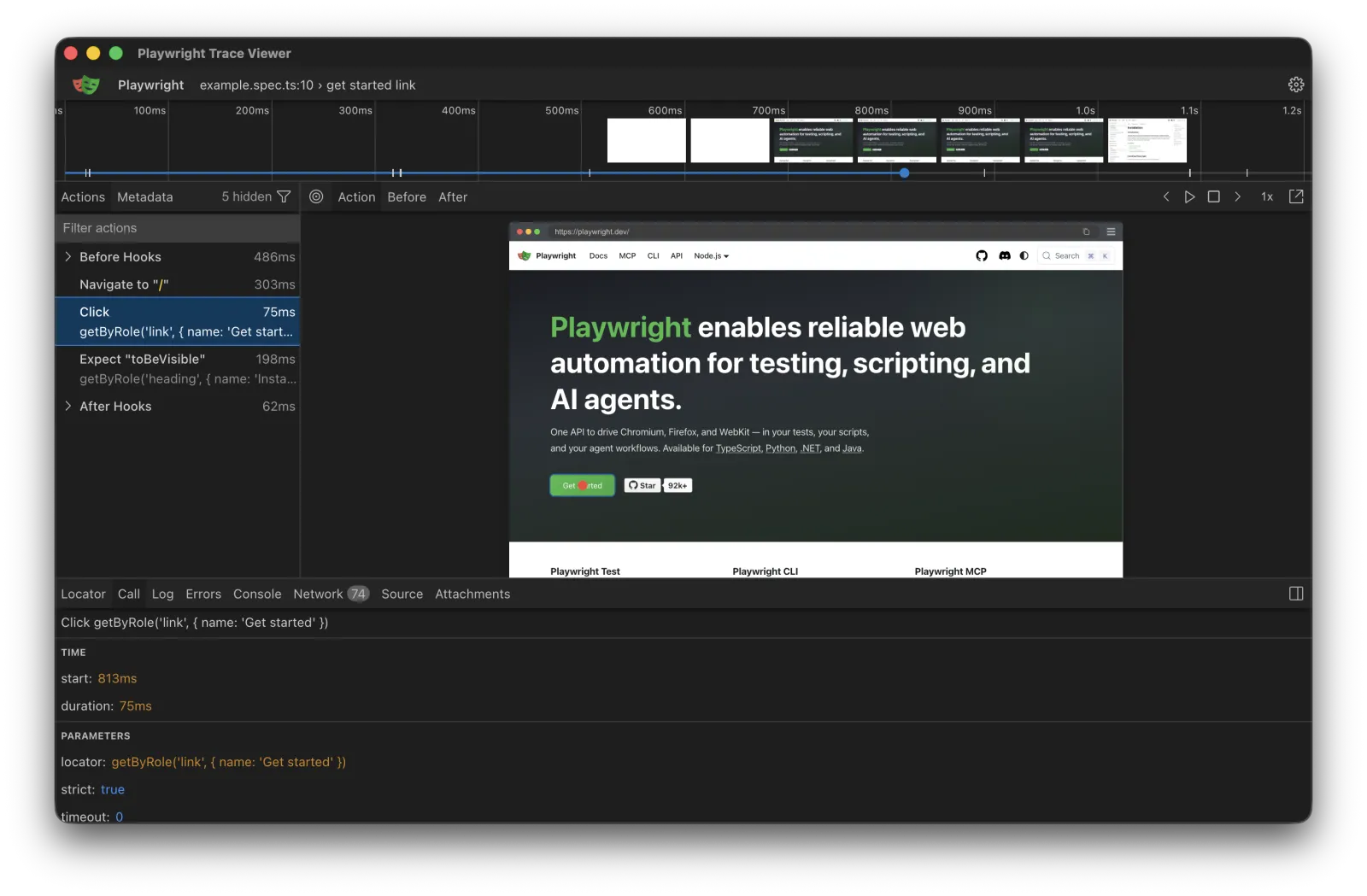
Playwright launched in 2020 from Microsoft. It learned from Selenium's slowness and Cypress's limitations. Playwright uses modern browser automation protocols (Chrome DevTools Protocol for Chromium, similar for Firefox and WebKit). It's faster than Selenium, more capable than Cypress. Playwright handles multi-tab scenarios, cross-domain testing, and mobile browsers. It auto-waits intelligently, less flakiness from timing issues. Tests written in Playwright tend to be more stable.
Which should you use? Playwright is the best choice for new projects, faster, more reliable, actively developed. Selenium makes sense if you need Java/C#/Ruby or maintain existing Selenium suites. Cypress wins for pure web testing with emphasis on developer experience. For a focused breakdown of E2E-specific tools, including the newer AI-native options, see our e2e testing tools buyer's guide.

Each framework trades off speed, reach, and developer experience differently.
These three frameworks solve browser automation, but a browser is only one of the surfaces you ship on, and mobile apps need a different approach entirely.
Mobile Testing: Appium
Web frameworks don't work for mobile apps. Mobile apps don't run in browsers, they run natively on iOS and Android. Appium bridges this gap.
Appium uses the WebDriver protocol (like Selenium) to control mobile devices and simulators. Write tests once, run them on both iOS and Android, in theory. In practice, iOS and Android differ enough that tests require platform-specific adjustments. Appium tests use element locators (accessibility IDs, XPath) just like web tests. They interact with native components: tap buttons, swipe screens, verify text.
The setup is complex. You need Xcode for iOS simulators, Android Studio for Android emulators, plus Appium server and device drivers. Debugging mobile tests is harder than web tests, emulators crash, timing issues are worse, and element inspection tools are less mature.
Despite the complexity, Appium dominates mobile automation because the alternative is worse: maintaining separate test suites for iOS and Android in native test frameworks (XCUITest and Espresso). If you test mobile apps, Appium is the standard. Whether you automate web or mobile, though, the UI is the slowest and most fragile layer to test, so the APIs beneath it are usually where testing should start.
API Testing: Postman and REST Assured
Before testing UIs, test APIs. API tests are faster and more stable.
Postman provides visual API testing, useful for non-programmers. REST Assured (Java), Requests (Python), and SuperTest (JavaScript) offer code-based API testing with version control and complex logic support. Choose based on team preference: visual tools for accessibility, code-based for power users.
A code-based API test is short and reads like a plain assertion. Here it is in Python with the requests library:
Setting Up Your First Automation Project
Let's build a real test. We'll create a login test in Playwright (TypeScript) and Selenium (Python) to show the differences.
Playwright Setup:
npm init playwright@latestThis creates a complete project structure with config files and example tests. Now write a login test:
Run it with npx playwright test. Playwright automatically waits for elements to be ready before interacting. No manual waits needed.
Selenium Setup (Python):
pip install seleniumDownload ChromeDriver or use webdriver-manager to handle drivers automatically:
Notice the difference? Selenium requires explicit waits (WebDriverWait) and try-finally blocks to ensure cleanup. Playwright handles this automatically.
Appium Mobile Test:
For mobile, the setup is more involved:
Mobile tests use accessibility IDs (~element-id) instead of CSS selectors. This requires developers to add accessibility labels to UI components.

Automation frameworks sit between your test script and the system under test.
Common Automation Challenges and Solutions
Real automation fails for predictable reasons. Here's how to avoid them.
Idempotency: Tests That Don't Interfere
Test A creates a user. Test B expects that user doesn't exist. Test A runs first. Test B fails.
The solution: Each test creates its own data and cleans up afterward. Use unique identifiers (timestamps, UUIDs) for test data, "testuser-1733317890123@example.com" instead of "testuser@example.com". This allows parallel test execution without conflicts.

Unique test data per run prevents tests from colliding.
Test Data Management
Hard-coded test data makes tests brittle. Centralize it:
export const TEST_USERS = {
  validUser: { email: 'valid@example.com', password: 'ValidPass123!' },
  adminUser: { email: 'admin@example.com', password: 'AdminPass123!', role: 'admin' }
};
Or generate programmatically:
function createTestUser(overrides = {}) {
  return {
    email: `test-${Date.now()}@example.com`,
    password: 'DefaultPass123!',
    ...overrides
  };
}
Timing and Synchronization Issues
The browser renders asynchronously. Your test runs synchronously. This mismatch causes flaky tests.
Bad approach:
# Selenium - BAD
driver.get('https://example.com')
button = driver.find_element(By.ID, 'submit')
button.click()  # Fails if page isn't loaded yet
Better approach - explicit waits:
Playwright handles this automatically:
// Playwright - automatic waiting
await page.goto('https://example.com');
await page.click('#submit');  // Automatically waits for element to be ready
When automatic waiting isn't enough, wait for specific conditions:
Idempotency, test data, and timing are the problems that resurface every time your app changes, which is why Chapter 8 covers an approach that adapts to those changes automatically instead of relying on constant discipline.
Integrating Tests Into CI/CD Pipelines
Tests must run automatically in CI/CD. A typical pipeline runs unit tests first (fastest), then integration, then E2E (slowest).

Unit tests run first and fastest, E2E tests run last and slowest.
GitHub Actions example:
Use if: always() to upload reports even when tests fail.
What We Didn't Cover: The Maintenance Problem
These frameworks let you write tests. The hard part is keeping them working.
According to our State of QA 2025 report, teams spend 30-40% of QA time maintaining test suites. Selectors break when UIs change. APIs evolve. Tests that passed last month fail this month.
The traditional solution is discipline: use stable selectors, write atomic tests, maintain test data carefully. This helps, but it doesn't solve the problem. What actually reduces the idempotency and test-data burden described above is structure, which is why Chapter 5 covers the Page Object Model and maintainable test architecture rather than more discipline. And the timing and synchronization fixes shown here are only a starting point, so Chapter 6 covers test-flakiness root causes in depth.
There's a different approach. Instead of scripts that break when your app changes, use systems that adapt. We'll explore this in Chapter 8 when we discuss AI-powered testing, where AI agents read your codebase, decide what to test, generate the tests, and heal them as your product evolves. For now, understand that choosing a framework is the easy part. Making automation sustainable is the real challenge.
For complete working examples of all frameworks discussed in this chapter, visit our GitHub repository.
Frequently Asked Questions
For a brand-new web project, start with Playwright. It's fast, auto-waits to reduce flakiness, and is actively developed. Choose Selenium if you need Java, C#, or Ruby, or you're maintaining an existing Selenium suite. Choose Cypress if you want the best developer experience and your testing stays purely within the browser.
No. Playwright is faster and more stable for most modern web testing, thanks to newer browser protocols and intelligent auto-waiting. But Selenium still wins when you need its broad language support or already have a large, working Selenium suite. The right choice depends on your stack and existing investment, not on a single winner.
No. Cypress is web-only and runs inside the browser, so it cannot drive native iOS or Android apps. For native mobile testing you need Appium, which uses the WebDriver protocol to control real devices and simulators across both platforms.
Usually, yes. Postman is great for visual, exploratory API testing and for people who don't write code. For API tests that live in version control and run in CI, use a code-based library like REST Assured (Java), Requests (Python), or SuperTest (JavaScript). These handle complex logic and integrate cleanly with your pipeline.
No. Automate the stable, repetitive tests that run on every deployment, such as regression suites and CI-run checks. Keep exploratory testing, one-off scenarios, and anything whose UI or contract changes frequently as manual work until it stabilizes. Automating volatile tests creates more maintenance than it saves.
They run automatically on events like a push or pull request. The GitHub Actions example in this chapter runs on push and pull_request, checks out the code, installs dependencies, and executes the test suite. A typical pipeline runs unit tests first, then integration tests, then the slower end-to-end tests last.
Course Navigation
Chapter 4 of 8: Test Automation Frameworks Guide ✓
Next Chapter →
Chapter 5: Page Object Model & Test Architecture
Learn how to build maintainable test automation with Page Object Model. Reduce test maintenance by 80% with proper architecture, complete Python and TypeScript examples included.
← Previous Chapter
Chapter 3: Test Planning and Organization - Master the testing workflow


