

Introduction
You've built a Django application. Your unit tests pass. Django's test client validates your views return the correct responses. Then a user reports a bug: the multi-step form wizard breaks when they use the browser's back button, or the AJAX-powered search fails in Safari.
Unit tests and Django's test client didn't catch it. They don't test how JavaScript interacts with your Django templates, how CSS affects usability, or how real browsers handle your responses.
When you test Django apps with Playwright, you catch these bugs before users do. Playwright runs your actual Django application in real browsers (Chrome, Firefox, Safari) with real user interactions. This complete Django Playwright tutorial shows you exactly how to set up Playwright for Django, test Django-specific features like authentication and CSRF protection, and solve common problems developers encounter.
Why Playwright for Django Testing?
You already have Django's test framework. The test client is fast. It validates your views, forms, and models in isolation. A form submission returns a redirect, the database updates, the template renders the correct context.
Then you deploy. The form works in your tests. In production, a JavaScript validation script prevents submission before Django ever sees the request. A CSS grid layout breaks the form on mobile. Browser autofill triggers events your tests never simulated.
Playwright tests the complete stack. It loads your Django templates in real browsers, executes your JavaScript, renders your CSS, and interacts with forms the way users actually do.
When to use each approach:
Django's test client is excellent for testing view logic, model operations, and template rendering in isolation. It's fast and catches server-side bugs. Playwright catches client-side integration issues: JavaScript behavior, CSS rendering, browser compatibility, and complete user workflows. You need both. The test client gives speed, Playwright gives confidence. Learn more about integration testing vs E2E testing to understand when to use each approach.
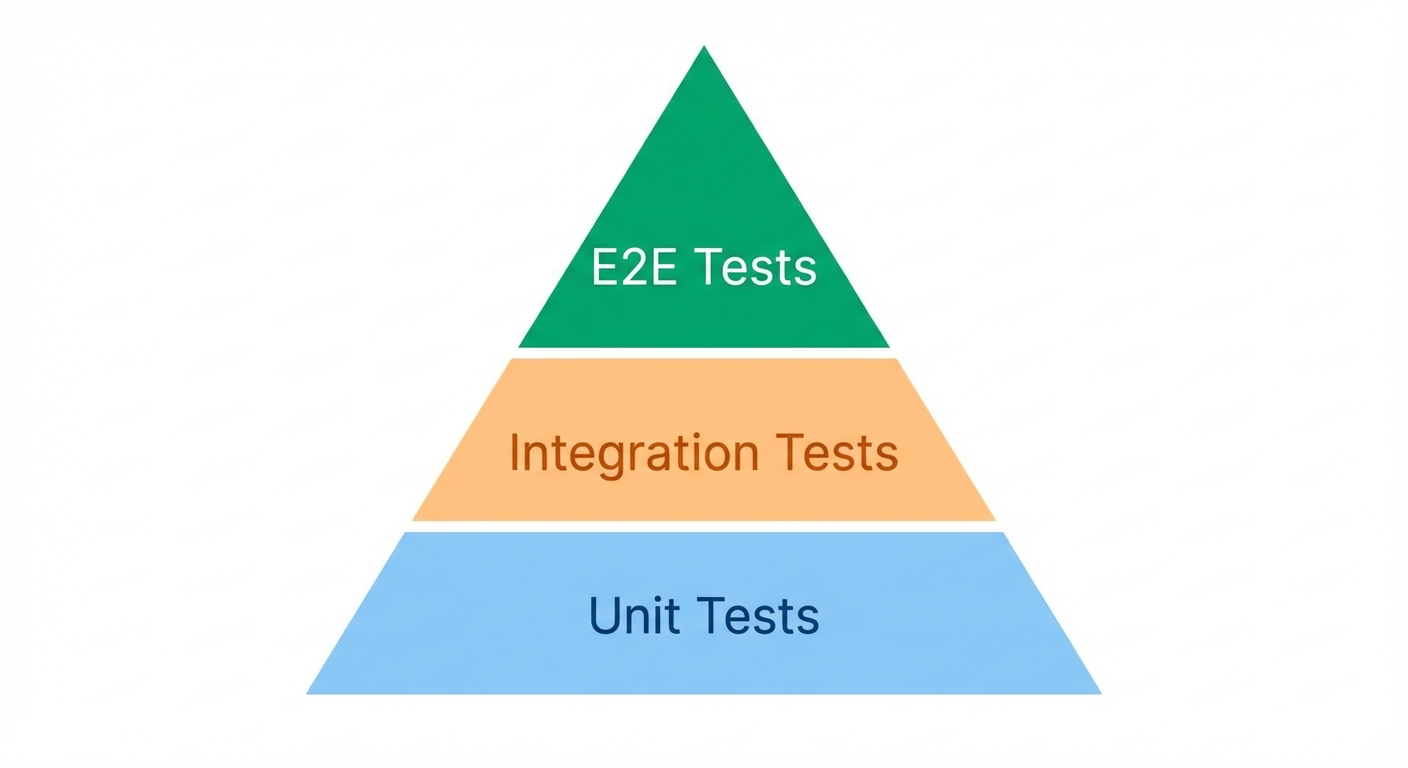
For Django teams who want browser-based E2E coverage without maintaining Playwright scripts, Autonoma reads your codebase and generates tests automatically — AI agents handle the browser interaction so you don't have to write selectors or manage test infrastructure.
Setting Up Playwright for Django
Installation
Install Playwright and pytest-playwright in your Django project:
pip install playwright pytest-playwright
playwright install
The playwright install command downloads browser binaries for Chromium, Firefox, and WebKit.
Project Structure
Create a tests/e2e directory in your Django project:
your_django_project/
├── manage.py
├── your_app/
│   ├── models.py
│   ├── views.py
│   └── templates/
├── tests/
│   ├── __init__.py
│   ├── e2e/
│   │   ├── __init__.py
│   │   ├── conftest.py
│   │   ├── test_auth.py
│   │   └── test_forms.py
│   └── unit/
├── pytest.ini
└── requirements.txt
Configuring pytest with Django
Create pytest.ini at your project root:
[pytest]
DJANGO_SETTINGS_MODULE = your_project.settings
python_files = test_*.py
python_classes = Test*
python_functions = test_*
addopts = --tb=short
LiveServerTestCase Setup
Create tests/e2e/conftest.py with fixtures for Playwright and Django's live server:
import pytest
from django.contrib.staticfiles.testing import StaticLiveServerTestCase
from playwright.sync_api import sync_playwright

@pytest.fixture(scope="class")
def live_server_url(request):
    """Provide live server URL to test class."""
    server = StaticLiveServerTestCase
    server.setUpClass()
    request.addfinalizer(server.tearDownClass)
    return server.live_server_url

@pytest.fixture(scope="function")
def page(browser):
    """Create a new page for each test."""
    page = browser.new_page()
    yield page
    page.close()

@pytest.fixture(scope="session")
def browser():
    """Create browser instance for test session."""
    with sync_playwright() as p:
        browser = p.chromium.launch(headless=True)
        yield browser
        browser.close()
Using StaticLiveServerTestCase ensures your static files (CSS, JavaScript, images) are served correctly during tests.
Your First Test
Create tests/e2e/test_homepage.py:
import pytest
from playwright.sync_api import expect

class TestHomepage:
    def test_homepage_loads(self, page, live_server_url):
        page.goto(live_server_url)

        expect(page).to_have_title("My Django App")
        expect(page.get_by_role("heading", level=1)).to_be_visible()

    def test_navigation_works(self, page, live_server_url):
        page.goto(live_server_url)

        page.get_by_role("link", name="About").click()

        expect(page).to_have_url(f"{live_server_url}/about/")
        expect(page.get_by_role("heading", name="About Us")).to_be_visible()
Run tests:
pytest tests/e2e/ -v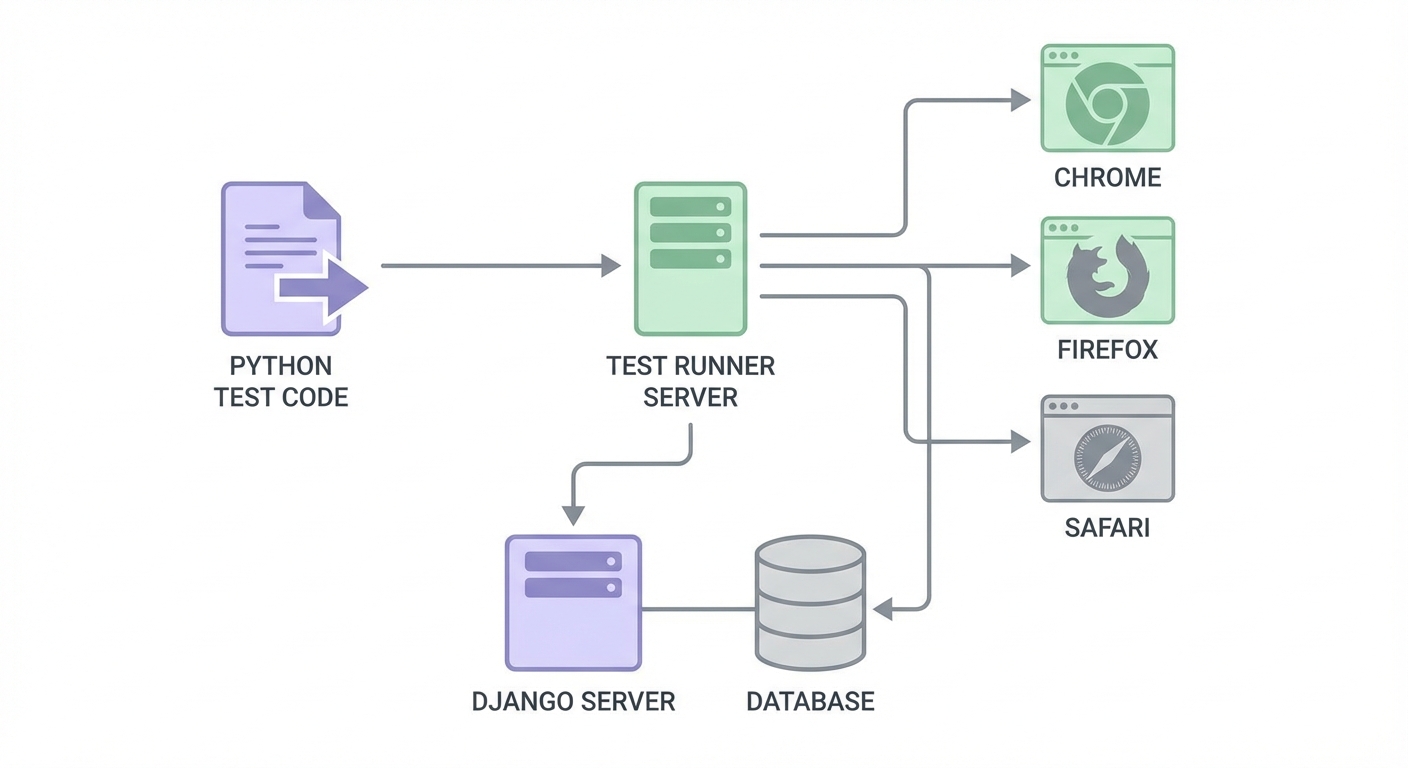
Core Testing Patterns for Django
Locator Strategies
Playwright's philosophy: locate elements by role, label, or text, not by CSS selectors that break when your templates change.
Good approach:
# By role (most resilient)
page.get_by_role("button", name="Submit")

# By label (great for Django forms)
page.get_by_label("Email address")

# By text content
page.get_by_text("Welcome to our site")

# By placeholder
page.get_by_placeholder("Enter your email")

# By test ID (when you control the template)
page.get_by_test_id("login-form")
Avoid:
# Breaks when CSS changes
page.locator(".btn-primary")

# Breaks when DOM structure changes
page.locator("form > div:nth-child(2) > input")
Testing Django Forms
Django forms render with specific HTML patterns. Test them using labels:
def test_contact_form_submission(self, page, live_server_url):
    page.goto(f"{live_server_url}/contact/")

    # Fill form fields by label
    page.get_by_label("Name").fill("John Doe")
    page.get_by_label("Email").fill("john@example.com")
    page.get_by_label("Message").fill("Hello from Playwright!")

    # Submit form
    page.get_by_role("button", name="Send Message").click()

    # Verify success
    expect(page.get_by_text("Message sent successfully")).to_be_visible()
Handling CSRF Tokens
Django's CSRF protection is automatically handled when you submit forms through the browser. Playwright loads your template, which includes the CSRF token, and submits it naturally:
def test_form_with_csrf(self, page, live_server_url):
    page.goto(f"{live_server_url}/contact/")

    # CSRF token is already in the form HTML
    page.get_by_label("Email").fill("test@example.com")
    page.get_by_role("button", name="Submit").click()

    # Django validates CSRF automatically
    expect(page.get_by_text("Success")).to_be_visible()
For AJAX requests that need CSRF tokens:
def test_ajax_with_csrf(self, page, live_server_url):
    page.goto(f"{live_server_url}/dashboard/")

    # Get CSRF token from cookie
    csrf_token = page.context.cookies()[0]["value"]

    # Use in API call
    response = page.request.post(
        f"{live_server_url}/api/data/",
        headers={"X-CSRFToken": csrf_token},
        data={"key": "value"}
    )

    assert response.ok
Testing Django Authentication
Login Flow
def test_user_login(self, page, live_server_url):
    # Create test user (in conftest.py fixture)
    page.goto(f"{live_server_url}/accounts/login/")

    page.get_by_label("Username").fill("testuser")
    page.get_by_label("Password").fill("testpass123")
    page.get_by_role("button", name="Log in").click()

    expect(page).to_have_url(f"{live_server_url}/dashboard/")
    expect(page.get_by_text("Welcome, testuser")).to_be_visible()

def test_login_with_invalid_credentials(self, page, live_server_url):
    page.goto(f"{live_server_url}/accounts/login/")

    page.get_by_label("Username").fill("wronguser")
    page.get_by_label("Password").fill("wrongpass")
    page.get_by_role("button", name="Log in").click()

    expect(page.get_by_text("Invalid username or password")).to_be_visible()
    expect(page).to_have_url(f"{live_server_url}/accounts/login/")
Reusable Login Fixture
Create a fixture for authenticated tests:
# conftest.py
from django.contrib.auth import get_user_model

@pytest.fixture
def test_user(db):
    User = get_user_model()
    user = User.objects.create_user(
        username="testuser",
        email="test@example.com",
        password="testpass123"
    )
    return user

@pytest.fixture
def authenticated_page(page, live_server_url, test_user):
    page.goto(f"{live_server_url}/accounts/login/")
    page.get_by_label("Username").fill("testuser")
    page.get_by_label("Password").fill("testpass123")
    page.get_by_role("button", name="Log in").click()
    page.wait_for_url(f"{live_server_url}/dashboard/")
    return page
Use it in tests:
def test_dashboard_shows_user_data(self, authenticated_page, live_server_url):
    expect(authenticated_page.get_by_text("Your Dashboard")).to_be_visible()
Testing Django Admin
@pytest.fixture
def admin_user(db):
    User = get_user_model()
    return User.objects.create_superuser(
        username="admin",
        email="admin@example.com",
        password="adminpass123"
    )

def test_admin_can_add_item(self, page, live_server_url, admin_user):
    # Login to admin
    page.goto(f"{live_server_url}/admin/")
    page.get_by_label("Username").fill("admin")
    page.get_by_label("Password").fill("adminpass123")
    page.get_by_role("button", name="Log in").click()

    # Navigate to model
    page.get_by_role("link", name="Products").click()
    page.get_by_role("link", name="Add product").click()

    # Fill form
    page.get_by_label("Name").fill("Test Product")
    page.get_by_label("Price").fill("29.99")
    page.get_by_role("button", name="Save").click()

    # Verify
    expect(page.get_by_text("was added successfully")).to_be_visible()
Advanced Patterns
API Mocking
Mock Django REST Framework endpoints for isolated tests:
def test_with_mocked_api(self, page, live_server_url):
    # Mock API response
    page.route("**/api/products/", lambda route: route.fulfill(
        status=200,
        content_type="application/json",
        body='[{"id": 1, "name": "Mock Product", "price": "19.99"}]'
    ))

    page.goto(f"{live_server_url}/products/")

    expect(page.get_by_text("Mock Product")).to_be_visible()
    expect(page.get_by_text("$19.99")).to_be_visible()
Database Fixtures
Use factory_boy or Django fixtures for test data:
# conftest.py
import factory
from your_app.models import Product

class ProductFactory(factory.django.DjangoModelFactory):
    class Meta:
        model = Product

    name = factory.Faker("product_name")
    price = factory.Faker("pydecimal", left_digits=2, right_digits=2, positive=True)

@pytest.fixture
def products(db):
    return ProductFactory.create_batch(5)

def test_product_list(self, page, live_server_url, products):
    page.goto(f"{live_server_url}/products/")

    expect(page.get_by_role("listitem")).to_have_count(5)
Testing File Uploads
def test_file_upload(self, page, live_server_url, authenticated_page):
    page.goto(f"{live_server_url}/upload/")

    # Upload file
    page.get_by_label("Document").set_input_files("tests/fixtures/test.pdf")
    page.get_by_role("button", name="Upload").click()

    expect(page.get_by_text("File uploaded successfully")).to_be_visible()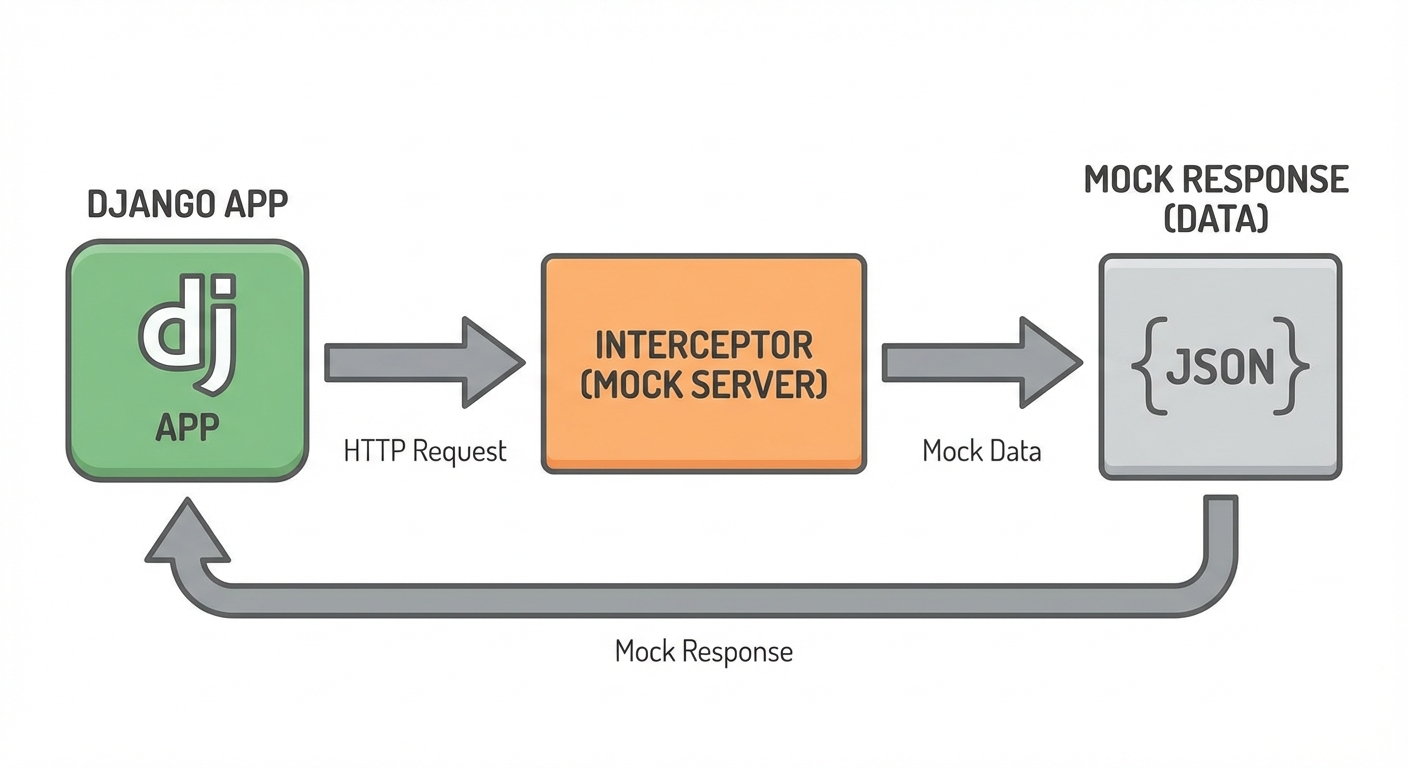
Common Problems and Solutions
Timing Issues
Django's server-side rendering is fast, but JavaScript-enhanced pages need waiting:
# Wrong: checking before JavaScript runs
def test_dynamic_content_wrong(self, page, live_server_url):
    page.goto(f"{live_server_url}/dashboard/")
    text = page.get_by_test_id("stats").text_content()  # Might be empty

# Correct: using auto-waiting assertions
def test_dynamic_content_correct(self, page, live_server_url):
    page.goto(f"{live_server_url}/dashboard/")
    expect(page.get_by_test_id("stats")).to_contain_text("Total: ")
Database Isolation
Each test needs a clean database state:
# conftest.py
@pytest.fixture(autouse=True)
def reset_db(db, transactional_db):
    """Reset database between tests."""
    yield
    # Django's test framework handles cleanup
Static Files Not Loading
Use StaticLiveServerTestCase instead of LiveServerTestCase:
from django.contrib.staticfiles.testing import StaticLiveServerTestCase

# This serves static files correctly
server = StaticLiveServerTestCase
For more strategies on reducing test flakiness, see our guide on reducing test flakiness.
Debugging Failed Tests
Screenshots on Failure
# conftest.py
@pytest.hookimpl(tryfirst=True, hookwrapper=True)
def pytest_runtest_makereport(item, call):
    outcome = yield
    rep = outcome.get_result()

    if rep.when == "call" and rep.failed:
        page = item.funcargs.get("page")
        if page:
            page.screenshot(path=f"screenshots/{item.name}.png")
Trace Viewer
Enable traces for detailed debugging:
@pytest.fixture
def page(browser):
    context = browser.new_context()
    context.tracing.start(screenshots=True, snapshots=True)
    page = context.new_page()
    yield page
    context.tracing.stop(path="trace.zip")
    page.close()
    context.close()
View the trace:
playwright show-trace trace.zip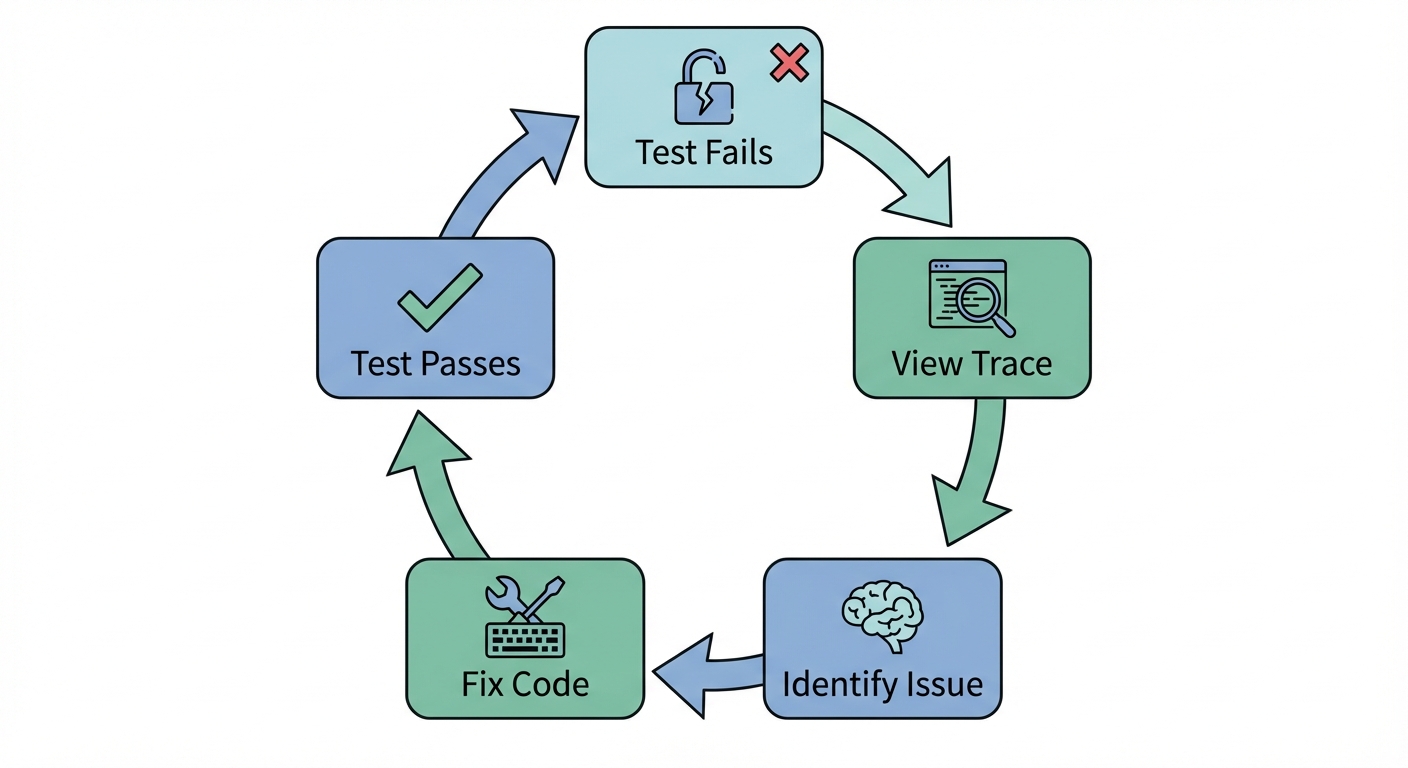
CI/CD Integration
GitHub Actions
Create .github/workflows/e2e.yml:
name: E2E Tests
on: [push, pull_request]

jobs:
  test:
    runs-on: ubuntu-latest

    services:
      postgres:
        image: postgres:13
        env:
          POSTGRES_PASSWORD: postgres
        options: >-
          --health-cmd pg_isready
          --health-interval 10s
          --health-timeout 5s
          --health-retries 5

    steps:
    - uses: actions/checkout@v4

    - name: Set up Python
      uses: actions/setup-python@v4
      with:
        python-version: '3.11'

    - name: Install dependencies
      run: |
        pip install -r requirements.txt
        playwright install --with-deps

    - name: Run migrations
      run: python manage.py migrate

    - name: Run E2E tests
      run: pytest tests/e2e/ -v

    - name: Upload screenshots
      if: failure()
      uses: actions/upload-artifact@v4
      with:
        name: screenshots
        path: screenshots/
Best Practices
Use role-based locators: get_by_role() and get_by_label() are resilient to template changes.
Create fixtures for common actions: Login, data setup, and authenticated sessions should be reusable fixtures.
Test user flows, not implementation: Don't test that Django's form processing was called. Test that submitting a form shows the expected result.
Isolate tests: Each test should set up its own data and not depend on other tests.
Use StaticLiveServerTestCase: Ensures static files are served correctly.
Mock external services: Don't hit real payment processors or email services in tests.
For larger projects, consider implementing a Page Object Model to organize your tests.
Conclusion
You now have everything needed to test Django applications with Playwright. You can set up pytest-playwright with Django's live server, test authentication flows, handle CSRF tokens, mock APIs, and run tests in CI/CD.
Start with one critical user flow. Add a login test. Then a form submission. Watch Playwright catch bugs your unit tests missed.
Next steps:
- Add pytest-playwright to your Django project
- Write your first authentication test
- Set up CI to run tests on every commit
- Consider autonomous testing with AI to reduce maintenance
Resources:
Frequently Asked Questions
Run pip install playwright pytest-playwright, then playwright install to download browsers. Configure pytest.ini with DJANGO_SETTINGS_MODULE and create fixtures in conftest.py for the live server and browser.
LiveServerTestCase starts a Django server for tests. StaticLiveServerTestCase also serves static files (CSS, JavaScript, images). Use StaticLiveServerTestCase for E2E tests where you need the complete frontend experience.
For form submissions, CSRF tokens are handled automatically since Playwright loads your templates which include the token. For AJAX calls, extract the csrftoken cookie and include it in the X-CSRFToken header.
Navigate to the login page, fill in username and password fields using get_by_label(), click the login button, and verify the redirect. Create a reusable authenticated_page fixture for tests that require login.
Use page.route() to intercept requests. Call page.route('**/api/endpoint/', lambda route: route.fulfill(body='{...}')) before navigating to the page that makes the API call.
Install dependencies including playwright install --with-deps in your CI workflow. Run Django migrations, then execute pytest tests/e2e/. Upload screenshots as artifacts on failure for debugging.
Enable tracing with context.tracing.start(), take screenshots on failure, and use playwright show-trace trace.zip to view detailed step-by-step execution. Add page.pause() for interactive debugging.
Create a superuser fixture, navigate to /admin/, fill login credentials, then interact with the admin interface using standard Playwright locators. Test CRUD operations by navigating through add/change forms.
Use pytest-django's db fixture with transactional_db. Django's test framework handles database cleanup between tests. Use factory_boy or fixtures to create test data specific to each test.
Yes. Use pytest-xdist with pytest -n auto. Each worker gets its own database and live server. Ensure tests don't share state and use unique test data per test.


