
Introduction
Your Playwright tests pass locally but fail 30% of the time in CI. Selectors break after UI changes. You spend hours debugging instead of building features.
Playwright is powerful, but that power comes with complexity. If you need something simpler, want codeless testing, or are tired of maintenance overhead, this guide covers eight proven alternatives - from established frameworks like Selenium and Cypress to AI-powered solutions.
You'll see code examples, pricing, migration effort, and a clear decision framework to choose the right tool.
Why Teams Look for Playwright Alternatives
Common reasons teams explore alternatives:
- Complexity - Large API surface, steep learning curve for junior QA engineers
- Infrastructure - Browser binary downloads cause issues in CI/CD (Docker size, network restrictions)
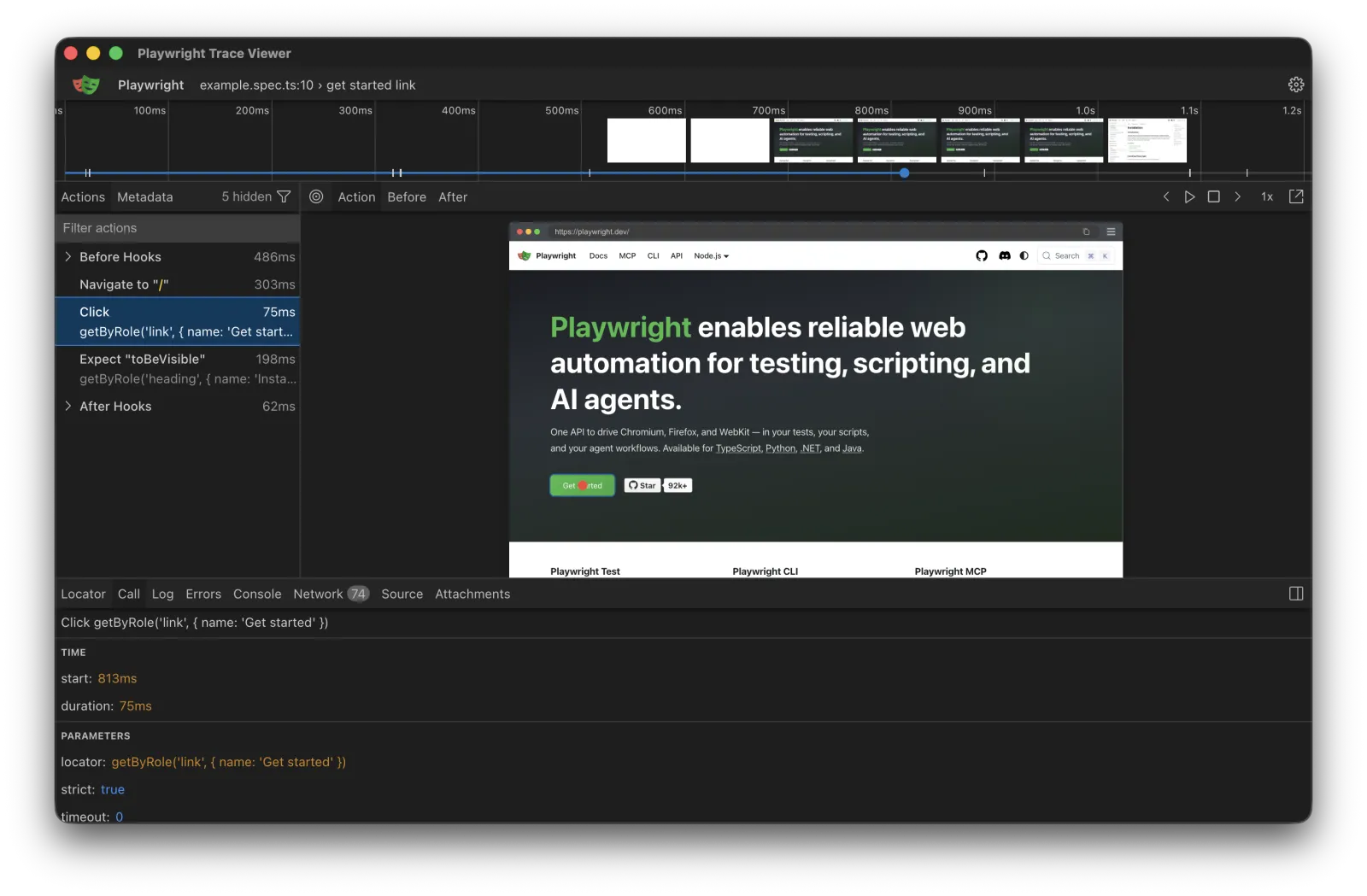
- Debugging - Stack traces and screenshots don't match Cypress's time-travel debugging
- Language constraints - Teams with Java/Python expertise face retraining costs
- Maintenance burden - Test automation frameworks all face selector brittleness when UIs change
- Feature gaps - Need built-in visual regression, better reporting, or reduced flakiness
The Top 8 Playwright Alternatives: Comparison & Analysis
When evaluating Playwright alternatives, consider these eight proven solutions. Each Playwright alternative excels in different scenarios, from developer experience to enterprise needs.
Let's explore these alternatives, from established frameworks to cutting-edge AI solutions.
List of Alternatives:
- Cypress: The Developer Experience Champion
- Selenium: The Universal Standard
- Puppeteer: The Chrome Specialist
- TestCafe: The Codeless Automation Option
- WebdriverIO: The Flexible Framework
- Katalon Studio: The Enterprise All-in-One
- Ranorex: The Visual Testing Expert
- Autonoma: Managed Preview Environments with Codebase-Driven Testing
1. Cypress: The Developer Experience Champion
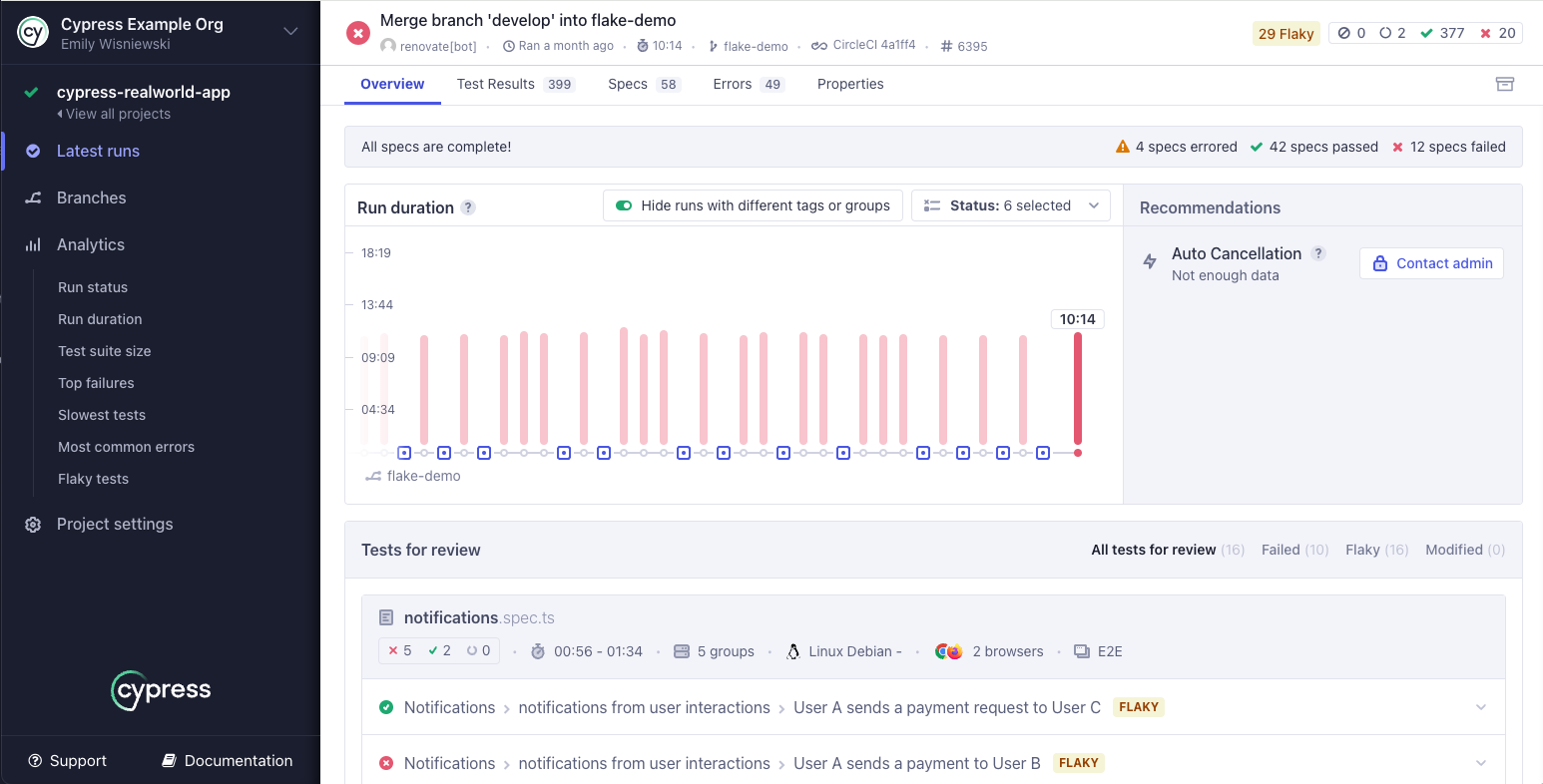
Cypress runs tests inside the browser alongside your application. This eliminates network latency and enables time-travel debugging, automatic waiting, and real-time DOM inspection. When tests fail, you get complete visibility into what happened at each step.
Here's a typical Cypress test:
describe('Login Flow', () => {
  it('successfully logs in with valid credentials', () => {
    cy.visit('https://example.com/login')

    cy.get('[data-testid="email-input"]').type('user@example.com')
    cy.get('[data-testid="password-input"]').type('password123')
    cy.get('[data-testid="login-button"]').click()

    cy.url().should('include', '/dashboard')
    cy.get('[data-testid="user-menu"]').should('contain', 'user@example.com')
  })
})
Notice the clean, readable syntax. No async/await. No page objects required. Cypress automatically waits for elements to exist, be visible, and be actionable. This eliminates most timing issues that plague other frameworks.
Cypress vs Playwright: Direct Comparison
The Cypress vs Playwright debate centers on architecture. Cypress runs inside the browser for superior developer experience. Playwright runs outside the browser for maximum flexibility. For web-only testing with rapid feedback, Cypress wins. For cross-browser coverage including Safari, Playwright wins. Many teams evaluate Cypress vs Playwright based on these core differences.
| Feature | Cypress | Playwright |
|---|---|---|
| Architecture | Runs inside browser | Runs outside browser |
| Speed | Faster (no network overhead) | Fast (modern protocols) |
| Browser Support | Chrome, Firefox, Edge | Chrome, Firefox, Safari, Edge |
| Mobile Testing | Browser emulation only | Browser emulation only |
| Multi-tab Support | Limited | Full support |
| Time-travel Debugging | ✅ Yes | ❌ No (has trace viewer) |
| Auto-waiting | ✅ Yes | ✅ Yes |
| Learning Curve | Easier | Moderate |
| Pricing | Free + $75/mo cloud | Free |
When Cypress beats Playwright:
- Web-only testing with faster feedback loops
- Better debugging with time-travel interface
- Easier for junior developers to learn
When Cypress falls short:
- No mobile or desktop app testing
- Limited multi-tab and iframe support
- No Safari testing with full parity
At a Glance:
| Aspect | Details |
|---|---|
| Best For | Web-only testing, best dev experience |
| Languages | JavaScript/TypeScript only |
| Browsers | Chrome, Firefox, Edge |
| Pricing | Free (open source) + Cloud from $75/mo |
| Migration Effort | Moderate (1-2 hours per test) |
| Community Size | Large and active |
Migration from Playwright: Moderate effort. The syntax is similar but not identical. Async/await patterns need removal. Page objects often become unnecessary. Most tests translate in 1-2 hours each.
2. Selenium: The Universal Standard
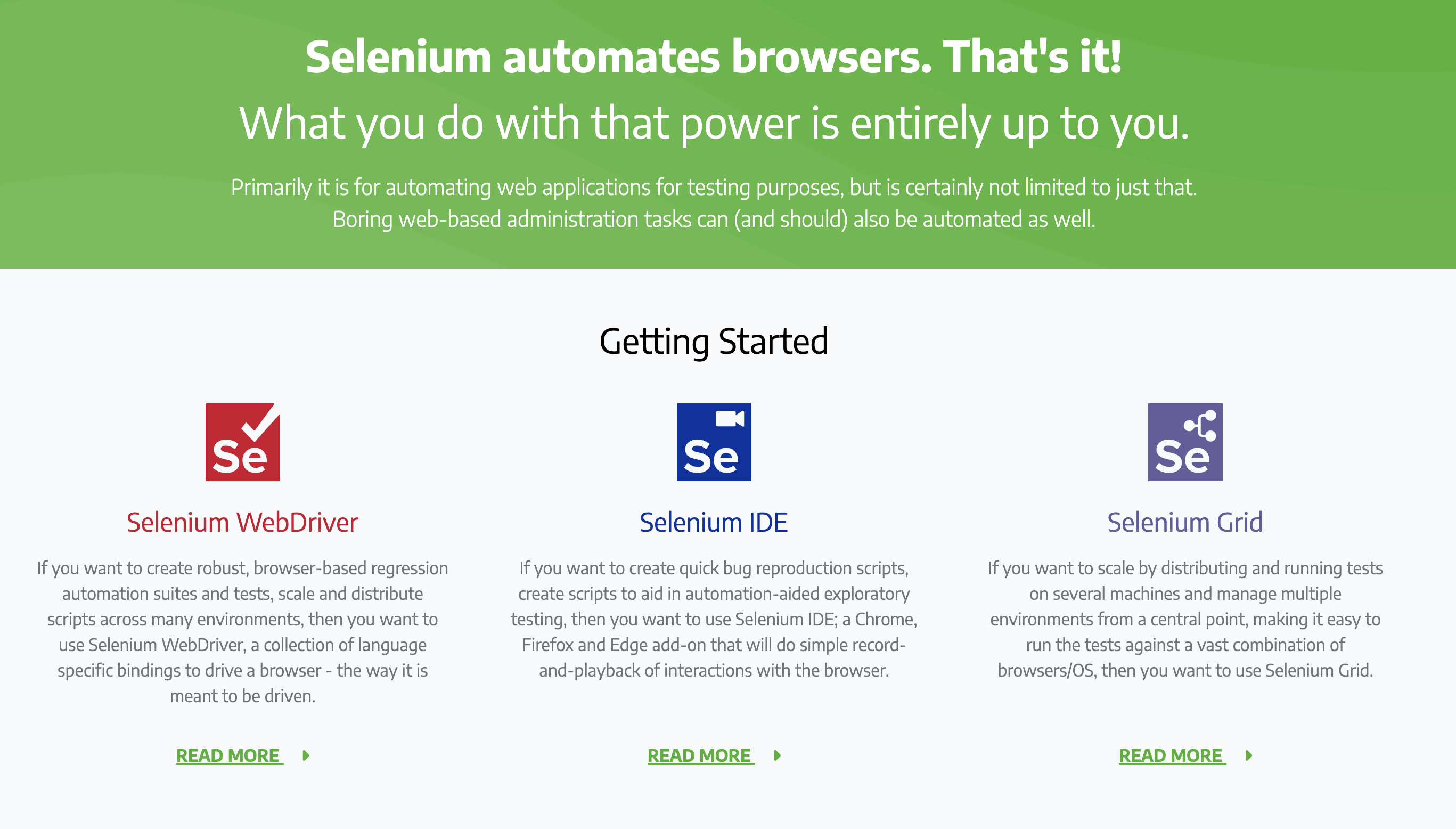
Selenium (since 2004) supports every major programming language and browser. Uses WebDriver protocol (W3C standard) for broad compatibility. Trade-off: slower than modern frameworks due to JSON serialization overhead.
Here's a Selenium test in Python:
from selenium import webdriver
from selenium.webdriver.common.by import By
from selenium.webdriver.support.ui import WebDriverWait
from selenium.webdriver.support import expected_conditions as EC

def test_login():
    driver = webdriver.Chrome()
    driver.get('https://example.com/login')

    email = driver.find_element(By.CSS_SELECTOR, '[data-testid="email-input"]')
    email.send_keys('user@example.com')

    password = driver.find_element(By.CSS_SELECTOR, '[data-testid="password-input"]')
    password.send_keys('password123')

    login_button = driver.find_element(By.CSS_SELECTOR, '[data-testid="login-button"]')
    login_button.click()

    WebDriverWait(driver, 10).until(
        EC.url_contains('/dashboard')
    )

    user_menu = driver.find_element(By.CSS_SELECTOR, '[data-testid="user-menu"]')
    assert 'user@example.com' in user_menu.text

    driver.quit()
Notice the explicit waits. Selenium doesn't auto-wait like Playwright or Cypress. You must handle timing yourself. This is both a limitation and a feature - you have complete control, but you must exercise it carefully.
When Selenium beats Playwright:
- Java/Python teams wanting tests in same language
- Legacy compatibility (10,000+ existing tests)
- Mature ecosystem with libraries for edge cases
When Selenium falls short:
- 60-100% slower test execution
- No automatic waiting or network interception
- Requires third-party libraries for modern features
At a Glance:
| Aspect | Details |
|---|---|
| Best For | Java/Python teams, broad language needs |
| Languages | Python, Java, C#, JavaScript, Ruby, PHP |
| Browsers | All major browsers |
| Pricing | Free (open source) |
| Migration Effort | High (2-4 hours per test) |
| Community Size | Largest in testing |
Migration from Playwright: High effort. Complete rewrite required. Different APIs, different patterns, different mental model. Expect 2-4 hours per test for complex scenarios.
3. Puppeteer: The Chrome Specialist
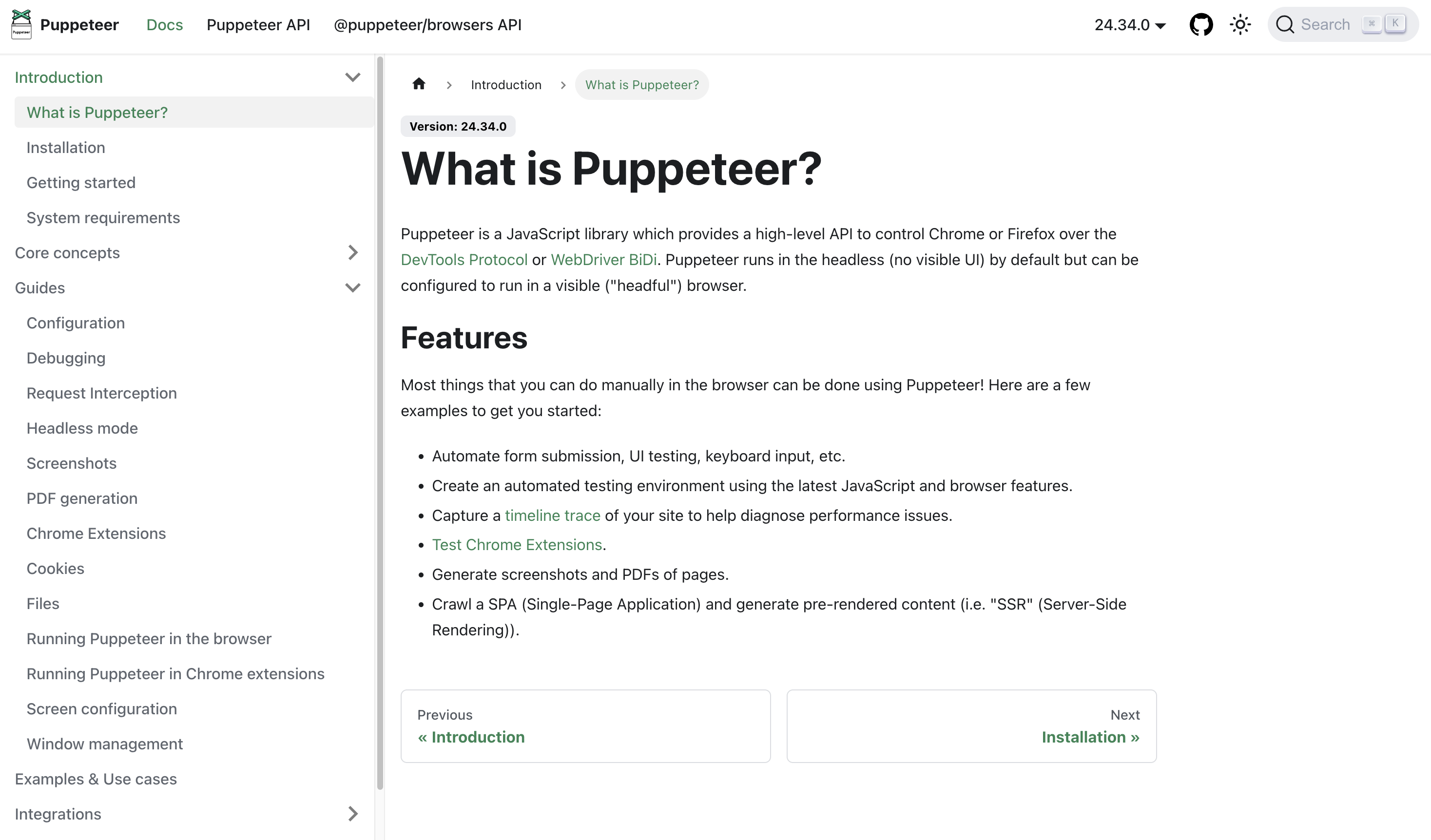
Created by the same team as Playwright, Puppeteer focuses exclusively on Chrome/Chromium. Lighter, simpler, faster installation than Playwright. Trade-off: Chrome-only support.
Here's a Puppeteer test:
const puppeteer = require('puppeteer');

(async () => {
  const browser = await puppeteer.launch();
  const page = await browser.newPage();

  await page.goto('https://example.com/login');

  await page.type('[data-testid="email-input"]', 'user@example.com');
  await page.type('[data-testid="password-input"]', 'password123');
  await page.click('[data-testid="login-button"]');

  await page.waitForNavigation();

  const url = page.url();
  console.assert(url.includes('/dashboard'), 'Should navigate to dashboard');

  const userMenuText = await page.$eval('[data-testid="user-menu"]', el => el.textContent);
  console.assert(userMenuText.includes('user@example.com'), 'Should show user email');

  await browser.close();
})();
The API is nearly identical to Playwright's Chrome implementation. If you know Playwright, you know Puppeteer.
At a Glance:
| Aspect | Details |
|---|---|
| Best For | Chrome-only testing, web scraping |
| Languages | JavaScript/TypeScript only |
| Browsers | Chrome/Chromium only |
| Pricing | Free (open source) |
| Migration Effort | Minimal (15-30 min per test) |
| Community Size | Moderate (shifting to Playwright) |
When Puppeteer beats Playwright:
- Chrome-only testing with lighter footprint
- Web scraping and PDF generation
When Puppeteer falls short:
- No Firefox or Safari support
- Smaller community (development shifted to Playwright)
Pricing: Free and open source.
Migration from Playwright: Minimal effort. The APIs are nearly identical. Most Playwright tests run in Puppeteer with minor adjustments to browser launch options. Expect 15-30 minutes per test.
4. TestCafe: The Codeless Automation Option
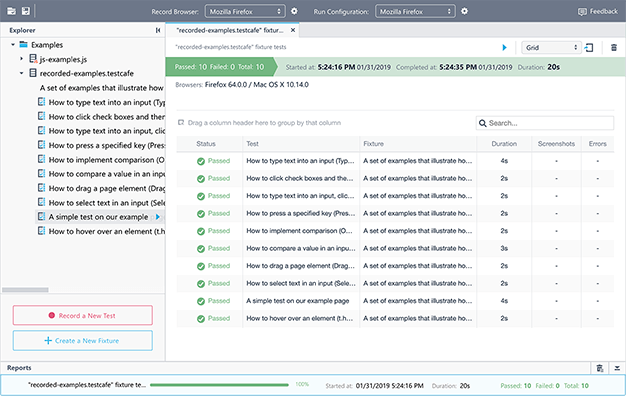
Uses proxy server architecture for cross-browser testing without browser-specific drivers. Key feature: codeless recorder lets non-technical team members record tests by clicking through the app.
Here's a TestCafe test:
import { Selector } from 'testcafe';

fixture `Login Flow`
    .page `https://example.com/login`;

test('Successfully logs in with valid credentials', async t => {
    await t
        .typeText(Selector('[data-testid="email-input"]'), 'user@example.com')
        .typeText(Selector('[data-testid="password-input"]'), 'password123')
        .click(Selector('[data-testid="login-button"]'))
        .expect(Selector('[data-testid="user-menu"]').innerText).contains('user@example.com');
});
Notice the chainable API. TestCafe encourages fluent, readable test code. The automatic waiting is similar to Cypress and Playwright.
At a Glance:
| Aspect | Details |
|---|---|
| Best For | Codeless recording, non-developer contributors |
| Languages | JavaScript/TypeScript |
| Browsers | Chrome, Firefox, Safari, Edge |
| Pricing | Free core + Studio from $500-$1,500 |
| Migration Effort | Moderate (1-2 hours per test) |
| Community Size | Moderate |
When TestCafe beats Playwright:
- Visual recorder for non-developers
- No browser binary management needed
When TestCafe falls short:
- Less flexible network interception
- No mobile testing or trace viewer
- Smaller community
Pricing: Free and open source. TestCafe Studio (the commercial IDE with advanced recording) costs $500-$1,500 per license.
Migration from Playwright: Moderate effort. Different API style but similar concepts. Expect 1-2 hours per test.
5. WebdriverIO: The Flexible Framework
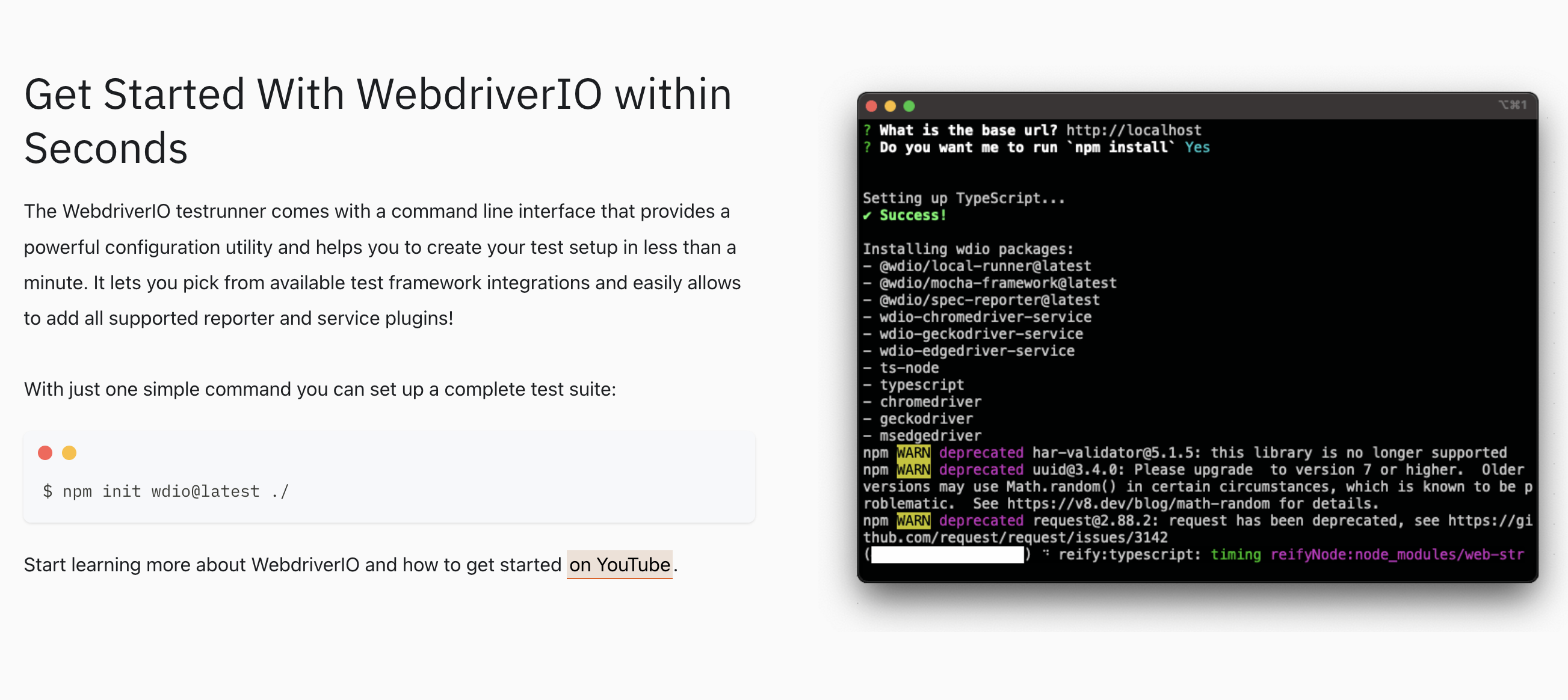
Uses WebDriver protocol like Selenium but with modern JavaScript API. Highly modular - works with Mocha, Jasmine, or Cucumber. Supports web, mobile (Appium), and desktop (Electron) testing.
Here's a WebdriverIO test:
describe('Login Flow', () => {
    it('successfully logs in with valid credentials', async () => {
        await browser.url('https://example.com/login')

        const emailInput = await $('[data-testid="email-input"]')
        await emailInput.setValue('user@example.com')

        const passwordInput = await $('[data-testid="password-input"]')
        await passwordInput.setValue('password123')

        const loginButton = await $('[data-testid="login-button"]')
        await loginButton.click()

        await expect(browser).toHaveUrl(expect.stringContaining('/dashboard'))

        const userMenu = await $('[data-testid="user-menu"]')
        await expect(userMenu).toHaveTextContaining('user@example.com')
    })
})
The syntax is clean. Automatic waiting is built in. The API feels modern.
At a Glance:
| Aspect | Details |
|---|---|
| Best For | Maximum flexibility, web + mobile |
| Languages | JavaScript/TypeScript |
| Browsers | All major browsers + mobile (via Appium) |
| Pricing | Free (open source) |
| Migration Effort | Moderate-High (2-3 hours per test) |
| Community Size | Active but smaller than Selenium |
When WebdriverIO beats Playwright:
- Maximum flexibility (web + mobile + desktop)
- Stepping stone from Selenium with better DX
When WebdriverIO falls short:
- Slower than Playwright/Cypress (WebDriver overhead)
- Complex configuration
- Smaller community
Pricing: Free and open source.
Migration from Playwright: Moderate to high effort. Similar concepts but different API patterns. Expect 2-3 hours per test.
6. Katalon Studio: The Enterprise All-in-One
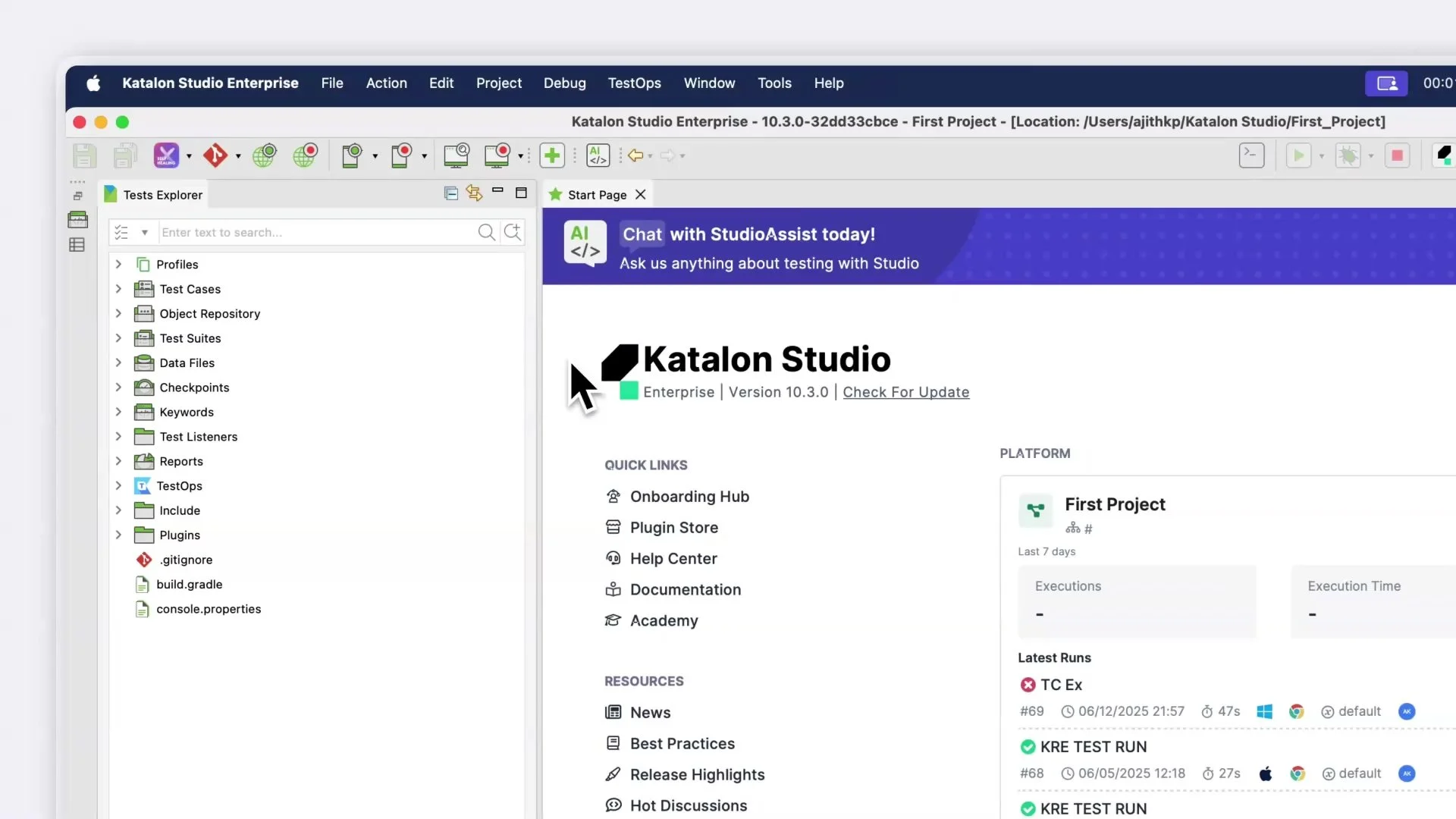
Commercial platform wrapping Selenium and Appium with IDE, test management, and reporting. All-in-one package reduces integration complexity. Record-and-playback for non-developers, custom code for developers.
Here's a simple Katalon test (using their scripting mode):
WebUI.openBrowser('')
WebUI.navigateToUrl('https://example.com/login')

WebUI.setText(findTestObject('Object Repository/Login/Email Input'), 'user@example.com')
WebUI.setText(findTestObject('Object Repository/Login/Password Input'), 'password123')
WebUI.click(findTestObject('Object Repository/Login/Login Button'))

WebUI.verifyElementPresent(findTestObject('Object Repository/Dashboard/User Menu'), 10)
WebUI.verifyElementText(findTestObject('Object Repository/Dashboard/User Menu'), 'user@example.com')

WebUI.closeBrowser()
The test objects are managed in a visual repository. Changes to selectors happen in one place, updating all tests automatically.
At a Glance:
| Aspect | Details |
|---|---|
| Best For | Enterprise all-in-one, minimal setup |
| Languages | Java/Groovy + visual interface |
| Browsers | All major browsers + mobile |
| Pricing | Free tier + $167-$358/mo per user |
| Migration Effort | High (3-4 hours per test + learning curve) |
| Community Size | Moderate (commercial ecosystem) |
When Katalon beats Playwright:
- Minimal setup, all-in-one solution
- Web + mobile in unified IDE
When Katalon falls short:
- Slower (built on Selenium)
- Commercial pricing ($167-358/mo per user)
- Vendor lock-in makes migration difficult
Pricing: Free tier available. Paid plans from $167-$358/month per user. Enterprise pricing is custom.
Migration from Playwright: High effort. Different paradigm entirely. Expect 3-4 hours per test, plus learning curve for the IDE.
7. Ranorex: The Visual Testing Expert
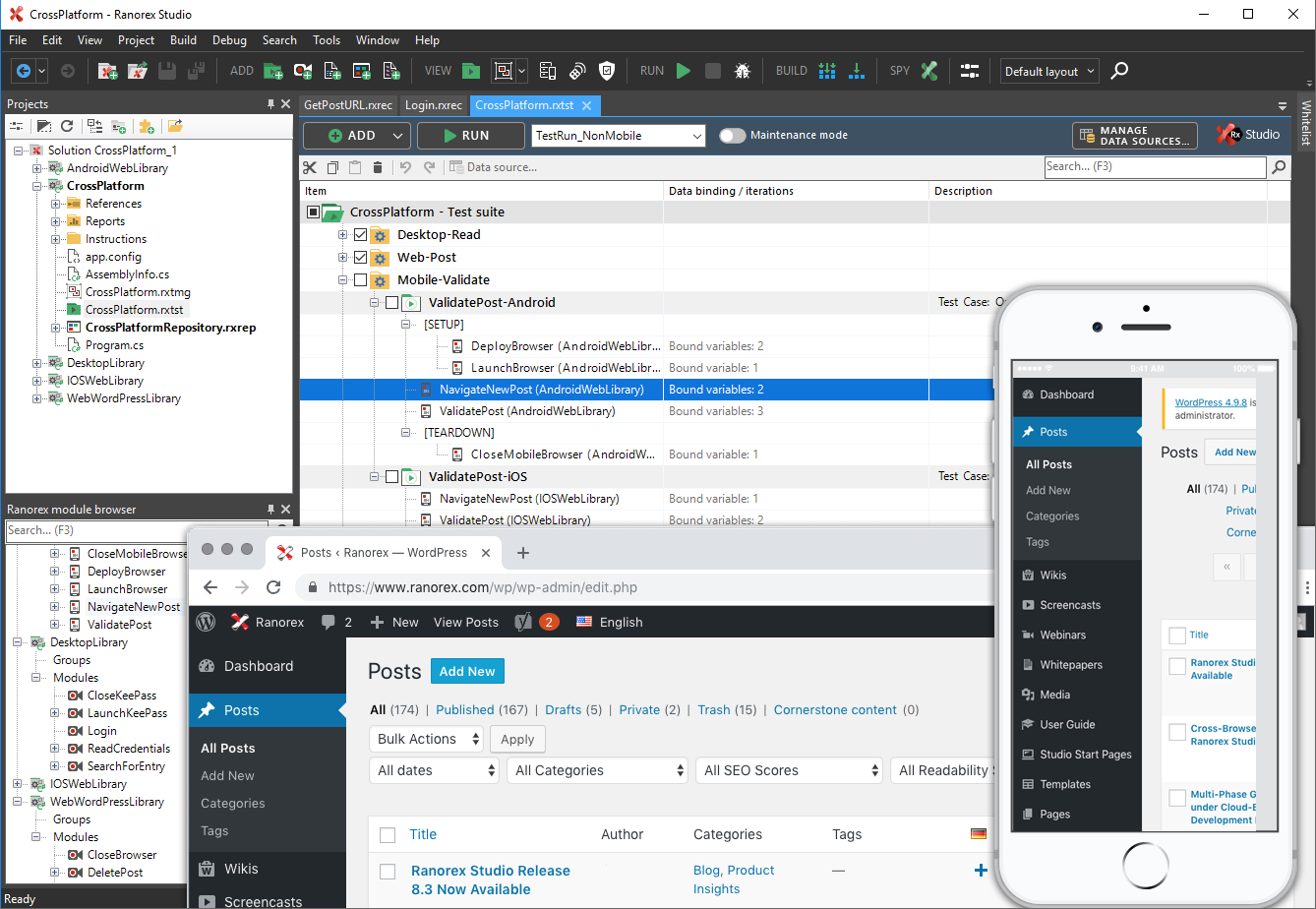
Codeless automation for desktop applications (Windows). Uses image recognition for apps without accessible selectors - legacy desktop, embedded controls, custom frameworks. Comprehensive recorder, extendable with C#/VB.NET.
At a Glance:
| Aspect | Details |
|---|---|
| Best For | Desktop apps, image-based testing |
| Languages | C#/VB.NET + visual recorder |
| Browsers | All major browsers + Windows desktop |
| Pricing | From $2,290/year per license |
| Migration Effort | Very High (different tool entirely) |
| Community Size | Smaller (enterprise focused) |
When Ranorex beats Playwright:
- Desktop app testing (Windows native, .NET, Java Swing)
- No coding required (visual recorder)
When Ranorex falls short:
- Expensive ($2,290/year per license)
- Windows-only IDE
Pricing: Starts at $2,290/year per license. Volume discounts available.
Migration from Playwright: Very high effort. Completely different tool and approach. Not practical for most teams.
8. Autonoma: Managed Preview Environments with Codebase-Driven Testing
Before comparing Autonoma line-by-line against Playwright, a scope note matters: Autonoma isn't a code-based framework you swap in for Playwright. It's a managed preview-environments product with E2E testing built in, and the test generation is codebase-driven rather than hand-written. If you're purely evaluating "which framework do we write our next test in," Autonoma answers a different question: "what if a connected codebase generated and maintained that suite for you, against a real preview environment, without anyone writing selectors at all?"
Here's how it actually works. You connect your codebase, and a Planner agent reads your routes, components, and user flows to plan test cases, including generating the endpoints needed to set up database state for each scenario. A Diffs Agent then keeps that suite current: on every pull request, it analyzes the code diff and adds, deprecates, or updates test cases so the suite tracks your application instead of drifting from it. Two more agents round out the loop: an Executor runs the planned tests against a live preview environment, and a Reviewer classifies each result as a real bug, an agent error, or a test-plan mismatch, so you're not stuck triaging noise by hand.
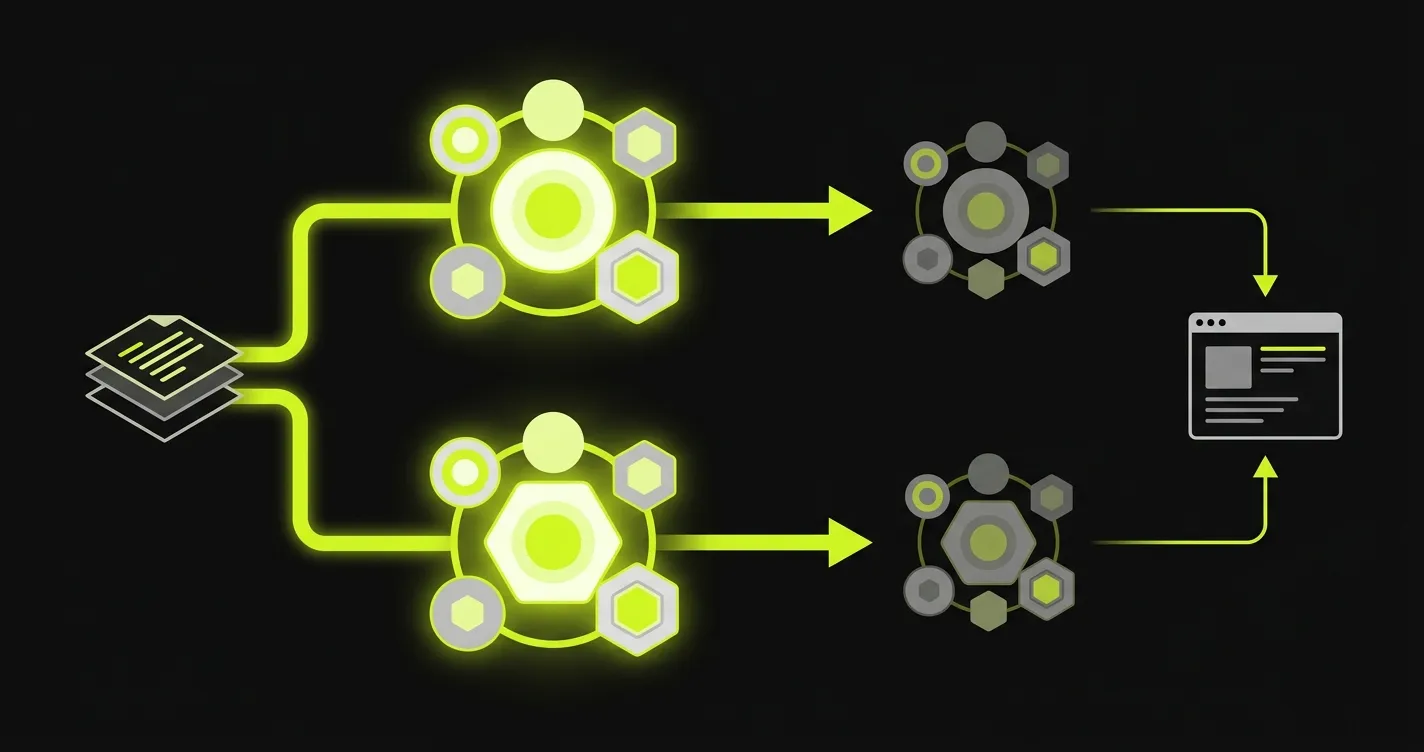
There's no recording, no writing selectors, and no plain-language test descriptions to maintain. Your codebase is the spec. When a route or component changes, the Diffs Agent updates the corresponding tests on the next PR instead of leaving a human to notice the break in CI weeks later.
At a Glance:
| Aspect | Details |
|---|---|
| Best For | Codebase-driven test generation + managed preview environments |
| Test Creation | Agent-generated from your codebase, not hand-written |
| Environments | Managed preview environments included |
| Pricing | Custom pricing + free tier |
| Maintenance Model | Diffs Agent updates tests on every PR |
| Category | Different from Playwright: not a framework swap |
When Autonoma is the better fit than a Playwright migration:
- The actual pain is ongoing test maintenance, not the choice of framework syntax
- You want preview environments and E2E coverage without standing up your own infrastructure
- You'd rather have tests derived from the codebase than written or recorded by a person
Where Autonoma isn't the right comparison:
- You specifically need a library you call from your own test runner and CI config
- Your evaluation is scoped to "which framework has the best raw API," not test generation or environments
- You need fine-grained, line-by-line control over every automation step
Pricing: Custom pricing based on team size and test volume. Free tier available for small projects.
Adopting Autonoma alongside Playwright: This isn't really a migration in the Selenium-to-Cypress sense. There's no line-by-line test rewrite. You connect your codebase, the Planner agent generates the initial test suite, and the Diffs Agent takes over maintenance from there. Teams often keep a thin layer of hand-written Playwright tests for edge cases while letting Autonoma cover the core user flows end to end.
Side-by-Side Comparison
Choosing between eight alternatives is overwhelming. Here's how they compare across critical dimensions:
Quick Comparison Table
| Framework | Best For | Languages | Browsers | Pricing | Migration |
|---|---|---|---|---|---|
| Cypress | Web-only, dev experience | JS/TS | Chrome, Firefox | Free + $75/mo | Moderate |
| Selenium | Java/Python, broad support | All major | All | Free | High |
| Puppeteer | Chrome-only | JS/TS | Chrome | Free | Minimal |
| TestCafe | Codeless automation | JS/TS | All major | Free + Studio | Moderate |
| WebdriverIO | Flexibility, web+mobile | JS/TS | All + mobile | Free | Moderate-High |
| Katalon | Enterprise all-in-one | Java/Groovy | All + mobile | $167-358/mo | High |
| Ranorex | Desktop apps | C#/VB.NET | All + desktop | $2,290/year | Very High |
| Autonoma | Codebase-driven testing + preview envs | N/A (agent-generated) | Cloud-based | Custom | Not a migration |
Performance (Test Execution Speed):
- Fastest: Cypress, Puppeteer (native browser control)
- Fast: Playwright, WebdriverIO (modern protocols)
- Moderate: Selenium, TestCafe (additional layers)
- Slower: Katalon, Ranorex (heavyweight platforms)
- Different model: Autonoma runs against a managed preview environment rather than your local browser
Developer Experience:
- Best: Cypress (time-travel debugging, live reloading)
- Great: Playwright, Puppeteer (modern APIs, good docs)
- Good: WebdriverIO, TestCafe (clean APIs, decent tooling)
- Enterprise: Katalon, Ranorex (IDE-based, some learning curve)
- Hands-off: Autonoma (agents plan and generate tests from your codebase, no test code to write)
Cross-Browser Support:
- Full: Playwright, Selenium, WebdriverIO, Katalon (all major browsers)
- Chrome + Firefox: TestCafe, Cypress
- Chrome only: Puppeteer
- Cloud-managed: Ranorex, Autonoma
Language Support:
- JavaScript/TypeScript only: Cypress, Puppeteer, TestCafe
- JavaScript + others: Playwright (Python, Java, .NET), Selenium (all major languages), WebdriverIO (JavaScript)
- Visual + code: Katalon (Java/Groovy), Ranorex (C#/VB.NET)
- N/A: Autonoma doesn't require you to write test code in any language; the Planner agent generates tests from your existing codebase
Mobile Testing:
- Native: Selenium (via Appium), WebdriverIO (via Appium), Katalon, Ranorex
- Limited: Playwright (mobile browsers only)
- None: Cypress, Puppeteer, TestCafe, Autonoma (Autonoma is web-first; native iOS/Android E2E isn't covered)
Maintenance Burden:
- Low: Cypress, Playwright (auto-waiting reduces flakiness)
- Moderate: Puppeteer, TestCafe, WebdriverIO (manual wait management)
- Higher: Selenium (verbose, manual waits)
- Variable: Katalon, Ranorex (depends on test object management)
- Handled differently: Autonoma's Diffs Agent updates the suite from code diffs on every PR, so ongoing maintenance is substantially reduced rather than manually tracked
Cost:
- Free: Cypress, Selenium, Puppeteer, TestCafe, WebdriverIO
- Freemium: Katalon (free tier with paid features)
- Commercial: Ranorex (license required)
- Custom + free tier: Autonoma (pricing based on team size and test volume)
Pricing Breakdown
| Framework | Open Source | Free Tier | Paid Plans | Enterprise |
|---|---|---|---|---|
| Cypress | ✅ Yes | ✅ Full featured | $75-300/mo (Cloud) | Custom |
| Selenium | ✅ Yes | ✅ Unlimited | N/A (free forever) | Grid free |
| Puppeteer | ✅ Yes | ✅ Unlimited | N/A (free forever) | N/A |
| TestCafe | ✅ Yes | ✅ Full featured | $500-1,500 (Studio) | Custom |
| WebdriverIO | ✅ Yes | ✅ Unlimited | N/A (free forever) | N/A |
| Katalon | ❌ No | ⚠️ Limited | $167-358/user/mo | Custom |
| Ranorex | ❌ No | ❌ None | $2,290/user/year | Volume discount |
| Autonoma | ⚠️ BSL 1.1 today | ✅ Small projects | Custom pricing | Custom |
Best For:
- Cypress: Web-only testing, best dev experience
- Selenium: Java/Python teams, broad language needs
- Puppeteer: Chrome-only testing, web scraping
- TestCafe: Codeless recording, non-developer contributors
- WebdriverIO: Flexible setup, web + mobile unified
- Katalon: Enterprise all-in-one, minimal setup
- Ranorex: Desktop apps, image-based testing
- Autonoma: Teams that want E2E coverage and preview environments generated from their codebase instead of hand-written or recorded
Common Problems When Switching from Playwright
Migration isn't just learning new syntax. Each framework introduces unique challenges.
Migration Complexity Matrix
| Challenge | Cypress | Selenium | Puppeteer | TestCafe | WebdriverIO | Katalon |
|---|---|---|---|---|---|---|
| Async/Await Changes | High (remove all) | Medium | Low | Medium | Medium | High |
| Selector Strategy | Medium | High | Low | Medium | Medium | High |
| Wait Mechanisms | Medium | High | Low | Medium | Medium | High |
| API Mocking | Medium | High | Low | Medium | Medium | High |
| Config Changes | Medium | High | Low | Medium | High | High |
| Overall Time | 1-2 hrs/test | 2-4 hrs/test | 15-30 min/test | 1-2 hrs/test | 2-3 hrs/test | 3-4 hrs/test |
Autonoma sits outside this matrix by design. There's no async/await to rewrite, no selector strategy to port, and no config file to migrate, because you're not hand-translating existing test code. You connect your codebase, and the Planner agent generates the initial suite directly from your routes and components.
Key migration challenges (code-based frameworks):
- Async/await: Cypress removes it, Selenium handles differently, others keep it
- Selectors: Each framework has preferences (data attributes, CSS, XPath)
- Waits: Selenium requires explicit waits, Cypress/Playwright auto-wait
- API mocking: Different syntax and approaches across frameworks
- Debugging: Trace viewer (Playwright) vs time-travel (Cypress) vs basic logging (Selenium)
- Config: Centralized (
playwright.config.ts) vs distributed across files - CI/CD: Different browser installation strategies need pipeline updates
Best approach: Migrate incrementally. Start with 10 simple tests, learn framework quirks, then scale. Run both frameworks in parallel during transition.
How to Choose the Right Playwright Alternative for Your Team
Decision criteria:
| Criteria | Recommendation |
|---|---|
| Team skills | Coders → Cypress/Selenium/Puppeteer/WebdriverIO Non-coders → TestCafe/Katalon/Ranorex |
| Application type | Web-only → Cypress/Puppeteer Web+mobile → Selenium/WebdriverIO/Katalon Desktop → Ranorex |
| Maintenance tolerance | High → code-based frameworks Low → pair your stack with Autonoma for codebase-driven coverage |
| Languages | JavaScript-only → most tools Java/Python → Selenium/WebdriverIO |
| Budget | Free → Cypress/Selenium/Puppeteer/TestCafe/WebdriverIO Paid → Katalon ($167-358/mo), Ranorex ($2,290/year), Autonoma (custom) |
| CI/CD | Verify framework integrates with your pipeline before committing |
Run a proof of concept: Rewrite 3-5 tests in your top two choices. Time it, observe struggles, ask team preference.
If you need maximum flexibility and don't mind complexity: WebdriverIO. If you want the best developer experience for web testing: Cypress. If you need broad language support and have existing Selenium knowledge: Selenium. If you only test Chrome and want simplicity: Puppeteer. If you want codeless tests with recording: TestCafe or Katalon. If you test desktop applications: Ranorex. If test maintenance is the real problem and you want E2E coverage generated from your codebase with managed preview environments included: Autonoma.
The right answer depends on your context, not a universal ranking.
Frequently Asked Questions
The Cypress vs Playwright comparison reveals distinct strengths. Cypress offers superior developer experience for web-only testing with time-travel debugging and automatic retries. Playwright provides broader browser support (including WebKit), better mobile testing, and more powerful automation capabilities like multi-tab handling. Choose Cypress if you prioritize developer experience and only test web applications. Choose Playwright if you need cross-browser coverage or complex automation scenarios. Neither is universally better - they optimize for different priorities.
Migration from Playwright to Selenium requires moderate to high effort. The APIs are different, async patterns vary, and you'll need to implement explicit waits that Playwright handles automatically. Expect 2-4 hours per test for rewriting, plus time to learn Selenium's patterns. The syntax translation is straightforward but tedious. The bigger challenge is adapting to Selenium's manual wait management and slower execution. Teams typically migrate incrementally - 10-20 tests at a time - rather than all at once.
Cypress and Puppeteer are the fastest alternatives, executing tests 20-40% faster than Playwright in most scenarios. Both run tests inside the browser with minimal overhead. Puppeteer edges ahead for Chrome-only testing, while Cypress provides better speed with superior developer tooling. TestCafe and WebdriverIO offer moderate speed. Selenium is slower due to WebDriver overhead. Katalon and Ranorex are slowest due to their heavyweight architectures. For performance-critical testing, Cypress or Puppeteer are your best options.
No. TestCafe, Katalon, and Ranorex offer codeless or low-code options. TestCafe provides a visual recorder that generates test code. Katalon offers a complete IDE with record-and-playback. Ranorex specializes in visual testing for non-developers. Cypress, Selenium, Puppeteer, and WebdriverIO require programming skills. Separately, Autonoma removes the question entirely for E2E coverage: it reads your codebase and generates tests automatically, so no one on the team writes or records test scripts.
- To Puppeteer: 1-2 weeks (similar APIs)
- To Cypress: 2-4 weeks (different paradigm, moderate rewrite)
- To Selenium: 4-8 weeks (complete rewrite, different patterns)
- To WebdriverIO: 3-6 weeks (moderate rewrite)
- To Katalon/Ranorex: 6-12 weeks (learning curve + rewrite)
These estimates assume part-time migration with continued test maintenance. Full-time focused migration can be 50% faster. Autonoma isn't a framework migration in this sense: you connect your codebase and its agents plan and generate the test suite, so there's no line-by-line test rewrite to schedule.
A Diffs Agent keeps that suite current: on every pull request, it analyzes the code diff and adds, deprecates, or updates test cases, which substantially reduces manual test maintenance compared to hand-written suites. An Executor agent runs the planned tests against a live preview environment, and a Reviewer agent classifies each result as a real bug, an agent error, or a test-plan mismatch.
This is a different category from a framework like Playwright or Cypress, not a drop-in replacement. Autonoma pairs best with teams whose real bottleneck is ongoing test maintenance and who want managed preview environments included, rather than teams looking for a library to call from their own test runner.
- You need cross-browser testing including WebKit
- Your team is already productive with Playwright
- You value powerful automation capabilities
- Mobile browser testing is important
- You don't mind the learning curve
Switch to a code-based alternative if:
- You only test web apps and want better DX (consider Cypress)
- You only need Chrome testing (consider Puppeteer)
- Your team uses non-JavaScript languages (consider Selenium)
- You need codeless testing (consider TestCafe or Katalon)
If the real problem is that test maintenance is overwhelming regardless of framework, pairing your stack with Autonoma's codebase-driven test generation and managed preview environments addresses that directly, without requiring a framework swap.
The cost of switching frameworks is high. Only switch if the benefits clearly outweigh migration effort and risk.
Yes, but it adds complexity. Some teams run Cypress for component tests and Playwright for E2E tests. Others use Selenium for legacy tests while migrating to Cypress. Running multiple frameworks requires maintaining separate configs, CI/CD pipelines, and dependencies. This approach makes sense during migration periods or when different frameworks excel at different test types. Long-term, consolidating on one framework reduces complexity and maintenance burden. The exception: mixing code-based E2E testing with specialized tools for visual regression, accessibility, or performance testing. These complementary tools solve different problems and coexist well.
Conclusion
Each Playwright alternative solves different problems: Cypress for dev experience, Selenium for language flexibility, Puppeteer for Chrome-only, TestCafe for codeless, WebdriverIO for modularity, Katalon/Ranorex for enterprise. Autonoma sits in a different category entirely: codebase-driven test generation with managed preview environments, for teams whose real bottleneck is ongoing maintenance rather than framework syntax.
Next step: Test 5-10 real scenarios in your top two framework choices. Real experience beats comparison charts.
If test maintenance is the real problem, not the framework, Autonoma is worth evaluating separately: connect your codebase and let the Planner and Diffs agents generate and maintain the suite for you.


