

Quick summary: Autonoma is the open-source alternative to BugBug. Unlike BugBug's Chrome-only record-and-replay model ($49/month cloud, no Firefox/Safari), Autonoma generates tests automatically from your codebase using AI agents. Full source code on GitHub (BSL 1.1), cross-browser testing (Chrome, Firefox, Safari, iOS, Android), self-hosting, vision-based self-healing, unlimited parallel execution, no vendor lock-in. Free tier: 100K credits. Cloud: $499/month. Self-hosted: no ongoing costs.
BugBug is appealing at first glance. It is lightweight, fast to set up, and incredibly affordable. Record your clicks in Chrome, replay them on a schedule, and you have basic test automation running in minutes. For a solo developer or a small team that only needs to verify a few flows in Chrome, BugBug does the job.
But the moment your testing needs grow beyond simple Chrome-based smoke tests, BugBug's limitations become walls. No Firefox. No Safari. No mobile testing. No AI test generation. Tests break every time a designer moves a button. And there is no self-hosting option for cloud execution. You hit BugBug's ceiling fast, and when you do, you need something fundamentally different.
Autonoma is that something. Open source, AI-native, cross-browser, self-hostable. This guide covers exactly where BugBug falls short, how Autonoma solves those problems, and how to migrate.
Where BugBug Falls Short
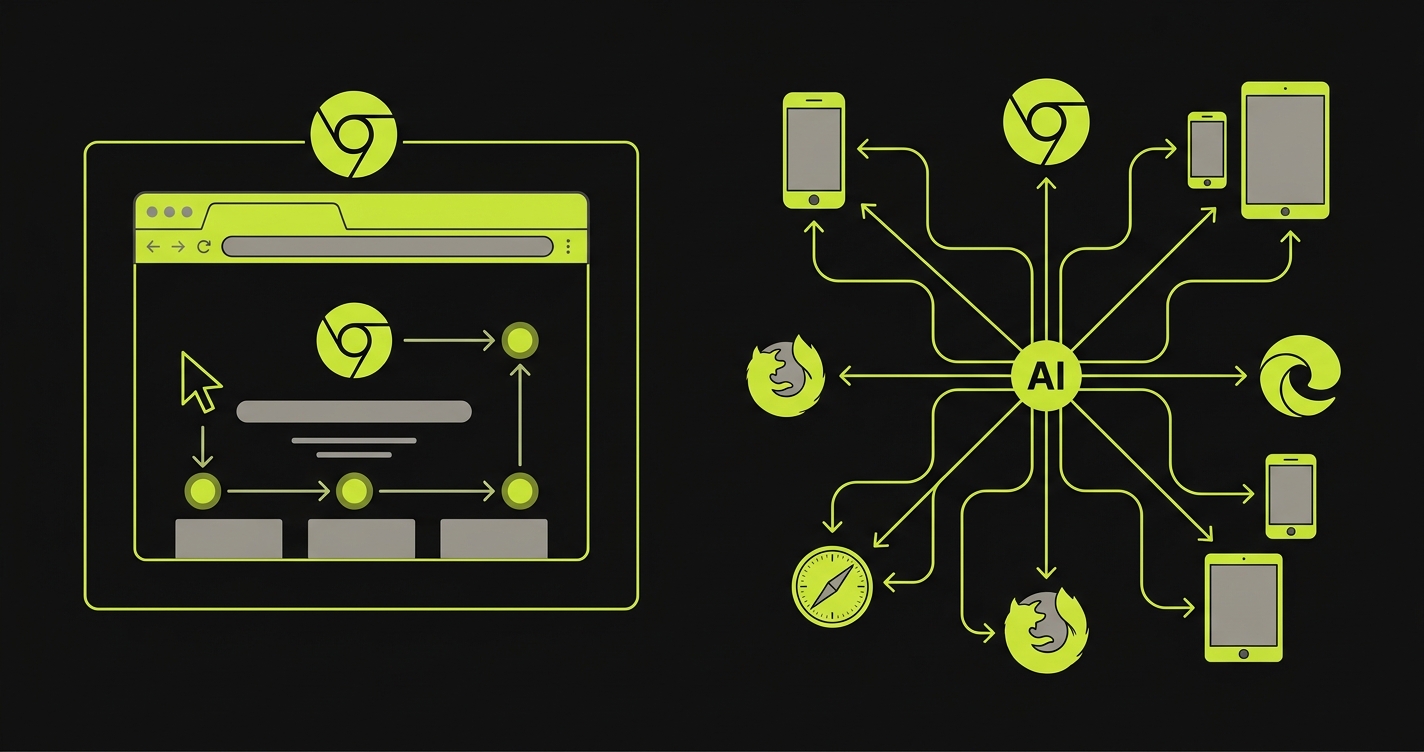
Three structural limitations push teams away from BugBug as their applications and testing needs mature.
Chrome Only: No Cross-Browser or Mobile Testing
BugBug runs exclusively in Chrome. That is its architecture: a Chrome extension that records and replays browser interactions. There is no Firefox support, no Safari support, and no mobile testing. If a critical bug only manifests in Safari (which happens more often than anyone wants to admit) or if your users are on iOS, BugBug simply cannot help.
Cross-browser testing is not a nice-to-have for production applications. Safari handles CSS differently. Firefox has distinct JavaScript engine behavior. Mobile viewports trigger layout bugs that desktop Chrome never reveals. A testing tool that only covers one browser leaves your users exposed to bugs in every other environment they use.
For teams building B2C products, this is a dealbreaker. Your users are on Safari (especially mobile Safari on iPhone), Firefox, and Edge. Testing only in Chrome means shipping untested code to a significant portion of your user base. One team told us they caught a payment form bug that only appeared in Safari, after it had been in production for two weeks. BugBug could never have caught it.
Record-and-Replay Breaks When UI Changes
BugBug's core model is record-and-replay. You click through your application in Chrome, BugBug records those clicks as a sequence of CSS selectors and actions, and then replays them. This works beautifully the first time. It stops working the moment your UI changes.
A designer renames a button class from submit-btn to cta-primary. A developer restructures a form layout. A feature flag changes the order of elements on a page. Any of these common, everyday changes break recorded tests because the selectors no longer match the DOM. The test was recording where you clicked, not what you intended to do.
This creates a maintenance treadmill. Every sprint, someone has to re-record or manually fix broken tests. For a team with 50 recorded tests, expect 5-10 to break with each significant UI update. That is hours of re-recording per sprint, and the problem scales linearly with your test count. At 200 tests, maintenance becomes a part-time job.
BugBug does offer some smart selectors and auto-healing features, but they are limited to heuristics within Chrome's DOM. They cannot understand intent. When a form is redesigned from a single-page layout to a multi-step wizard, no amount of selector healing will adapt a test that was recorded on the old layout.
No AI Test Generation: You Record Everything Manually
BugBug does not generate tests. It records what you do. Every test starts with a human clicking through the application manually. If you have 30 critical user flows, someone needs to manually record all 30. If a flow changes, someone re-records it.
This means your test coverage is limited by the time your team has to record. Complex flows (multi-step checkout, conditional logic, error handling, edge cases) are tedious to record and even more tedious to maintain. Most BugBug users end up with coverage of their happy paths and nothing else, because recording every edge case manually is not practical.
There is no way to generate tests from your codebase, no AI that reads your routes and components to understand what should be tested, and no automatic expansion of coverage as your application grows. Your test suite grows only as fast as someone can sit down and click through new flows.
For teams that need comprehensive E2E coverage, not just smoke tests, this manual-only approach creates a permanent coverage gap. The application grows faster than anyone can record, and the gap widens with every sprint.
Autonoma: The Open Source Alternative to BugBug
Autonoma is an open-source, AI-native testing platform that solves every limitation above. Instead of recording clicks in Chrome, Autonoma's AI generates tests from your codebase and runs them across all browsers and mobile devices.
AI Generates Tests: No Recording Required
Connect your GitHub repo, and Autonoma's test-planner-plugin reads your routes, components, and user flows to build a knowledge base of your application. AI agents then generate comprehensive E2E test cases automatically. No clicking through your app. No recording. No manual test writing.
The AI understands your application structure and generates tests for critical flows, edge cases, error states, and complex multi-step journeys. When your codebase changes, the AI detects what changed and updates tests accordingly. Your test coverage grows with your application, not with your team's available recording time.
This is the fundamental shift from BugBug's model. BugBug requires a human to demonstrate every flow. Autonoma requires a human to review what the AI generated. The difference in coverage and maintenance cost is enormous.
Cross-Browser and Mobile Testing
Autonoma uses Playwright for web testing across Chrome, Firefox, and Safari on desktop and mobile viewports. Mobile testing runs through Appium, supporting iOS simulators, Android emulators, and physical devices. Every test the AI generates runs across all supported browsers and devices automatically.
That Safari payment form bug? Autonoma catches it before it ships. The Firefox layout issue? Caught in CI. The mobile viewport overflow? Identified on the first test run. BugBug cannot test any of these because it only runs in Chrome.
Autonoma is framework agnostic. React, Next.js, Vue, Angular, Flutter, React Native: the AI reads your codebase regardless of framework and generates appropriate tests. BugBug's Chrome recorder does not understand your framework at all; it just records DOM interactions.
Vision-Based Self-Healing
Tests execute using AI vision models that see your application like a human would. No CSS selectors. No XPaths. No DOM-dependent locators. When your designer changes a button's class name, moves an element, or redesigns a page layout, the vision-based AI still finds and interacts with the correct elements because it understands intent, not markup.
This eliminates the maintenance treadmill that plagues BugBug users. A button that changes from submit-btn to cta-primary breaks a BugBug recorded test. It does not break an Autonoma vision-based test that understands "click the submit button." A form that restructures from single-page to multi-step breaks every BugBug recording of that flow. Autonoma's AI adapts because it understands the flow's purpose, not just the original DOM structure.
The result: zero test maintenance. No re-recording. No selector fixing. No sprint-by-sprint repair work. Your QA team shifts from maintaining test recordings to reviewing test plans and analyzing results.
Open Source and Self-Hosting
Full source code on GitHub. Licensed under BSL 1.1 (converts to Apache 2.0 in 2028). Inspect every line, audit security, customize behavior. The only restriction: you cannot resell Autonoma as a commercial testing service.
Self-host on your infrastructure: AWS, GCP, Azure, or on-premise. Your test data, application credentials, and execution logs stay on your servers. BugBug's local runner executes in your Chrome browser, but cloud execution runs on their servers with no self-hosting option for the cloud tier.
For teams that need data sovereignty, compliance (HIPAA, PCI DSS, SOC 2), or simply prefer infrastructure control, self-hosting is essential. BugBug cannot offer this for cloud-based test execution.
Unlimited Parallel Execution
Every Autonoma plan supports unlimited parallel execution. BugBug's cloud plan includes 5 parallel runs at $49/month. Need more parallels? You pay more. With Autonoma, parallelism scales with your infrastructure, not your subscription tier.
A team with 200 tests averaging 1 minute each needs 40 minutes at 5 BugBug parallels. With Autonoma self-hosted at 20 parallels, the same suite runs in 10 minutes. At 50 parallels, 4 minutes. No negotiations. No tier upgrades. No artificial limits.
BugBug vs Autonoma: Feature Comparison
| Feature | BugBug | Autonoma |
|---|---|---|
| Open Source | No: proprietary | Yes: BSL 1.1 on GitHub (Apache 2.0 in 2028) |
| Self-Hosting | Local runner only (Chrome); cloud is proprietary | Full self-hosting anywhere (AWS, GCP, Azure, on-prem) |
| Browser Support | Chrome only | Chrome, Firefox, Safari, iOS, Android |
| Mobile Testing | No | Yes: iOS and Android via Appium |
| Test Creation | Manual recording in Chrome | AI generates tests from your codebase automatically |
| Test Maintenance | Manual re-recording when UI changes | AI self-healing: zero maintenance |
| Parallel Execution | 5 parallels on cloud plan | Unlimited on all plans |
| API Testing | No | Yes: integrated with E2E flows |
| Complex Workflows | Limited: records linear click sequences | Full: AI generates multi-step flows, conditionals, edge cases |
| Vendor Lock-In | Moderate: tests stored in proprietary format | None: tests generated from code, fork anytime |
| Free Tier | Yes: local Chrome execution only | Yes: 100K credits, all browsers, unlimited parallels |
| Cloud Price | $49/month (5 parallels, Chrome only) | $499/month (unlimited parallels, all browsers) |
| Self-Hosted Cost | Free local runner (Chrome only, no cloud features) | Infrastructure only: no platform fees, full features |
| Data Sovereignty | Partial: local runner keeps data local; cloud does not | Full: self-host everything on your infrastructure |
| Source Code Access | No | Full source code on GitHub |
| Setup Time | Minutes (Chrome extension install) | Minutes (cloud), hours (self-hosted) |
Cost: Open Source vs Chrome Recorder
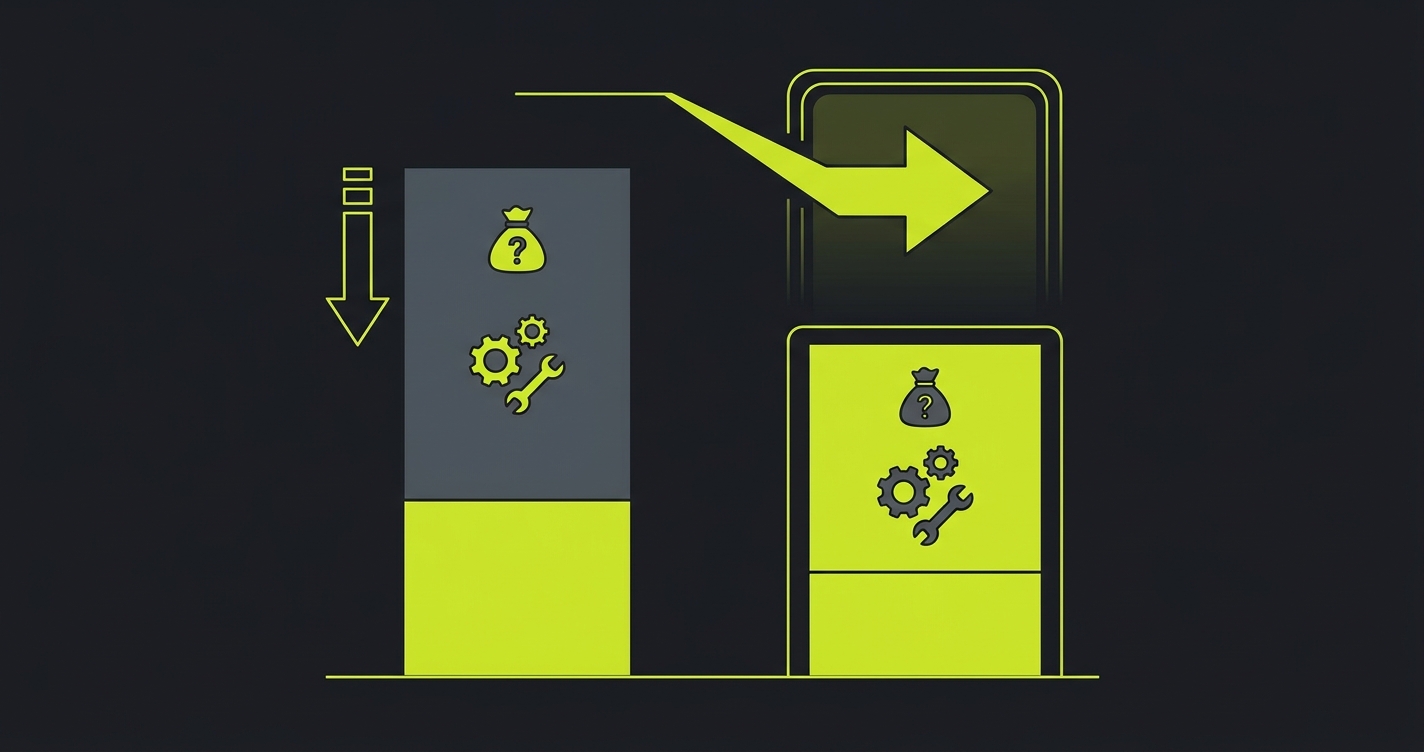
BugBug is one of the most affordable testing tools on the market. The free tier runs tests locally in Chrome at no cost. Cloud execution starts at $49/month for 5 parallel runs. For a small team running basic smoke tests in Chrome, this is genuinely good value.
But the real cost calculation includes what BugBug cannot do and what that gap costs you.
The hidden costs of BugBug's limitations:
- No cross-browser testing means bugs ship to Safari and Firefox users. A single production bug caught late costs more in support tickets, hotfixes, and user trust than a year of comprehensive testing.
- Manual recording and maintenance at 5-10 hours per sprint for a team with 100+ tests, at $100-150/hour engineering rates, adds $6,000-18,000 per year in maintenance labor.
- Coverage gaps from manual-only test creation mean edge cases and complex flows go untested. The bugs that escape are the expensive ones.
For a growing team, BugBug's total cost of ownership (subscription + maintenance labor + escaped bug costs) is significantly higher than the $49/month sticker price suggests.
Autonoma cost breakdown:
- Free tier: 100K credits, all browsers, unlimited parallels. Enough for small teams to get started with comprehensive cross-browser testing.
- Cloud ($499/month): 1M credits, unlimited parallels, all browsers, AI test generation, zero maintenance. Annual cost: $5,988.
- Self-hosted (free platform): Pay only for infrastructure ($200-400/month typical). Annual cost: $2,400-4,800. Full features, no restrictions.
Autonoma's cloud plan costs 10x BugBug's cloud plan. But Autonoma covers all browsers (not just Chrome), generates tests automatically (no recording), maintains tests through AI self-healing (no re-recording), and runs unlimited parallels (not 5). When you factor in the maintenance hours BugBug requires and the cross-browser coverage gap it creates, Autonoma's total cost of ownership is lower for any team that has moved beyond basic Chrome smoke tests.
Migrating from BugBug to Autonoma
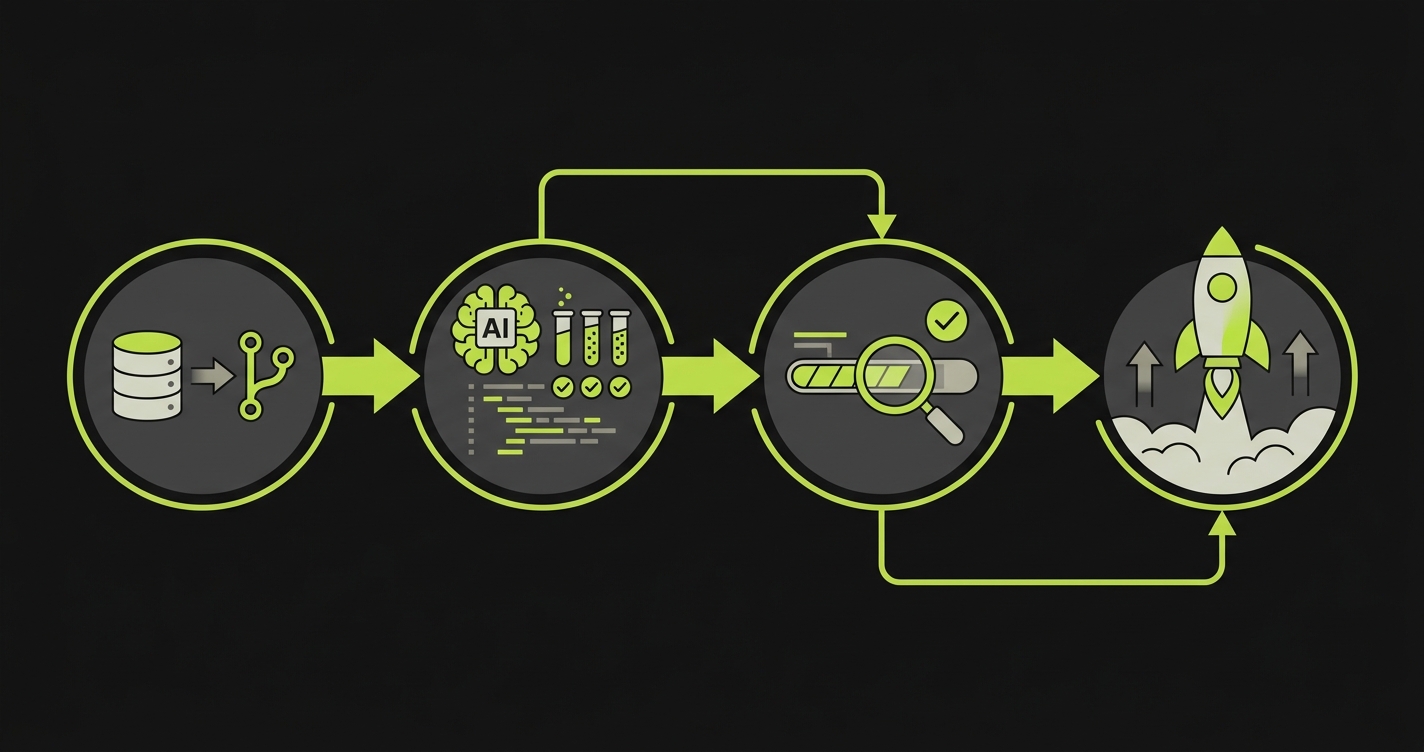
Migration from BugBug is straightforward because you are not converting recorded test scripts. Autonoma generates new tests from your codebase, which are typically more comprehensive and more reliable than recorded click sequences.
1. Sign up and connect your repo. Start with the free tier at getautonoma.com or self-host by cloning the GitHub repo. Connect your GitHub repository and let Autonoma's AI analyze your codebase. This takes minutes.
2. AI generates tests. The test-planner-plugin builds a knowledge base of your application and generates comprehensive E2E test cases. Start with 5-10 critical flows and run them in parallel with your existing BugBug tests. Compare coverage, reliability, and speed side by side.
3. Validate and expand. Review AI-generated test plans. The AI will likely identify flows and edge cases that your BugBug recordings never covered, because it reads your codebase to understand what should be tested, not just what someone manually recorded. Validate that critical flows are covered, then let the AI expand coverage to the rest of your application.
4. Update CI/CD and cut over. Point your CI/CD pipelines at Autonoma. Since BugBug's cloud tests are Chrome-only, your first Autonoma run across Firefox and Safari may surface bugs that have been in production undetected. Fix those, then cancel your BugBug subscription.
Most teams complete migration in under a week. The effort is reviewing and validating AI-generated tests, not rewriting anything. Teams consistently tell us that Autonoma's AI-generated coverage exceeds what they had with BugBug recordings because the AI tests flows, edge cases, and error states that nobody had time to manually record.
Frequently Asked Questions
Yes. Autonoma is an open-source testing platform available on GitHub. Unlike BugBug's proprietary Chrome-only recorder, Autonoma offers a free tier with 100K credits, cross-browser testing (Chrome, Firefox, Safari, mobile), and full self-hosting capabilities with no feature restrictions.
Yes. BugBug only supports Chrome. Autonoma supports Chrome, Firefox, and Safari for web testing, plus iOS and Android for mobile testing, all through Playwright and Appium. AI generates tests that run across all supported browsers automatically.
BugBug's free plan runs tests locally in Chrome only. Cloud execution starts at $49/month for 5 parallel runs. Autonoma offers a free tier with 100K credits, unlimited parallels, and cross-browser support. Cloud plans start at $499/month with 1M credits. Self-hosting eliminates platform fees entirely.
Yes. You don't rewrite recorded tests; you connect your repo and Autonoma's AI generates tests from your codebase automatically. Since BugBug tests are recorded click sequences that break when UI changes, Autonoma's AI-generated vision-based tests are typically more reliable from day one.
BugBug is focused on simple web UI testing through its Chrome recorder. It does not support API testing, complex multi-step workflows, or conditional logic natively. Autonoma's AI generates comprehensive E2E tests including multi-step flows, form submissions, authentication, and complex user journeys automatically from your codebase.
BugBug offers a free local runner but cloud execution requires their servers. Autonoma is fully self-hostable with complete source code on GitHub. You can run it on your infrastructure (AWS, GCP, Azure, on-premise) with zero feature restrictions and no platform fees.
BugBug is a Chrome-only record-and-replay tool for simple web tests. Autonoma is an open-source, AI-native testing platform that generates tests from your codebase automatically, supports all major browsers and mobile, offers self-hosting, and uses vision-based AI to maintain tests without manual intervention.
The Bottom Line
BugBug is a solid entry-level tool. It is fast, affordable, and perfect for teams that only need simple Chrome smoke tests. But its Chrome-only architecture, manual record-and-replay model, and lack of AI test generation create hard limits that growing teams inevitably hit.
Autonoma removes those limits entirely. Full source code on GitHub (BSL 1.1, Apache 2.0 in 2028). AI generates and maintains tests from your codebase: zero recording, zero maintenance. Cross-browser testing across Chrome, Firefox, Safari, iOS, and Android. Self-host on your infrastructure or use our cloud. Unlimited parallels on every plan. No vendor lock-in. Free tier starts at 100K credits, cloud at $499/month, self-hosted at infrastructure cost only.
If BugBug is doing everything you need today, there is no reason to switch. But if you have outgrown Chrome-only testing, if you are tired of re-recording broken tests, or if you need real cross-browser and mobile coverage, Autonoma is the open-source upgrade path.
Ready to move beyond Chrome-only testing?
Start Free - 100K credits, no credit card, all browsers, 5-minute setup
View on GitHub - Inspect source code, self-host documentation
Book Demo - See AI test generation in action
Related Reading: