Docker Compose Testing for Startups: Full Stack, One Command
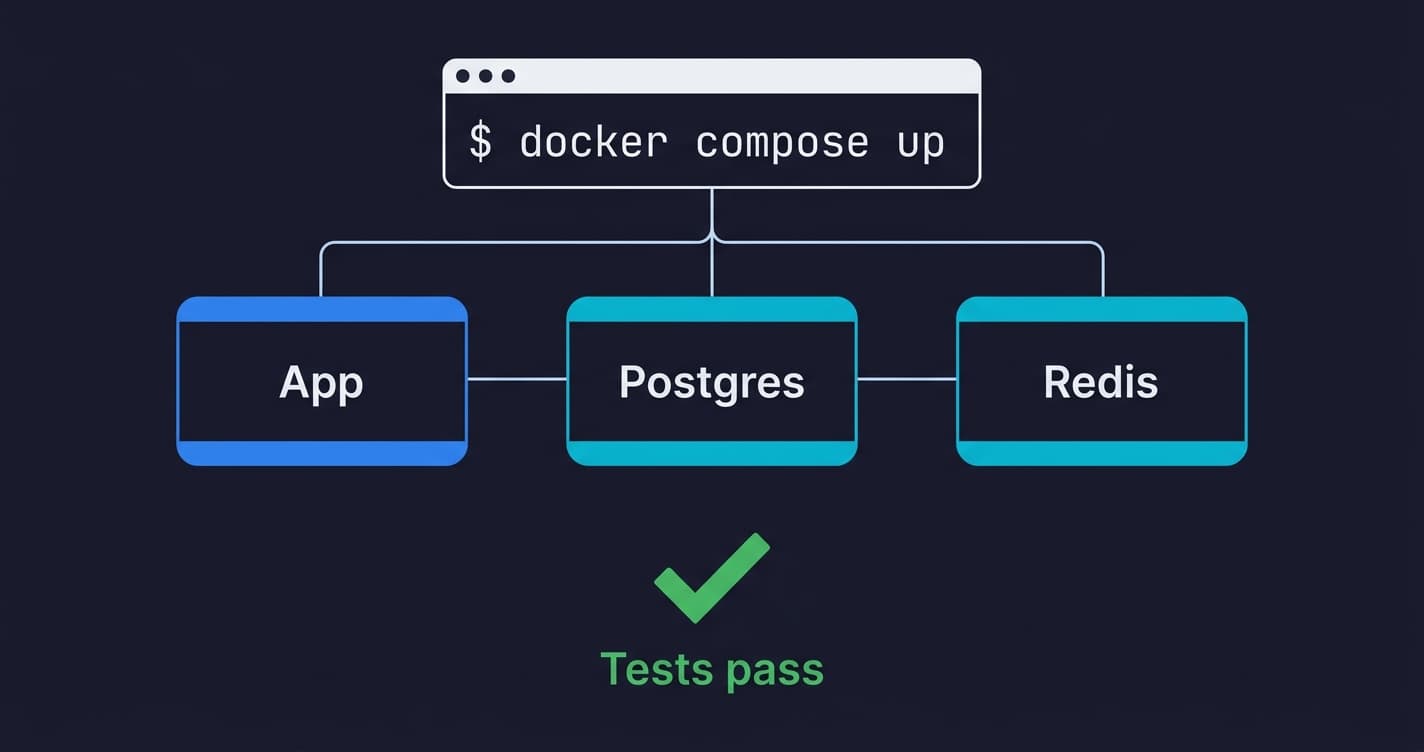

Docker Compose for testing means defining your entire application stack (app server, database, cache, external services) in a single docker-compose.yml file and spinning it up with one command for each test run. Each run gets a fresh, isolated environment identical to every other run. Tests that pass locally pass in CI. The "it works on my machine" problem disappears because everyone is running the same machine. For startups, this eliminates the most common source of integration test flakiness without requiring a dedicated DevOps hire.
The best integration test setup a startup can have is one that any engineer on your team can run without instructions. Clone the repo, run one command, get a working test environment. Tests pass or fail based on the code, not on the state of the machine running them.
This is achievable in an afternoon with Docker Compose. No new infrastructure to manage. No cloud costs. No DevOps background required. The setup scales from a solo founder running tests locally to a 20-person team with automated CI, using the same configuration file.
What makes this worth doing, beyond convenience, is the compounding effect. Reliable tests get run. Tests that are flaky or environment-dependent get skipped, then disabled, then deleted. The cost of not testing compounds just as fast. A stable containerized testing environment is not just an operational improvement; it is the prerequisite for a culture where engineers trust the test suite and act on what it tells them.
What Docker Compose Actually Does for Your Tests
Before the YAML, it's worth being precise about the problem Docker Compose solves, because it's easy to confuse it with related tools.
Docker Compose does not replace your test framework. It does not run your tests. What it does is declare a set of services, their configuration, and how they connect to each other, and then start all of them with a single command. Your tests run against that environment exactly as they would run against production services.
The key word is reproducible. The same compose file runs on your MacBook, your colleague's Linux machine, and your GitHub Actions runner. This is what makes containerized testing fundamentally different from manual environment setup. The environment is defined in version-controlled code, not tribal knowledge in someone's .bashrc. When you onboard a new engineer, they run docker compose up and have a working test environment in minutes, not days.
For integration testing specifically, this matters enormously. Unit tests can mock dependencies. Integration tests cannot, by definition. They need a real database to test your query logic. They need a real Redis to test your caching layer. They need those services to start clean and deterministic for each test run. Docker Compose provides exactly that.
Docker Compose Test Environment Setup: App, Database, and Cache
Start with the simplest useful configuration. A Node.js (or Python/Rails) API, a Postgres database, and Redis for caching. This covers the majority of startup backend stacks.
Your app needs a Dockerfile. If you don't have one yet, here is a minimal example for a Node.js service:
FROM node:20-alpine
WORKDIR /app
COPY package*.json ./
RUN npm ci
COPY . .
CMD ["npm", "test"]
With the Dockerfile in place, define your test environment:
# docker-compose.test.yml
services:
  app:
    build:
      context: .
      dockerfile: Dockerfile
    environment:
      NODE_ENV: test
      DATABASE_URL: postgres://testuser:testpass@db:5432/testdb
      REDIS_URL: redis://cache:6379
    depends_on:
      db:
        condition: service_healthy
      cache:
        condition: service_healthy
    command: npm test
    volumes:
      - .:/app
      - /app/node_modules

  db:
    image: postgres:15-alpine
    environment:
      POSTGRES_USER: testuser
      POSTGRES_PASSWORD: testpass
      POSTGRES_DB: testdb
    tmpfs:
      - /var/lib/postgresql/data
    command: postgres -c fsync=off -c synchronous_commit=off -c full_page_writes=off
    healthcheck:
      test: ["CMD-SHELL", "pg_isready -U testuser -d testdb"]
      interval: 5s
      timeout: 5s
      retries: 5

  cache:
    image: redis:7-alpine
    healthcheck:
      test: ["CMD", "redis-cli", "ping"]
      interval: 5s
      timeout: 3s
      retries: 5
A few things worth explaining here.
The depends_on with condition: service_healthy is critical. Without it, your app container starts the moment Docker creates the database container, not when Postgres is actually ready to accept connections. Your tests fail with connection errors, you add a sleep 5 hack, your CI gets slower. The health check approach eliminates this. Postgres signals readiness, then your app starts. No sleep, no race condition.
The tmpfs mount and fsync=off flags on the database service deserve explanation. In a test environment, you do not need durable writes. Postgres is writing to a RAM disk that gets discarded after every run. Disabling fsync, synchronous_commit, and full_page_writes tells Postgres to skip the disk-safety overhead it normally performs. For database-heavy test suites, this can cut execution time by 50% or more. Never use these flags in production.
The separate docker-compose.test.yml file (rather than adding test config to your main docker-compose.yml) keeps concerns separated. Your production compose file and your test compose file can differ in environment variables, volumes, and commands without one polluting the other.
Reproducible Test Environments: Ensuring Clean State Per Run
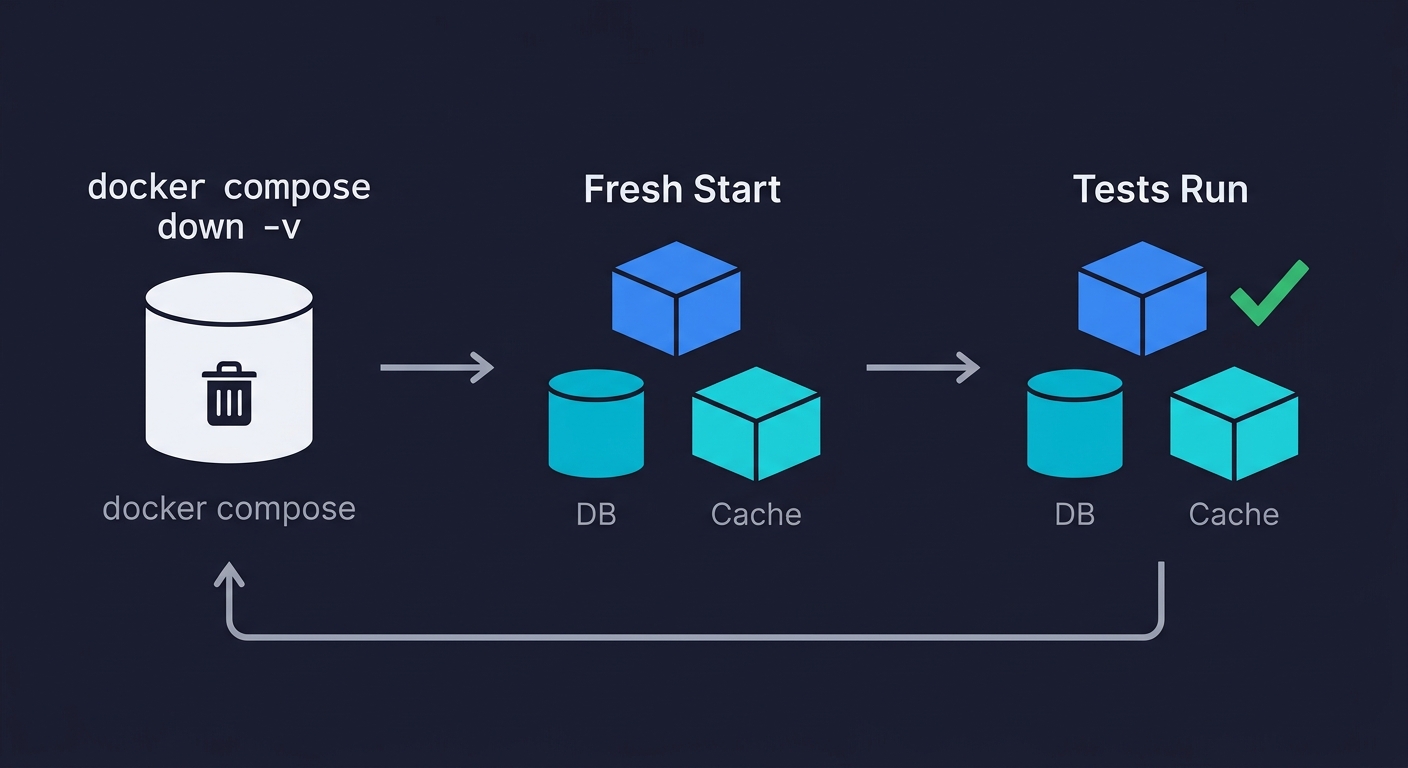
The compose file above runs your tests. It does not automatically give you a clean database between test runs. That requires one additional step: understanding the difference between container restart and volume reset.
When you run docker compose down and then docker compose up, named volumes persist. Your test database retains state from the previous run. This is the source of more mysterious test failures than almost anything else. A test that creates a user passes the first time. Fails the second time because that user already exists.
Two approaches work here.
Option 1: Use anonymous volumes and always run with --renew-anon-volumes.
The simplest change: remove the named volume from your database service. Postgres data goes to an anonymous volume, which Docker discards when you run docker compose down -v. Explicitly:
# Tear down completely, removing volumes
docker compose -f docker-compose.test.yml down -v

# Bring up fresh
docker compose -f docker-compose.test.yml up --abort-on-container-exit --exit-code-from app
The --abort-on-container-exit flag shuts down all services when any service exits. --exit-code-from app makes the command return the exit code from your app container (i.e., your test results). This is what lets CI know whether the tests passed or failed.
Option 2: Run migrations inside the test suite.
Rather than relying on Docker volume state, run your database migrations at the start of each test suite. Most test frameworks support a global setup hook for this. Your schema is applied fresh against an empty database every time:
// jest.setup.js (or equivalent for your framework)
beforeAll(async () => {
  await runMigrations(); // applies your schema to the empty test DB
  await seedTestData();  // inserts any fixture data your tests need
});

afterAll(async () => {
  await closeDatabaseConnection();
});
Option 2 is more robust. It tests your migration scripts as a side effect, and it works regardless of whether someone remembered to run docker compose down -v. We use Option 2 at Autonoma for our own test environments, combined with the volume teardown as a belt-and-suspenders measure.
Adding External Service Dependencies
Real applications talk to more than a database and cache. Payment processors, email services, third-party APIs. You cannot spin up Stripe in Docker Compose. You can spin up a mock that behaves like Stripe.
WireMock works well for HTTP service mocking. Add it as a service in your compose file:
  wiremock:
    image: wiremock/wiremock:3.3.1
    ports:
      - "8080:8080"
    volumes:
      - ./test/wiremock:/home/wiremock
    healthcheck:
      test: ["CMD", "curl", "-f", "http://localhost:8080/__admin/health"]
      interval: 5s
      timeout: 3s
      retries: 5
Your app's environment variables point at http://wiremock:8080 instead of https://api.stripe.com. WireMock serves pre-configured responses from the ./test/wiremock directory. Your payment flow integration tests run without ever hitting a real payment API, which means no sandbox credentials to manage, no network latency, and no test charges to clean up.
Docker Compose for Integration Testing in GitHub Actions CI
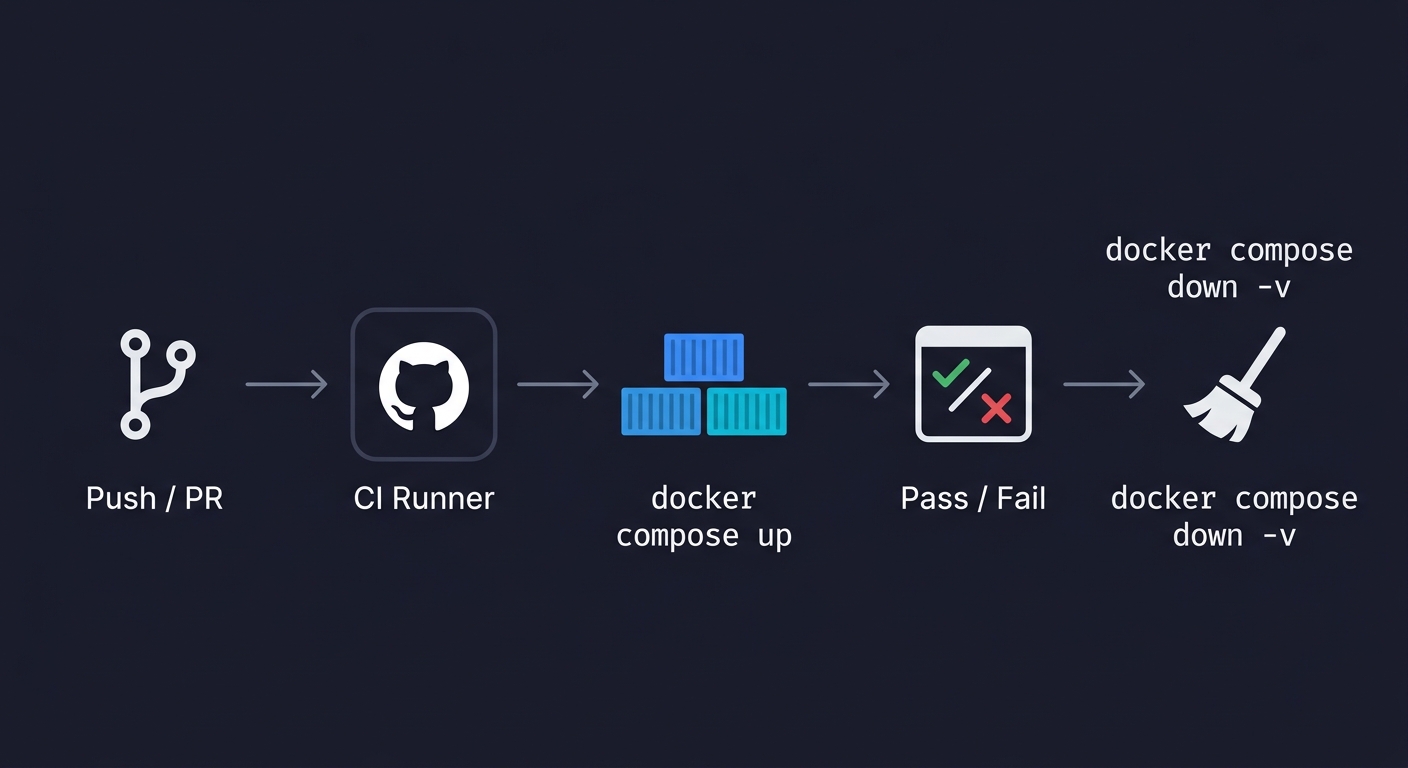
The local setup is only half the job. The compose file needs to run identically in CI as part of a continuous testing workflow. GitHub Actions makes this straightforward because the runner environment supports Docker Compose natively.
# .github/workflows/integration-tests.yml
name: Integration Tests

on:
  push:
    branches: [main]
  pull_request:
    branches: [main]

jobs:
  integration-tests:
    runs-on: ubuntu-latest
    timeout-minutes: 15

    steps:
      - name: Checkout code
        uses: actions/checkout@v4

      - name: Set up Docker Buildx
        uses: docker/setup-buildx-action@v3

      - name: Cache Docker layers
        uses: actions/cache@v4
        with:
          path: /tmp/.buildx-cache
          key: ${{ runner.os }}-buildx-${{ github.sha }}
          restore-keys: |
            ${{ runner.os }}-buildx-

      - name: Run integration tests
        run: |
          docker compose -f docker-compose.test.yml up \
            --build \
            --abort-on-container-exit \
            --exit-code-from app

      - name: Tear down
        if: always()
        run: docker compose -f docker-compose.test.yml down -v
A few things this containerized testing workflow does that matter. The Docker layer cache (/tmp/.buildx-cache) avoids rebuilding your image from scratch on every run. For a typical Node.js or Python image, this saves 2-4 minutes per run. At 20+ pull requests per week, that adds up.
The if: always() on the teardown step ensures containers are removed even when tests fail. Without it, a failed run leaves containers running on the runner and volumes consuming disk space. Runners are ephemeral but the cache persists, so it's worth cleaning up.
The timeout-minutes: 15 is a safety valve. If something hangs (a health check that never resolves, a test that never finishes), the job fails loudly instead of consuming runner minutes silently.
Common Docker Compose Testing Pitfalls (and Fixes)
Port conflicts. If you run docker compose up while another local instance is running (or while your dev environment is up), you hit port conflicts. The fix: avoid mapping host ports in your test compose file unless necessary. Services communicate over the Docker internal network using service names as hostnames. Your app container reaches Postgres at db:5432, not localhost:5432. Only map ports to the host when you need to connect from outside the Docker network (e.g., from your test IDE for debugging).
Volume caching surprises. Named volumes persist across docker compose down. Anonymous volumes do not. Know which you're using. When tests produce unexpected results that clear on a fresh machine, a stale named volume is the first thing to check.
Image pull latency in CI. Your first CI run after adding a new service image is slow because the runner pulls it fresh. Subsequent runs use the GitHub Actions cache. If build time is a priority, pin to specific image digests rather than tags (e.g., postgres:15-alpine@sha256:...) to guarantee cache hits.
Health check timing. If your app starts before Postgres is ready, you get connection errors. If your health check interval is too aggressive (1s), you get false positives from the health check mechanism itself. The values in the examples above (5s interval, 5 retries) are tested defaults that work for most startup stacks. Adjust the retry count if your database initialization scripts run long (e.g., you're loading significant fixture data at container start).
Docker Compose vs Testcontainers
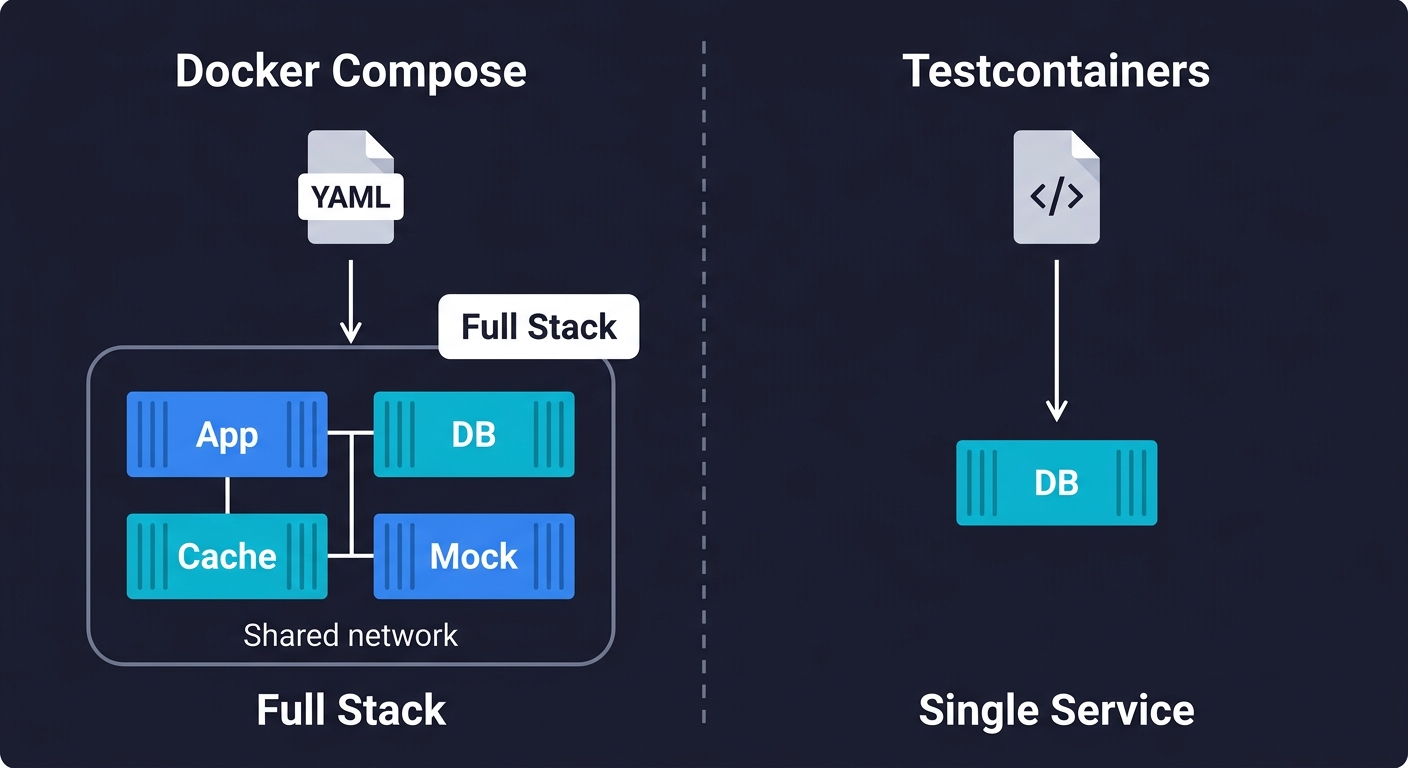
If you have researched containerized testing, you have likely encountered Testcontainers. It solves a related but different problem, and the two tools complement each other.
Testcontainers is a library (available for Java, Python, Node.js, Go, and .NET) that lets you spin up Docker containers from within your test code. You write new PostgreSQLContainer() in your test setup, and Testcontainers handles pulling the image, starting the container, and giving you a connection string. When the test finishes, the container is destroyed.
Use Docker Compose when you need your entire stack running together: app server, database, cache, and mocked external services, all communicating over a shared network. This is the right tool for full integration tests and end-to-end workflows where multiple services interact.
Use Testcontainers when you need a single service dependency for a focused test. For example, testing your repository layer against a real Postgres instance without bringing up Redis, WireMock, or your app container. Testcontainers gives you finer-grained control at the individual test level.
For most startup teams, Docker Compose is the starting point. It covers the majority of your integration testing needs with a single configuration file. Add Testcontainers later if you find yourself writing tests that need isolated database instances without the overhead of the full stack.
The Graduation Path
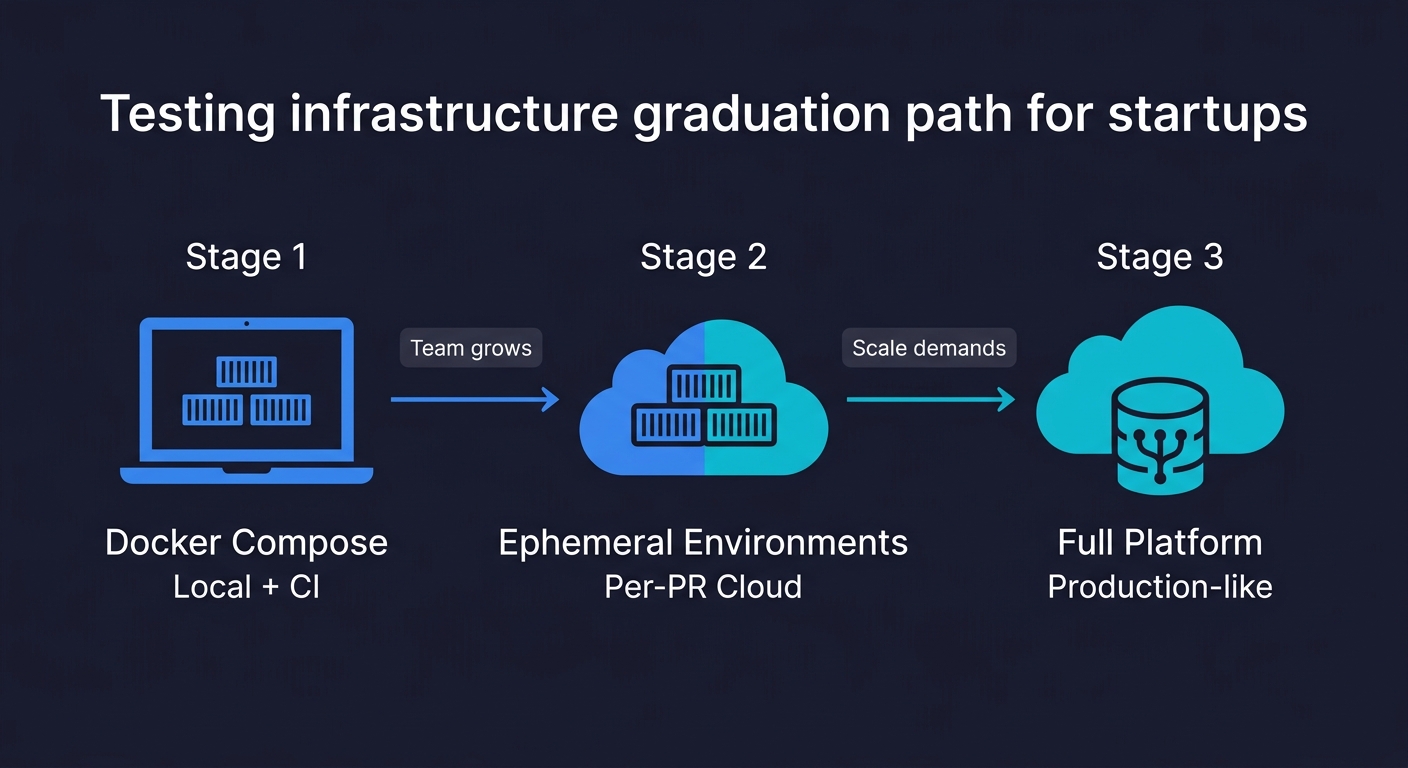
Docker Compose covers local development and CI. It does not cover the case where you want to test against a production-like environment on every pull request, not just your local machine. That gap is what ephemeral environments address.
The progression makes sense. Start with Docker Compose: your team gets reliable local test environments and CI integration in an afternoon. No infrastructure to manage. No cloud costs. As your team and codebase grow, the limitations appear: compose environments are single-machine, they don't support traffic-based testing, and they can't test infrastructure-level behavior. That's when ephemeral cloud environments become the natural next step. Staging environments are also becoming an antipattern at this stage, and ephemeral environments replace them more cheaply.
For the data layer specifically, Docker Compose gives you a clean database per test run. Database branching gives you a production-like dataset per pull request, which is a different and complementary capability. Similarly, Docker Compose handles environment isolation; test data management handles the question of what data goes into that environment.
Where AI-Generated Tests Fit
Once your Docker Compose test environment is stable, you have a foundation worth building on. A containerized test environment that starts clean, runs deterministically, and integrates with CI is exactly the infrastructure that makes automated test generation worth doing.
This is where Autonoma fits into the picture. Our Planner agent reads your codebase, understands your routes, components, and user flows, and generates test cases from that code analysis. Those tests run against whatever environment you point them at, including your Docker Compose test stack. The Maintainer agent keeps the tests current as your code changes. The tests don't break when you rename a component or refactor a service, because they understand intent, not selectors.
The containerized environment solves the "where do tests run" problem. AI-generated testing solves the "who writes and maintains the tests" problem. Together, they give a startup team the test coverage that previously required a dedicated QA team to build and maintain.
Complete Reference Configuration
Here is the full docker-compose.test.yml combining everything covered in this guide: app, database with performance flags, cache, and HTTP service mocking. Copy this as your starting point and adjust service images and environment variables for your stack.
# docker-compose.test.yml
services:
  app:
    build:
      context: .
      dockerfile: Dockerfile
    environment:
      NODE_ENV: test
      DATABASE_URL: postgres://testuser:testpass@db:5432/testdb
      REDIS_URL: redis://cache:6379
      PAYMENT_API_URL: http://wiremock:8080
    depends_on:
      db:
        condition: service_healthy
      cache:
        condition: service_healthy
      wiremock:
        condition: service_healthy
    command: npm test
    volumes:
      - .:/app
      - /app/node_modules

  db:
    image: postgres:15-alpine
    environment:
      POSTGRES_USER: testuser
      POSTGRES_PASSWORD: testpass
      POSTGRES_DB: testdb
    tmpfs:
      - /var/lib/postgresql/data
    command: postgres -c fsync=off -c synchronous_commit=off -c full_page_writes=off
    healthcheck:
      test: ["CMD-SHELL", "pg_isready -U testuser -d testdb"]
      interval: 5s
      timeout: 5s
      retries: 5

  cache:
    image: redis:7-alpine
    healthcheck:
      test: ["CMD", "redis-cli", "ping"]
      interval: 5s
      timeout: 3s
      retries: 5

  wiremock:
    image: wiremock/wiremock:3.3.1
    volumes:
      - ./test/wiremock:/home/wiremock
    healthcheck:
      test: ["CMD", "curl", "-f", "http://localhost:8080/__admin/health"]
      interval: 5s
      timeout: 3s
      retries: 5
Run it locally:
docker compose -f docker-compose.test.yml down -v
docker compose -f docker-compose.test.yml up --build --abort-on-container-exit --exit-code-from app
FAQ
Docker Compose for testing lets you define your entire application stack (app server, database, cache, external service mocks) in a single YAML file and start it with one command. Each test run gets an identical, isolated environment. The primary benefit is reproducibility: tests that pass locally pass in CI, because both environments are defined by the same compose file. Tools like Autonoma can then run AI-generated tests against this containerized environment automatically.
Create a docker-compose.test.yml file that includes your application and all its dependencies (database, cache, mocked external services). Use health checks with 'condition: service_healthy' in depends_on to ensure services are ready before your app starts. Run tests with: docker compose -f docker-compose.test.yml up --abort-on-container-exit --exit-code-from app. Tear down with docker compose down -v to remove volumes for a clean next run.
Test isolation requires a clean environment for each test run. Use 'docker compose down -v' to remove volumes between runs (the -v flag removes named and anonymous volumes). Alternatively, run your database migrations and seed scripts at the start of each test suite via a global setup hook in your test framework. This guarantees a known database state regardless of what the previous run left behind.
Use the 'docker compose up --abort-on-container-exit --exit-code-from app' command in a GitHub Actions step. Add Docker Buildx caching to avoid rebuilding images from scratch on every run. Use 'if: always()' on the teardown step so containers are cleaned up even when tests fail. Set a timeout-minutes limit to prevent hung runs from consuming unlimited runner time.
Docker Compose runs your test environment on a single machine (your laptop or a CI runner). It's fast to set up and costs nothing beyond your CI minutes. Ephemeral environments are cloud-hosted, production-like environments spun up per pull request. They support traffic-based testing, infrastructure-level testing, and can run against production data snapshots. Docker Compose is the right starting point. Ephemeral environments are the graduation path as your team and requirements grow.
The leading tools for containerized test environments include Autonoma (connects to your codebase and generates tests that run in your containerized environment automatically), Docker Compose (environment orchestration), Testcontainers (spin up service containers from within your test code), WireMock (HTTP service mocking), and LocalStack (AWS service mocking). For CI, GitHub Actions has native Docker Compose support, making it the default choice for most startups.