

Cursor vs GitHub Copilot in 2026 is a different comparison than it was 18 months ago. GitHub Copilot has moved well past autocomplete: it now has agent mode, multi-file editing, and model choice (GPT-4.1, Claude 4.x, Gemini 2.5/3.x). Cursor evolved from a VS Code fork into a fully redesigned AI-first IDE with Composer, Background Agents, and its own model routing. The short version: Copilot is the lower-friction choice for teams already on GitHub Enterprise. Cursor is the higher-ceiling choice for developers who want maximum AI capability and model flexibility. The real question in 2026 is not which tool writes more code, it is which team has a process to validate what either tool generates.
Cursor Pro is $20 per month. GitHub Copilot Pro is $10. At the team level, that gap doubles: Cursor Business at $40 per user versus Copilot Business at $19. For a 10-person engineering team, that is an extra $2,520 per year for the same category of tool.
The question is whether the difference in capability justifies that premium, and the honest answer depends almost entirely on how your team works. If the majority of your AI interaction is inline autocomplete and occasional chat questions, Copilot delivers that at half the price. If your team runs multi-file agent sessions daily, the calculus shifts.
We run both tools in production at Autonoma. Here is what the price difference actually buys you.
Quick verdict: If your team lives in GitHub and needs IDE flexibility, GitHub Copilot at $10-19/user is the rational default. If your team runs daily multi-file agent sessions and wants maximum model control, Cursor at $20-40/user earns the premium. If you want both without editor lock-in: Copilot for inline assistance plus Claude Code in the terminal for agent work.
What GitHub Copilot Became in 2026
GitHub Copilot launched in 2021 as an autocomplete engine. It suggested the next line, the next function, sometimes the next block. It was genuinely useful and genuinely limited. You were still the driver. Copilot was the GPS suggesting turns.
By mid-2025, that model was obsolete. Copilot shipped agent mode in VS Code, a mode where you describe a task and Copilot plans and executes it across multiple files without you touching the keyboard between steps. It reads your codebase for context, proposes a set of changes, and waits for your approval before applying them. The architecture is closer to an autonomous agent than an autocomplete engine.
The model flexibility story also changed. Copilot used to run on whatever GitHub chose. Now users on the paid tiers can switch between GPT-4.1, GPT-5.x, Claude 4.x, Gemini 2.5/3.x, and Grok mid-session. That is a significant shift. For complex refactors, you might want Claude's reasoning depth. For fast iteration, GPT-5.x. For long-context architectural analysis, Gemini. Copilot is now a model-agnostic interface bolted onto GitHub's infrastructure.
Multi-file editing arrived as well. Copilot can now generate changes across a feature's entire surface (the route, the component, the test scaffold) in a single instruction. It does not always get it right, but it attempts the coordination that previously required a developer to hold the whole picture in their head.
The workspace integration is Copilot's genuine advantage over every competitor. It indexes your repository, understands your PR history, reads your issues, and uses GitHub Actions context. If your team lives inside GitHub, Copilot has ambient context that no other tool can match without significant configuration work.
What Cursor IDE Became in 2026
Cursor started as a VS Code fork with better AI integration. The 2026 version is something different. The team rebuilt large parts of the editor from scratch to be AI-native rather than AI-augmented, and the gap between those two design philosophies is visible in daily use.
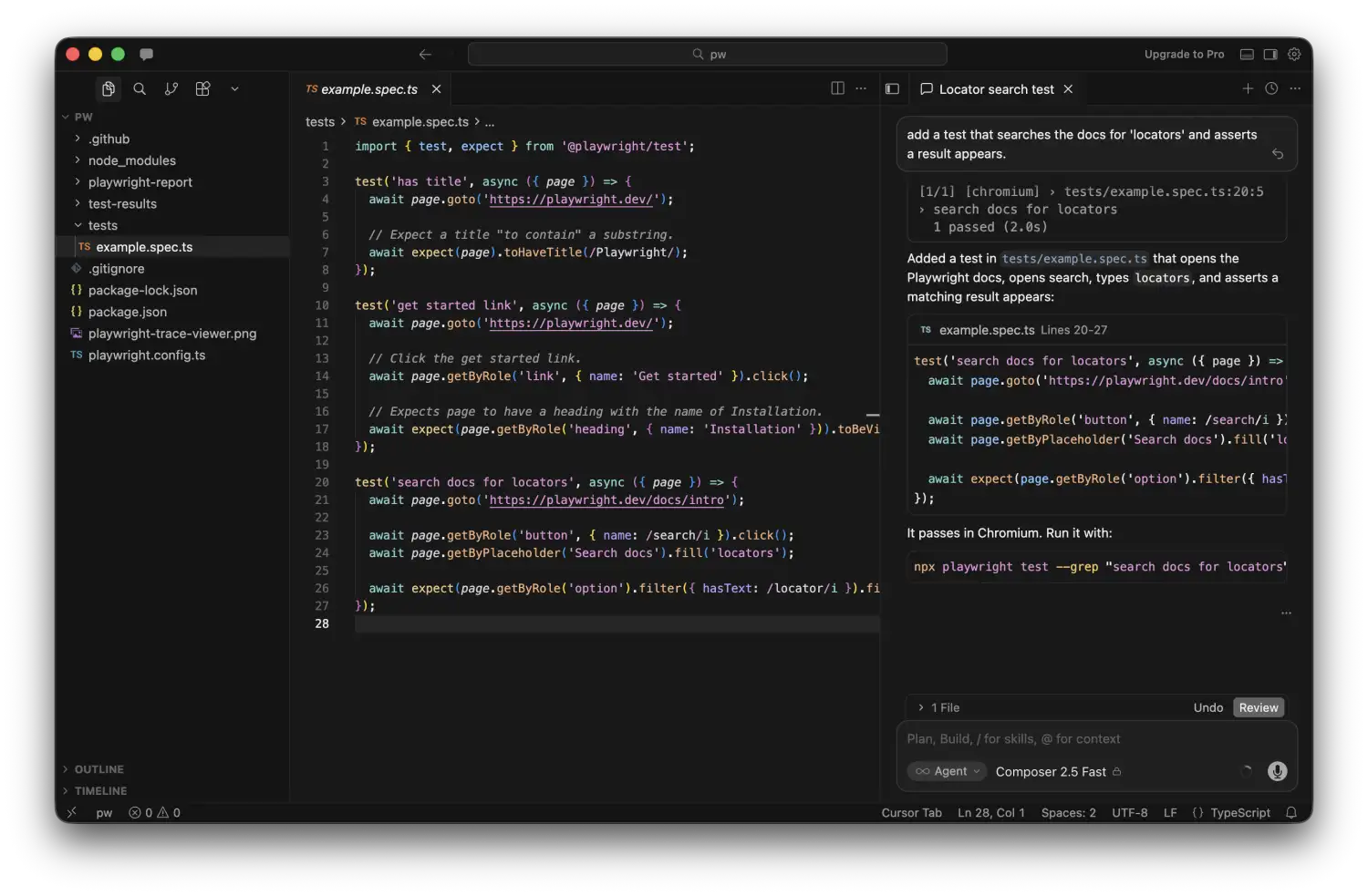
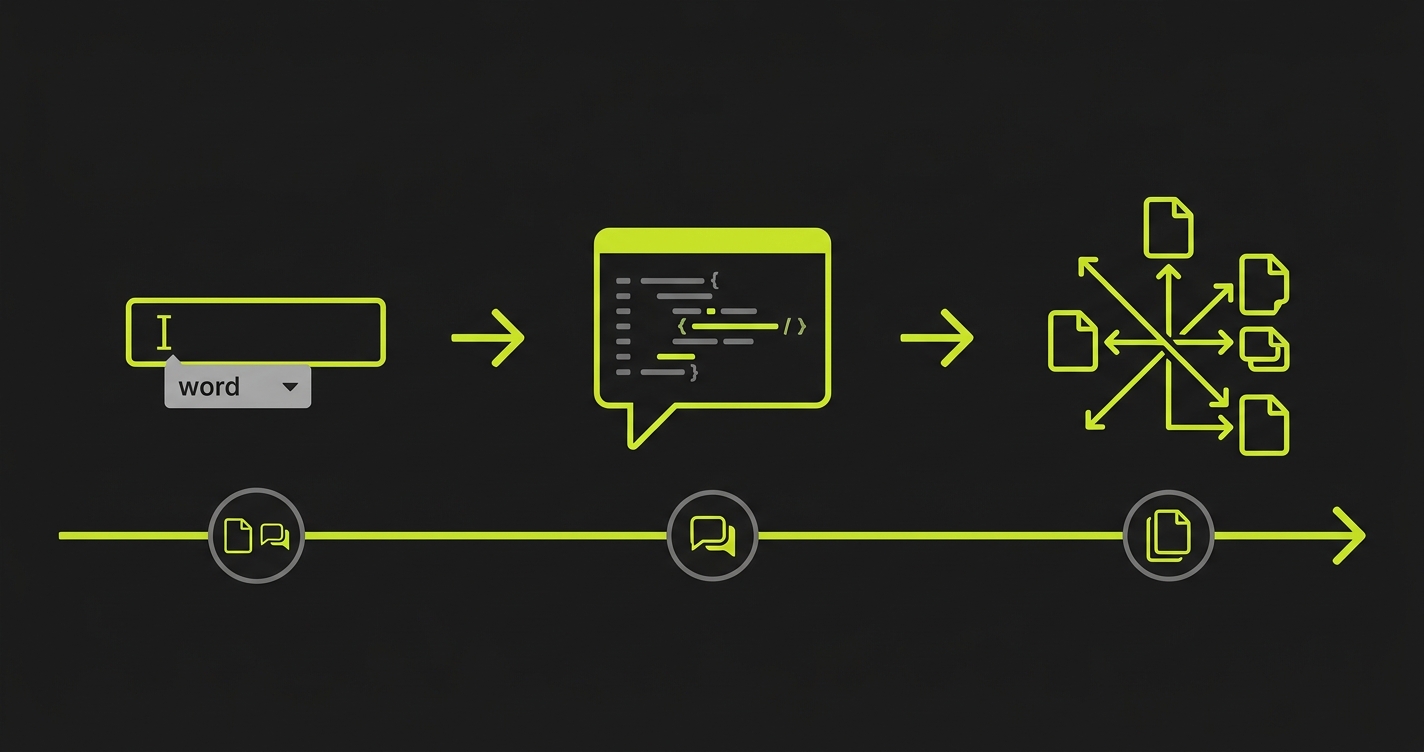
The most significant feature is Composer (now called the Agent panel in recent versions). Composer is where you describe a task in natural language, and Cursor plans the implementation, writes the code across however many files are necessary, runs the terminal commands needed, and iterates based on errors. It is not just editing. It is a full development loop inside the editor. Background Agents extend this further: you can spawn multiple Composer sessions running concurrently on different tasks and check on their progress as they run.
Cursor's model routing is more granular than Copilot's. You choose the model per-context: a faster, cheaper model for autocomplete, a more capable model for Composer sessions, and a different model for codebase-wide search. The interface for managing model selection is more developed than Copilot's because Cursor's team built the product around that flexibility from the start.
The context handling is where users report the most tangible difference. Cursor's @codebase command does a semantic search across your entire repository to find relevant files before sending a prompt to the model. You can also pin specific files, use @docs to pull in external documentation, and use @web for live web search. The context assembly is visible and controllable in a way that Copilot's workspace indexing is not.
The tradeoff is IDE lock-in. Cursor is its own editor. If your team has heavy VS Code extensions, specific keybinding setups, or organizational tooling baked into VS Code, migrating to Cursor has friction. Copilot is a plugin. It works in VS Code, JetBrains, Neovim, and anywhere else with an extension. Cursor is the editor itself.
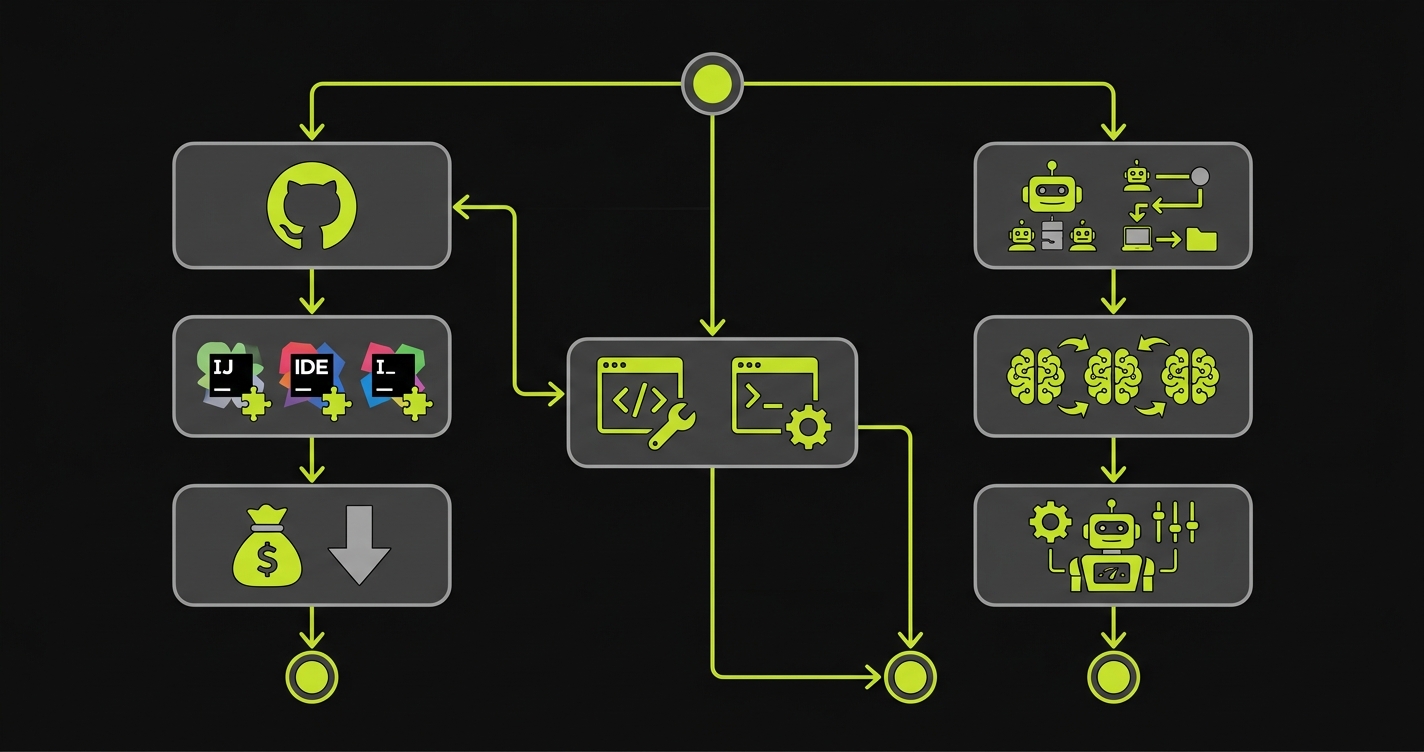
Whichever AI coding assistant you choose, verifying the output is essential. Autonoma adds that verification layer: AI agents read your codebase and run E2E tests on every PR to catch what code generation misses.
Copilot Agent Mode vs Cursor Composer: Head-to-Head
Agent mode is now the most important feature to evaluate in both tools, because it is where most of the productivity gain (and most of the risk) lives.
Copilot's agent mode runs inside your existing editor workflow. You open a Copilot Chat panel, describe the task, watch it propose a plan, and approve or reject each step. The approval gates are explicit. The experience is conservative by design: GitHub is serving enterprises that cannot afford runaway AI behavior. Agent mode asks before it acts.
Cursor's Composer is more autonomous by default. It will write files, run terminal commands, read error output, self-correct, and continue, with fewer interruptions. The upside is speed. A Composer session that scaffolds a complete feature with tests and wires it into your router can finish in minutes. The downside is the same upside: it moves fast, and fast means you need to review the output carefully before trusting it.
For multi-file refactoring specifically, both tools now handle it, with different reliability. Copilot tends to be more conservative in scope. Ask it to rename a concept across your codebase and it will find the obvious places, propose them for review, and stop. Cursor will find the obvious places and the non-obvious places (related tests, documentation strings, config keys) and attempt them all. That breadth is useful when it works and chaotic when it misses context.
On SWE-Bench Verified (2026 results), GitHub Copilot solves 56% of tasks versus Cursor's 51.7%, but Cursor completes each task roughly 30% faster (62.9 seconds vs 89.9 seconds). The benchmark matters less than the pattern: Copilot is more accurate on isolated tasks; Cursor is faster on multi-step workflows. Neither score tells you whether the generated code behaves correctly in production. That requires testing.
The quality question underneath agent mode is the one that does not get enough attention. When either tool generates a complete feature across 15 files, the code is plausible-looking, compiles, and frequently passes surface-level review. Whether it actually behaves correctly under the conditions your users will create is a different question. We covered the broader pattern in our piece on vibe coding security risks. The same dynamic applies here. More capable tools producing more code faster means the validation gap grows proportionally.
Codebase Context: How Cursor and Copilot Handle Large Projects
This is an area where both tools have improved, but the approaches are different enough to matter.
Copilot uses GitHub's codebase indexing, which runs as a background process on your repository. It understands file structure, symbols, and relationships at the repository level. The context it sends to the model when you ask a question includes relevant snippets pulled from that index. You do not explicitly control which files are in context. Copilot decides based on your query and current file.
Cursor's approach is more explicit. The @codebase command runs a semantic search and shows you what it found before sending the prompt. You can add or remove files from context manually. The @file syntax lets you pin specific files for a session. This explicitness is slower than Copilot's automatic approach, but it gives you visibility into what the model is working with, which matters when you are debugging why an agent made a wrong decision.
For large monorepos, Cursor's Background Agent mode has a distinct advantage: it can check out your repository in an isolated cloud environment and run tasks there, which means it is not limited by local machine context. Copilot's agent mode runs in your local VS Code instance, which limits its ability to parallelize.
Cursor vs Copilot Pricing: Individual and Team Plans
Copilot Pro is $10/month for individuals. Copilot Business is $19/user/month for teams (includes policy controls, audit logs, IP indemnification). Copilot Enterprise is $39/user/month and adds Bing-powered web search, docset indexing, and GitHub.com chat integration.
Cursor Pro is $20/month for individuals. The Pro plan includes 500 fast requests per month using premium models (Claude 4.x, GPT-5.x), then falls back to slower models. Usage above the quota is billed at consumption rates. Cursor Business is $40/user/month and adds SSO, centralized billing, privacy mode enforcement, and admin controls.
| Feature | GitHub Copilot | Cursor |
|---|---|---|
| Free tier | 2,000 completions + 50 agent requests/mo | 50 requests/mo |
| Individual pricing | $10/mo (Pro) | $20/mo (Pro) |
| Team pricing | $19/user/mo (Business) | $40/user/mo (Business) |
| Enterprise pricing | $39/user/mo | Custom |
| Model choice | GPT-4.1, GPT-5.x, Claude 4.x, Gemini 2.5/3.x, Grok | GPT-5.x, Claude 4.x, Gemini 3, Grok, Composer 2, custom |
| Agent mode | Yes (VS Code, approval gates) | Yes (Composer, more autonomous) |
| Background agents | Via GitHub Actions | Native concurrent Composer sessions |
| Multi-file editing | Yes | Yes, broader scope including tests and docs |
| IDE support | VS Code, JetBrains, Neovim, Xcode, Eclipse | Cursor editor only |
| Codebase context | Automatic GitHub indexing | Explicit @codebase / @file control |
| Privacy mode | Enterprise data policies | Privacy mode (no code stored on servers) |
| Learning curve | Minimal (plugin in existing IDE) | Moderate (new editor, migration needed) |
| Best for | GitHub-embedded teams, budget-conscious | Agent-heavy workflows, model flexibility |
At the individual level, Cursor is 2x the price of Copilot Pro. At the team level, Cursor Business is more than 2x Copilot Business. Whether that premium is justified depends on how much your team uses the higher-ceiling features. If the majority of your team's AI interaction is still inline autocomplete and occasional chat questions, Copilot Business provides those at half the cost. If your team regularly runs multi-file Composer sessions and Background Agents, Cursor's tooling is more developed for those workflows.
For GitHub Enterprise teams, the math changes. Copilot Enterprise at $39/user includes IP indemnification, audit logging, and the full workspace integration with GitHub.com. If you are already paying for GitHub Enterprise, Copilot Enterprise may be the rational choice from an integration and compliance standpoint alone, regardless of feature comparison.
The Testing Gap Both AI Code Editors Create
Here is the thing neither tool's marketing addresses directly: as both Copilot and Cursor have gotten better at generating code, they have also raised the stakes for testing it.
In 2023, autocomplete tools suggested functions. In 2026, agent modes scaffold entire features. The generated code is more plausible, more complete, and harder to review quickly. The probability that any single line is wrong went down. The probability that a complex interaction across 15 AI-generated files hides a behavioral bug went up.
We went deep on this in our vibe coding quality issues post, the specific failure mode where agent-generated code passes review and then fails in production. The pattern is consistent enough that it is worth naming here: both Copilot and Cursor agent modes produce code that looks right, compiles correctly, and behaves unexpectedly in edge cases that only appear when the application is actually running under realistic conditions.
Manual code review does not scale to catch these. The problem is not reading the code. It is that the bugs live in the interactions between components, not in any individual component. A reviewer looking at a Copilot-generated auth flow sees correct-looking code. A test that actually runs the auth flow as an unauthenticated user trying to access a protected resource catches what the review missed.
This is why teams using either tool aggressively should treat test coverage as the mandatory complement to agent mode, not an optional step. Autonoma connects to your codebase and generates the tests automatically: the Planner agent reads your routes and components to plan test cases, and the Diffs Agent maintains them as the AI generates more changes, adding and deprecating test cases on every PR. The Executor then runs those tests against a live preview environment, and the Reviewer classifies each result as a real bug, an agent error, or a test-plan mismatch. The codebase is the spec. You do not write the tests; the agents do. That closes the loop that agent mode opens.

Cursor vs Copilot: Which Should You Choose?
The decision comes down to three variables: your current setup, your team's workflow intensity, and your budget tolerance.
Choose Copilot if: your team is deeply embedded in GitHub (Enterprise, Actions, Issues, Projects), you need a plugin that works across multiple IDEs without asking engineers to change their editor, you are on a budget and your primary use case is still inline assistance and occasional chat, or your organization requires the GitHub IP indemnification and audit trail at the Enterprise tier.
Choose Cursor if: you want the highest-ceiling AI coding experience available today, your team is willing to commit to Cursor as their primary editor, you do agent-heavy workflows (multi-file refactors, feature scaffolding, background parallel agents) frequently, or you want granular model selection and visible context control.
There is a third option that is increasingly common on teams we talk to: Copilot for the IDE plugin (because it works everywhere), and Claude Code in the terminal for heavy agent work. It is not as clean as a single tool, but it avoids the Cursor editor lock-in while still giving you a capable agent when you need one.
Whichever tool you choose, the verification layer matters more than the generation layer. The code your AI writes needs validation before it ships, regardless of which IDE generated it.
For more detail on how Cursor specifically performs as a testing tool (with benchmarks against Claude Code and other approaches), see our Cursor AI for E2E Testing comparison. For a broader view of where both tools fit in the AI coding landscape, see our best vibe coding tools roundup. And if you are exploring Cursor-specific alternatives, our Cursor alternatives guide covers the full field.
Conclusion
Bottom line: Choose GitHub Copilot if you want lower cost and seamless GitHub ecosystem integration. Choose Cursor if you want the highest-ceiling AI coding experience with agent autonomy and model flexibility.
The cursor vs copilot question in 2026 is not the same question it was in 2024. You are not choosing between an autocomplete plugin and a smarter autocomplete plugin. You are choosing between two different philosophies of AI-native development: GitHub's conservative, workspace-integrated, plugin-first approach versus Cursor's high-autonomy, model-flexible, editor-first approach.
Neither tool produces correct code by default. Both produce plausible code at high speed. The team that wins with either tool is the team that closes the verification loop: not with manual review alone, but with automated testing that actually runs the application and validates behavior. The tool you choose matters. The process you build around it matters more.
It depends on your workflow. Cursor has a higher capability ceiling: better multi-file agent mode, more granular model selection, and more visible context control. GitHub Copilot has better GitHub ecosystem integration, works as a plugin across any IDE, and costs less (Copilot Business is $19/user/mo vs Cursor Business at $40/user/mo). For developers doing heavy agent-mode work, Cursor is generally the more capable tool. For teams embedded in GitHub Enterprise who need IDE flexibility, Copilot is often the better fit.
Yes. GitHub Copilot added agent mode in VS Code, allowing it to plan and execute multi-file changes across your codebase based on a natural language description. It runs with explicit approval gates. Copilot proposes changes and waits for confirmation before applying them. It is more conservative than Cursor's Composer by design, targeting enterprise users who need predictability.
Cursor Composer (now referred to as the Agent panel in recent versions) is Cursor's multi-file agent mode. You describe a task, and Cursor plans the implementation, writes code across multiple files, runs terminal commands, reads error output, and self-corrects, with fewer interruption points than Copilot's agent mode. Background Agents let you run multiple Composer sessions concurrently on different tasks.
Cursor Pro is $20/month per individual. Cursor Business is $40/user/month. GitHub Copilot Pro is $10/month. Copilot Business is $19/user/month. Copilot Enterprise is $39/user/month and includes full GitHub.com integration, audit logs, and IP indemnification. At the individual level, Cursor is 2x the price of Copilot. At the team level, Cursor Business is more than 2x Copilot Business.
Not typically in the same editor session, since Cursor is its own editor. Some developers use Cursor as their primary editor and GitHub Copilot for team-facing workflows (PR reviews, GitHub Actions integration) where Copilot's GitHub context is valuable. Others use Copilot in VS Code for daily coding and Claude Code in the terminal for heavy agent sessions, avoiding Cursor's editor lock-in entirely.
Neither Cursor nor Copilot reliably generates correct code in complex multi-file scenarios. Both produce plausible, compiling code that can fail in behavioral edge cases that only appear at runtime. The quality gap between the two tools is smaller than the gap between teams that validate AI-generated code with automated testing and teams that rely on code review alone. Tools like [Autonoma](https://getautonoma.com) connect to your codebase and automatically generate and run tests against your application, catching the behavioral bugs that agent-mode code introduces.
No. Cursor is its own editor built on a modified version of VS Code. It does not work as a plugin for JetBrains, Neovim, or other IDEs. GitHub Copilot, by contrast, works as a plugin across VS Code, JetBrains IDEs, Neovim, Vim, Emacs, and Azure Data Studio. If your team uses multiple IDEs, Copilot has a significant practical advantage.
There is no single best AI coding tool in 2026. The choice depends on your workflow. GitHub Copilot is the strongest option for teams embedded in the GitHub ecosystem who want a lower-cost plugin that works across any IDE. Cursor is the strongest option for developers who want maximum AI autonomy with Composer and Background Agents. Claude Code is gaining traction as a terminal-based alternative for heavy agent work. For any of these tools, the real differentiator is not which AI generates the code. It is whether your team has automated testing to validate what the AI produces.