

Test coverage measures whether your code was executed, not whether your product actually works. The two most common infrastructure failures behind green CI pipelines that ship broken software are (1) fake test data that never exercises real-world state and (2) shared or nonexistent staging environments that hide integration failures. Fixing your test suite starts with fixing the foundation underneath it: realistic data seeding, isolated preview environments, and a pipeline that treats test infrastructure as a first-class engineering investment.
I have talked to dozens of early-stage engineering teams over the past two years. The pattern is so consistent it feels scripted. A team ships a CI pipeline. They add Playwright or Cypress. Coverage climbs to 60%, then 80%. The dashboard glows green. Everyone feels confident.
Then a multi-tenant data leak hits production on a Tuesday afternoon. Three engineers burn the rest of the week in incident response while the CEO fields calls from panicked customers.
The tests passed. Every single one.
But the problem was never the tests themselves. It was the invisible foundation those tests stood on: empty databases and a staging server that three developers were deploying to at the same time. If your tests pass but the product is still broken, these two infrastructure gaps are almost certainly why.
The Coverage Illusion: Why the Metric Lies When Your Infrastructure Is Wrong
Test coverage is one of the most misunderstood metrics in software engineering. It tells you which lines of code were executed during a test run. It does not tell you whether those lines were exercised under conditions that resemble production.
Think about what that means in practice. A test that runs against an empty database and returns a successful 200 response has "covered" the code path. But it has not verified that the code works when there are 10,000 users in the database, when some of those users have expired subscriptions, or when two users share the same email because of a migration bug from 2024.
Your test suite exercises your authentication flow, your dashboard, your settings page, and your billing integration. All green. The coverage report says 83%. Your team merges with confidence.
But every one of those tests ran against a freshly seeded database with one admin user, no historical data, no edge-case account states, and no concurrent sessions. In production, the user who just downgraded from Pro to Free still sees Pro features because the permission check was never tested against that state transition. The cost of that bug will exceed the cost of every test you have ever written.
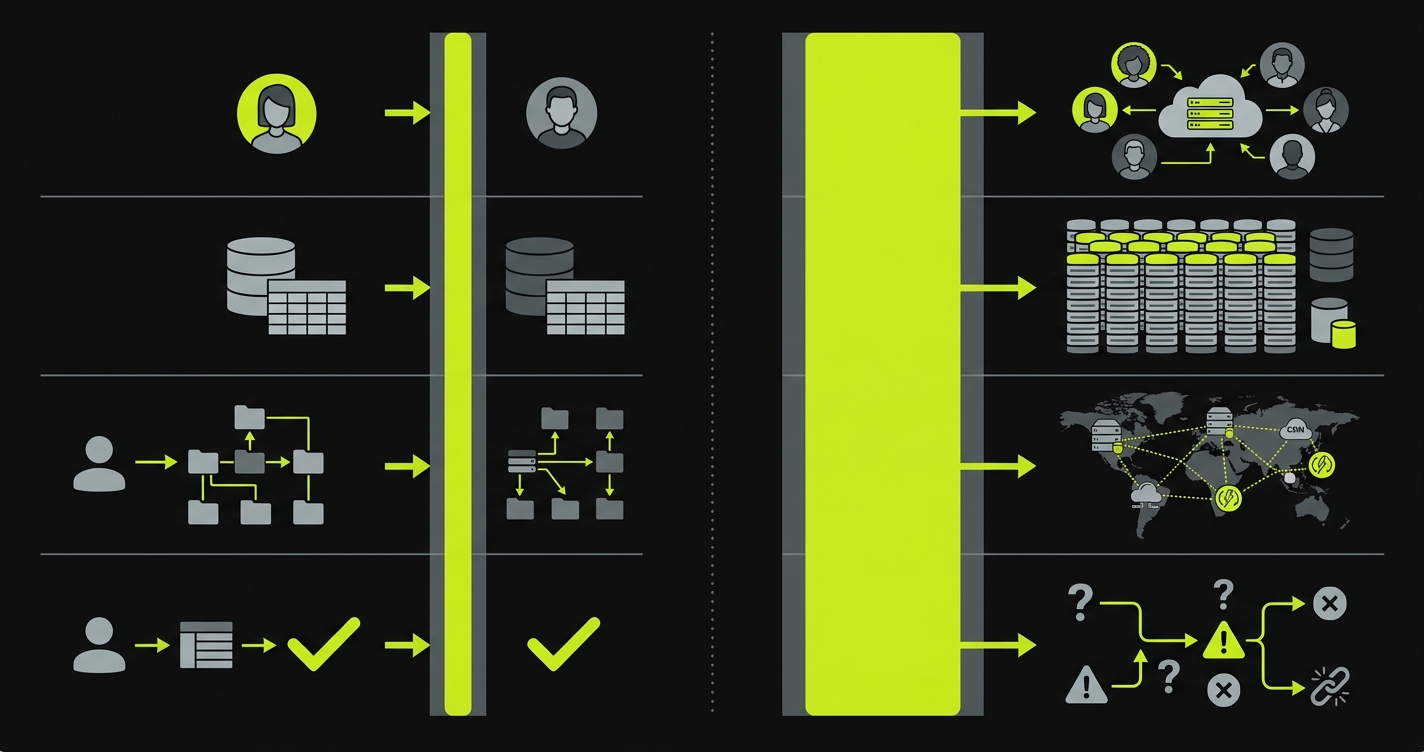
| What Your Tests Cover | What Your Users Encounter |
|---|---|
| Single user, clean database | Thousands of users with varied account states |
| Happy-path signup with valid data | Returning users, expired trials, OAuth edge cases |
| One tenant in isolation | Multi-tenant data with overlapping permissions |
| Timezone: UTC | Users across 24 timezones, daylight saving transitions |
| Latest code on a clean deploy | Code deployed over three other developers' half-merged PRs |
| No background jobs running | Cron jobs, webhooks, and async workers processing simultaneously |
The gap between those two columns is where production bugs live. No amount of test coverage will close it. Only better infrastructure will.
Mistake #1: Fake Test Data That Creates a False Sense of Security
This is the more common of the two mistakes, and it is the hardest to see because the tests look like they are working.
Most test suites seed a minimal database before each run. A user named "Test User" with the email "test@example.com" and an admin role. Maybe a second user called "Jane Doe" for multi-user flows. The database has no historical records, no edge-case states, and no realistic volume.
This is not test data. It is a prop. And it creates a false sense of security that is worse than having no tests at all, because it makes the team believe the product is working when it is not.
Let me walk you through four bugs that fake data will never catch.
The multi-tenant data leak
Your test has one tenant with one user. The query that fetches dashboard data works perfectly. In production, the same query returns data across tenants because the WHERE clause on tenant_id was accidentally removed during a refactor. Your test never caught it because there was no second tenant in the database to leak. This is one of the most common root causes when you dig into why E2E tests pass while the product is broken.
The permission escalation nobody tested
Your test user is an admin. Every authorization check passes. But in production, a team member with "viewer" permissions can access the admin API endpoint because the middleware check was never exercised against a non-admin user. The test was green. The vulnerability was wide open.
The billing bug hiding in the calendar
Your test creates a subscription with a start date of "today." The billing logic works. But in production, a user who signed up 11 months ago hits a renewal edge case where the timezone conversion causes their annual renewal to process a day early, double-charging them. Your test database had no subscriptions older than the current test run. The date-dependent logic was never stressed.
The returning user trap
Your test always starts with a fresh user who has never logged in. The onboarding wizard works perfectly. In production, a user who completed onboarding six months ago, deleted their workspace, and signed up again gets stuck in a broken state because the "has completed onboarding" flag is still set from their first account. No test ever simulated a user with prior history.
Every one of these bugs passes your test suite. Every one of them reaches production. The common thread: the seed data never created the conditions for the bug to surface.
A Test That Lies vs. a Test That Catches
Here is a concrete example. This test passes with flying colors:
// This test passes. It is also nearly worthless.
test('dashboard loads for authenticated user', async ({ page }) => {
  // Seed: one user, empty database
  await seedDatabase({ users: [{ email: 'test@test.com', role: 'admin' }] });

  await page.goto('/login');
  await page.fill('[data-testid="email"]', 'test@test.com');
  await page.fill('[data-testid="password"]', 'password123');
  await page.click('[data-testid="submit"]');

  await expect(page).toHaveURL('/dashboard');
  await expect(page.locator('[data-testid="welcome"]')).toBeVisible();
});
This test verifies that a single admin user can log in to an empty dashboard. It says nothing about what happens when that dashboard needs to render 500 records, filter by date range, paginate correctly, or respect row-level permissions for a non-admin user on a different tenant.
Now add realistic data. The same flow catches real bugs:
// Same flow. Realistic data. Actually catches bugs.
test('dashboard loads with production-like data', async ({ page }) => {
  await seedDatabase({
    tenants: [
      { id: 'tenant-a', plan: 'pro' },
      { id: 'tenant-b', plan: 'free' },
    ],
    users: [
      { email: 'admin@a.com', role: 'admin', tenantId: 'tenant-a' },
      { email: 'viewer@a.com', role: 'viewer', tenantId: 'tenant-a' },
      { email: 'admin@b.com', role: 'admin', tenantId: 'tenant-b' },
    ],
    records: generateRecords({
      count: 500,
      tenantId: 'tenant-a',
      dateRange: { from: '2025-01-01', to: '2026-04-13' },
    }),
  });

  // Log in as viewer, not admin
  await page.goto('/login');
  await page.fill('[data-testid="email"]', 'viewer@a.com');
  await page.fill('[data-testid="password"]', 'password123');
  await page.click('[data-testid="submit"]');

  await expect(page).toHaveURL('/dashboard');

  // Verify tenant isolation: should only see tenant-a records
  const rows = page.locator('[data-testid="dashboard-row"]');
  await expect(rows).toHaveCount(25); // first page of paginated results

  // Verify permission: viewer should NOT see admin controls
  await expect(page.locator('[data-testid="delete-button"]')).toHaveCount(0);
  await expect(page.locator('[data-testid="export-button"]')).toBeHidden();
});
Same flow. Same amount of engineering effort to write. Dramatically more signal. The difference is entirely in the seed data.
What Proper Data Seeding Looks Like
The fix is not writing more tests. It is building better test data management infrastructure.
Seed endpoints, not SQL dumps. Build API endpoints (or CLI commands) that generate realistic state on demand. These endpoints should be callable from your test setup, your local development environment, and your CI pipeline. They should accept parameters for volume, tenant count, date ranges, and account states.
// Example seed endpoint: POST /api/test/seed
app.post('/api/test/seed', async (req, res) => {
  const { tenants = 2, usersPerTenant = 5, recordsPerUser = 100 } = req.body;

  for (const t of range(tenants)) {
    const tenant = await createTenant({ plan: randomFrom(['free', 'pro', 'enterprise']) });

    for (const u of range(usersPerTenant)) {
      const user = await createUser({
        tenantId: tenant.id,
        role: randomFrom(['admin', 'editor', 'viewer']),
        signupDate: randomDate({ from: '2024-01-01', to: '2026-04-13' }),
        onboardingCompleted: randomBoolean(0.8),
      });

      await createRecords({
        userId: user.id,
        tenantId: tenant.id,
        count: recordsPerUser,
        dateRange: { from: user.signupDate, to: new Date() },
      });
    }
  }

  res.json({ status: 'seeded' });
});
Test user personas, not "Test User." Create named personas that represent real usage patterns. "Sarah" is a free-tier user who signed up a year ago and never completed onboarding. "Marcus" is an enterprise admin managing three workspaces. "Priya" is a viewer who was recently downgraded from editor. Each persona exercises different code paths. This approach to data seeding with AI can generate these personas automatically from your schema.
Realistic state machines. Your seed data should include users at every stage of your product's lifecycle: trial, active, churned, reactivated, suspended, pending invite. If your application has subscription logic, seed subscriptions in various states: active, past due, canceled, grandfathered on a legacy plan. The bugs that reach production almost always involve state transitions, not happy-path states.
Mistake #2: No Preview Environments (or a Single Shared Staging)
The second infrastructure gap is where your tests run. Most early-stage teams fall into one of two traps.
Some teams have no staging at all. Tests run against a local development server, or against a mocked API layer. The tests pass locally, the PR gets merged, and the bug surfaces in production because the local environment did not match the production configuration.
Other teams go a step further and provision a single shared staging environment. Every developer deploys to it. Every test suite runs against it. This feels like progress. But it introduces a coordination problem that quietly devours engineering velocity.
The "Who Broke Staging?" Story
Here is how it plays out at a 10-person startup on a typical Tuesday.
Developer A deploys their branch to staging to run tests. Developer B deploys their branch ten minutes later, overwriting A's deployment. A's tests start failing. A spends 30 minutes debugging before realizing the environment changed underneath them. B's tests also fail because they depend on data that A's deployment modified.
Both developers end up in Slack: "Who broke staging?"
This is not a one-time annoyance. It is a structural tax that scales linearly with team size. When you have three engineers, it is manageable. When you have eight, it becomes the single largest source of friction in your deployment pipeline.
The result is predictable. Engineers stop trusting the test results from staging. They merge PRs with a quick manual check instead. Tests that fail on staging get marked as "known flaky" and ignored. The test suite's signal degrades to noise. For a deeper analysis of how staging environments become bottlenecks, the coordination tax is almost always the root cause.
What a Modern Environment Strategy Looks Like
The solution is isolation. Every PR gets its own environment with its own database, its own state, and its own test run. No shared resources. No coordination required.
Per-PR preview environments. When a developer opens a pull request, a preview environment spins up automatically with the PR's code deployed to it. Tests run against that isolated environment. The environment is destroyed when the PR is merged or closed. This pattern, sometimes called ephemeral environments, eliminates the "who broke staging" problem entirely.
Database branching. Each preview environment gets its own database branch, seeded with realistic test data. Database branching tools like Neon allow you to create a full copy of your database schema and seed data in seconds, without duplicating storage. Every PR's tests run against their own data, and no test run can interfere with another.
Isolated state beyond the database. Preview environments should also isolate third-party service mocks, background job queues, and cache layers. A test that passes because it read stale data from a shared Redis instance is not a passing test. It is a lie.
The technical infrastructure for this has become significantly more accessible. Vercel, Netlify, and Railway all support per-PR deployments natively. Database branching through Neon or PlanetScale takes minutes to configure. The complexity that once required a dedicated DevOps team is now a YAML file and a few API calls.
How These Two Mistakes Compound
Here is the part most teams miss: these two problems do not just add up. They multiply.
Fake data on a shared environment means your entire test suite is running unrealistic scenarios on infrastructure that is being modified by other developers simultaneously. The signal from that test suite is approximately zero. A green build tells you nothing. A red build could mean anything.
Think about the failure modes. A test passes because the data does not exercise the edge case. That is the fake data problem. A test passes because another developer's deployment changed the state in a way that accidentally makes it work. That is the shared environment problem. A test fails intermittently, gets marked as flaky, gets ignored, and the real bug ships to production. That is both problems compounding.
This is how teams end up with 80% coverage and weekly production incidents. The coverage number is real. The protection it provides is not.
The Fix: Test Infrastructure as a First-Class Investment
The solution to both problems is the same: treat test infrastructure with the same seriousness you treat production infrastructure.
Most teams invest heavily in their production stack. They use managed databases, CDNs, monitoring, alerting, and incident response tooling. Then they run their tests against a SQLite database on a shared EC2 instance and wonder why bugs keep reaching production.
The gap between those two investment levels is where production incidents are born. Closing it requires four things.
A dedicated data seeding pipeline. Build seed endpoints that generate realistic, parameterized test data on demand. Version them alongside your application code. Run them as part of your CI pipeline. Treat them as production code, because the quality of your tests depends on them.
Per-PR isolated environments. Every pull request should spin up its own environment with its own database branch, seeded with realistic data. Tests run in isolation. Results are trustworthy. No coordination, no shared state, no "who broke staging." For a full walkthrough of integrating this into your CI pipeline, see our guide on E2E testing with preview environments.
Monitoring your test infrastructure. Track seed time, environment spin-up time, test execution time, and flake rate. If your preview environments take 15 minutes to provision, developers will skip them. If your seed data takes 5 minutes to generate, tests will use shortcuts. The testing strategy for startups should include infrastructure SLOs alongside coverage targets.
A budget for test infrastructure. This is the hardest sell for early-stage teams, but it matters. Preview environments, database branches, and seed data pipelines have real costs. They also prevent real costs. A $200/month bill for preview environments is cheaper than one production incident, every time. If you need to build the case, the cost of not testing math makes this straightforward.
How Autonoma Solves Both Problems
Autonoma was built specifically to close these two gaps for early-stage teams that do not have the bandwidth to build test infrastructure from scratch.
You connect your codebase, and three agents take it from there. The Planner agent reads your code, your ORM schema, and your API routes, then generates a comprehensive test plan. It also generates seed endpoints for database state setup, producing realistic test data that exercises your actual code paths: multi-tenant scenarios, permission boundaries, date-dependent logic, and state transitions. The Automator agent executes the tests. The Maintainer agent self-heals tests when your code changes, so they never fall out of sync.
Your codebase is the spec. No recording, no writing, no maintenance.
On the environment side, Autonoma integrates with preview environment providers (Vercel, Netlify, Railway) to run your E2E tests automatically on every PR's isolated deployment. Each test run gets its own seeded database branch. No shared staging. No coordination. No flaky results from environment interference.
The compounding effect works in reverse, too. When you combine realistic data with isolated environments, the signal from your test suite becomes trustworthy. A green build means the code actually works under production-like conditions. A red build means something is genuinely broken. Engineers can merge with confidence and ship faster.
For teams of 3 to 20 engineers, this is the difference between a test suite that provides security theater and one that actually prevents production bugs.
Frequently Asked Questions
Yes, and this is more common than most teams realize. Test coverage measures which lines of code were executed during test runs. It does not measure whether those lines were tested under realistic conditions. A test that runs against an empty database and a single admin user can achieve full line coverage while completely missing multi-tenant data leaks, permission escalation bugs, and date-dependent logic errors. Coverage is a necessary but insufficient metric for test quality.
Fake test data refers to minimal, unrealistic database state used during test runs: a single user named 'Test User,' an empty database, hardcoded admin roles. The problem is that this data does not exercise the code paths that cause production bugs. Real users have varied account states, historical data, edge-case permissions, and timezone differences. Tests that run against fake data pass consistently while missing the exact scenarios that fail in production.
Preview environments (also called ephemeral environments) are isolated, per-PR deployments that spin up automatically when a developer opens a pull request. Each preview environment has its own code deployment, its own database branch, and its own test state. They matter because they eliminate the 'shared staging' problem where multiple developers deploy to the same environment, overwrite each other's changes, and produce unreliable test results. Preview environments make test results trustworthy by ensuring complete isolation between test runs.
Start with seed endpoints or CLI commands that generate parameterized, realistic data on demand. These should accept inputs for tenant count, users per tenant, record volume, date ranges, and account states. Create named test personas that represent real usage patterns (free-tier user, enterprise admin, recently downgraded viewer). Seed data should include users at every lifecycle stage: trial, active, churned, reactivated, and suspended. Version your seed logic alongside your application code and run it as part of your CI pipeline.
Database branching creates isolated copies of your database schema and seed data for each test run, similar to how Git branches isolate code changes. Tools like Neon and PlanetScale support this natively, creating full database copies in seconds without duplicating storage. For testing, this means each preview environment gets its own database branch with its own seed data. No test run can interfere with another, and you eliminate an entire category of flaky test failures caused by shared database state.
For a team of 5 to 15 engineers, preview environment infrastructure typically costs $100 to $500 per month depending on provider and usage patterns. Vercel and Netlify include preview deployments in their standard plans. Database branching through Neon starts with a generous free tier. The total cost is a fraction of a single production incident, which typically runs $7,000 to $32,000 for a 10-person startup. The ROI is immediate and significant.
These problems compound rather than merely adding up. Fake data means your tests miss edge cases. A shared environment means your test results are unreliable due to interference from other developers. Combined, your test suite runs unrealistic scenarios on an unstable environment, producing results with near-zero signal. A green build tells you nothing about production readiness. A red build could be caused by a real bug, a data issue, or environment interference. Teams in this state typically stop trusting their test suite entirely, which is worse than having no tests at all.
If you have to pick one, start with preview environments. The coordination tax from shared staging creates immediate, visible pain (broken deploys, unreliable CI, wasted debugging time) that preview environments solve quickly. Once your environments are isolated and your test results are trustworthy, improving your seed data becomes the higher-leverage investment. That said, both problems are solvable in parallel, and tools like Autonoma address both simultaneously by generating realistic seed data and running tests on per-PR preview environments automatically.